


23,99 €
Mehr erfahren.
- Herausgeber: Packt Publishing
- Kategorie: Fachliteratur
- Sprache: Englisch
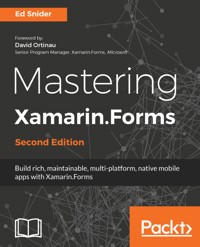
Discover how to extend and build upon the components of the Xamarin.Forms toolkit to develop effective, robust mobile app architecture. Starting with an app built with the basics of the Xamarin.Forms toolkit, we'll go step by step through several advanced topics to create a solution architecture rich with the benefits of good design patterns and best practices.
We'll start by introducing a core separation between the app's user interface and the app's business logic by applying the MVVM pattern and data-binding. Then we will focus on building out a layer of plugin-like services that handle platform-specific utilities such as navigation and geo-location, as well as how to loosely use these services in the app with inversion of control and dependency injection. Next we'll connect the app to a live web-based API and set up offline synchronization. Then, we'll dive into testing the app logic through unit tests. Finally, we will setup Visual Studio App Center to automate building, testing, distributing and monitoring the app.
Das E-Book können Sie in Legimi-Apps oder einer beliebigen App lesen, die das folgende Format unterstützen:
Seitenzahl: 157
Veröffentlichungsjahr: 2018
Ähnliche


















Mastering Xamarin.Forms Second Edition
Copyright © 2018 Packt Publishing
All rights reserved. No part of this book may be reproduced, stored in a retrieval system, or transmitted in any form or by any means, without the prior written permission of the publisher, except in the case of brief quotations embedded in critical articles or reviews.
Every effort has been made in the preparation of this book to ensure the accuracy of the information presented. However, the information contained in this book is sold without warranty, either express or implied. Neither the author, nor Packt Publishing or its dealers and distributors, will be held liable for any damages caused or alleged to have been caused directly or indirectly by this book.
Packt Publishing has endeavored to provide trademark information about all of the companies and products mentioned in this book by the appropriate use of capitals. However, Packt Publishing cannot guarantee the accuracy of this information.
Commissioning Editor: Smeet ThakkarAcquisition Editor:Tushar GuptaContent Development Editor:Jason PereiraTechnical Editor:Rutuja VazeCopy Editor:Dhanya BaburajProject Coordinator:Sheejal ShahProofreader: Safis EditingIndexer:Rekha NairGraphics:Jason MonteiroProduction Coordinator:Shantanu Zagade
First published: January 2016 Second edition: March 2018
Production reference: 1210318
Published by Packt Publishing Ltd. Livery Place 35 Livery Street Birmingham B3 2PB, UK.
ISBN 978-1-78829-026-5
www.packtpub.com
In memory of my friend and colleague, Ed Buhain.
Mapt is an online digital library that gives you full access to over 5,000 books and videos, as well as industry leading tools to help you plan your personal development and advance your career. For more information, please visit our website.
Why subscribe?
Spend less time learning and more time coding with practical eBooks and Videos from over 4,000 industry professionals
Improve your learning with Skill Plans built especially for you
Get a free eBook or video every month
Mapt is fully searchable
Copy and paste, print, and bookmark content
PacktPub.com
Did you know that Packt offers eBook versions of every book published, with PDF and ePub files available? You can upgrade to the eBook version at www.PacktPub.com and as a print book customer, you are entitled to a discount on the eBook copy. Get in touch with us at [email protected] for more details.
At www.PacktPub.com, you can also read a collection of free technical articles, sign up for a range of free newsletters, and receive exclusive discounts and offers on Packt books and eBooks.
Foreword
I'll never forget coming down the escalator of the Xamarin Evolve 2014 venue in Atlanta. Two fantastical things happened. My brand new iPhone in a slim case slipped my grip and went tumbling end over end down the metal escalator steps. By the second bounce I'd given up any hope that it wasn't completely destroyed. As it reached the bottom I could see it bumping up against the end as the steps disappeared. To my complete amazement the gorilla glass was unblemished and the only sign of damage was a little nick in the bezel. As I celebrated wildly and repeatedly shouted "did you see that?!", I noticed a developer engaged in passionate conversation with a Xamarin employee. They were totally oblivious to my miracle. What could be so much more captivating? Then I heard it. "This Xamarin.Forms thing is amazing. So, could I build a game with it?! I have this game...." I shook my head. Who would think to do THAT with Xamarin.Forms? Who would think it would be a good idea?!
I heard variations of that same conversation many times over the following days, and in the years since. This is the lesson I continue to learn: when developers are inspired by what you do, they will dream bigger than you imagine. Xamarin continues to fuel dreams, and your dreams in turn propel Xamarin into the future. Today, as a now open source product, you are contributing amazing things to Xamarin.Forms, bringing it to WPF, Linux, IoT, and even the web. The web!
With so many opportunities and possibilities provided by Xamarin, it's easy to get lost searching for the "right" or "best practices" or just plain effective way to do anything. For this reason I'm ever grateful for books like this from Ed where he takes his practical experience building applications and helps us navigate this ever growing landscape of cross-platform development.
I'm in an enviable position now as a Senior Program Manager at Microsoft for Xamarin.Forms to witness many of the amazing applications being developed using Xamarin.Forms, and I'm truly inspired by what you're doing. Keep up the great work!
David OrtinauSenior Program Manager, Xamarin.FormsMicrosoft
Contributors
About the author
Ed Snider is a senior software developer, speaker, author, and Microsoft MVP based in the Washington D.C./Northern Virginia area. He has a passion for mobile design and development and regularly speaks about Xamarin and Windows app development in the community. Ed works at InfernoRed Technology, where his primary role is working with clients and partners to build mobile and media focused products on iOS, Android, and Windows. He started working with the .NET framework in 2005 when .NET 2.0 came out and has been building mobile apps with .NET since 2011. Ed blogs at edsnider [dot] net and can be found on Twitter at twitter [dot] com/edsnider.
Acknowledgments
I would like to acknowledge the many people without whom this book would not have been possible:
My parents, my wife Kelly, and my daughters Camden and Colby for their loving support and encouragement.
Scott, Art, Josh, and all my teammates at InfernoRed Technology for always inspiring and supporting me.
Joseph Hill, David Ortinau, Jayme Singleton, James Montemagno, and everyone at Xamarin for all of their support through the years.
My friend and fellow MVP, Dan Hermes, for his support, guidance, and encouragement.
My friend and colleague, Roberto Hernandez, for his invaluable technical review of this book.
About the reviewer
Roberto Hernandez is a developer, speaker and all-round tech enthusiast with 18 years of experience in the software industry. Roberto resides in Northern Virginia, where he participates as a speaker at user groups and conferences all through the Mid-Atlantic. Recognized as a Microsoft MVP for C# in 2007, 2008, 2010, he is a member of the Microsoft MVP reConnect. Roberto works as a Developer Extraordinaire at InfernoRed Technology focused on building Mobile and Cloud solutions. You can follow his latest interest at his blog at OverrideThis or follow him on Twitter at @hernandezrobert.
Packt is searching for authors like you
If you're interested in becoming an author for Packt, please visit authors.packtpub.com and apply today. We have worked with thousands of developers and tech professionals, just like you, to help them share their insight with the global tech community. You can make a general application, apply for a specific hot topic that we are recruiting an author for, or submit your own idea.
Table of Contents
Title Page
Copyright and Credits
Mastering Xamarin.Forms Second Edition
Dedication
www.packtpub.com
Why subscribe?
PacktPub.com
Foreword
Contributors
About the author
Acknowledgments
About the reviewer
Packt is searching for authors like you
Preface
Who this book is for
What this book covers
To get the most out of this book
Download the example code files
Conventions used
Get in touch
Reviews
Getting Started
Introducing the app idea
Defining features
Creating the initial app
Setting up the solution
Updating the Xamarin.Forms packages
Creating the main page
Creating the new entry page
Creating the entry detail page
Summary
MVVM and Data Binding
Understanding the MVVM pattern
Adding MVVM to the app
Setting up the app structure
Adding ViewModels
Adding MainViewModel
Adding DetailViewModel
Adding NewEntryViewModel
Summary
Navigation
The Xamarin.Forms navigation API
Navigation and MVVM
The ViewModel-centric navigation
Creating a navigation service
Updating the TripLog app
Updating BaseViewModel
Updating MainViewModel
Initializing MainViewModel
Updating NewEntryViewModel
Updating DetailPage
Summary
Platform Specific Services and Dependency Injection
Inversion of control and dependency injection in mobile apps
Xamarin.Forms DependencyService versus third-party alternatives
Creating and using platform-specific services
Creating a location service
Using the location service on the new entry page
Adding the location service implementation
Registering dependencies
Registering the platform-service implementations
Registering the ViewModels
Registering the navigation service
Updating the TripLog app
Updating the navigation service to handle ViewModel creation and dependency injection
Summary
User Interface
Custom renderers
Creating a TableView DatePicker
Value converters
Creating a reverse visibility value converter
Creating an integer to image value converter
Adding pull-to-refresh
Accessibility
Supporting screen readers
Summary
API Data Access
Creating an API with Microsoft's Azure App Service
Browsing and adding data
Creating a base HTTP service
Creating an API data service
Updating the TripLog app ViewModels
Offline data caching
Adding the Akavache library
Maintaining an offline data cache
Summary
Authentication
Adding identity and authentication to Azure Mobile Apps
Setting up permissions
Setting up an identity provider
Creating an authentication service
Adding a sign in page
Summary
Testing
Unit testing
Testing ViewModels
Running unit tests in Visual Studio
Summary
App Monitoring
Mobile app analytics and crash reporting
Visual Studio App Center
Setting up Visual Studio App Center
Creating an analytics service
Tracking exceptions and events
Summary
Other Books You May Enjoy
Leave a review - let other readers know what you think
Preface
Xamarin released the Xamarin.Forms toolkit in the summer of 2014, and it has since become a very popular framework for .NET mobile app developers. On the surface, Xamarin.Forms is a user interface toolkit focused on abstracting the platform-specific UI APIs of iOS, Android, and Windows into a single easy-to-use set of APIs. In addition, Xamarin.Forms also provides the common components of a Model-View-ViewModel (MVVM) framework, making it extremely easy and intuitive to bind data to a user interface.
Xamarin.Forms comes with several building blocks that are paramount to a solid mobile app architecture, such as dependency injection, data binding, messaging, and navigation. However, many apps will quickly outgrow these in the box capabilities and require the use of more advanced and sophisticated replacements. This book will show you how to leverage the strengths of the Xamarin.Forms toolkit while complementing it with popular patterns and libraries to achieve a more robust and sustainable app architecture.
As with any framework or toolkit, there are specific scenarios where Xamarin.Forms might make more sense than others. Xamarin has done a great job of providing guidance and recommendations on when the use of Xamarin.Forms is appropriate versus when it might be a better decision to use the core Xamarin platform. Once you have made the decision to use Xamarin.Forms, this book will help guide you through using patterns and best practices with your Xamarin.Forms mobile app by walking you through an end-to-end example.
Who this book is for
This book is intended for .NET developers who are familiar with the Xamarin platform and Xamarin.Forms toolkit. If you have already started working with Xamarin.Forms and want to take your app to the next level, making it more maintainable, testable, and flexible, then this book is for you.
What this book covers
Chapter 1, Getting Started, will start off by quickly reviewing the basics of the Xamarin.Forms toolkit. We will then walk through building a simple app with Xamarin.Forms, called TripLog. The TripLog app will serve as the foundation that we build upon throughout the rest of the book by applying new techniques and concepts in each subsequent chapter.
Chapter 2, MVVM and Data Binding, will introduce the Model-View-ViewModel (MVVM) pattern and the benefits of using it in a mobile app architecture. We will then walk through updating the TripLog app with ViewModels that provide data context for the app's pages through data binding.
Chapter 3, Navigation, will explain how navigation works in Xamarin.Forms and some approaches to navigation related to MVVM. We will build a custom navigation service for the TripLog app that extends the one provided by Xamarin.Forms to provide a navigation model that occurs solely at the ViewModel level, decoupled from the pages themselves.
Chapter 4, Platform Specific Services and Dependency Injection, will discuss the power of the inversion of control (IoC) and the dependency injection pattern, specific to multi-platform mobile app development. We will discuss the Xamarin.Forms Dependency Service and some of its shortcomings. We will add a third-party dependency injection library to the TripLog app, in the place of Xamarin.Forms's default Dependency Service. We will then build some services that are dependent on platform-specific APIs and use them within the TripLog app through dependency injection.
Chapter 5, User Interface, will explain how to tap into platform-specific APIs using custom renderers in Xamarin.Forms. We will also discuss the use of value converters to customize the appearance of data at the time of binding.
Chapter 6, API Data Access, will explain how to set up a new RESTful API using a Microsoft Azure App Service. We will then walk through how to connect the TripLog app to the API to get its data and how to set up caching for offline use.
Chapter 7, Authentication, will explain how to set up authentication on the API created in Chapter 6, API Data Access, and then how to add sign in and authentication to the TripLog app.
Chapter 8, Testing, will discuss the importance of testing in mobile apps. We will walk through how to take advantage of the patterns introduced throughout the book to easily unit test the ViewModels within the TripLog app.
Chapter 9, App Monitoring, will explain the importance of crash reporting and collecting analytical data in mobile apps. We will then integrate the Visual Studio App Center SDK into the TripLog app using the service dependency pattern implemented in Chapter 4, Platform Specific Services and Dependency Injection.
Because the focus of this book is on applying patterns and best practices to apps built with Xamarin.Forms and not on the actual specifics of Xamarin.Forms, the chapters will only use a single platform, iOS, for simplicity. However, the architectural concepts in the book will apply to all platforms, and any platform-specific code, such as platform services or custom renderers, will be included for iOS, Android, and UWP with the example code that is available for download with the purchase of this book.
To get the most out of this book
To get the most out of this book, you should have a working knowledge of the Xamarin platform and Xamarin.Forms toolkit as well as experience with .NET.
In order to follow along with the code throughout this book, you will need to have Visual Studio and Xamarin installed on your Windows or Mac machine. Although the examples throughout this book are shown in Visual Studio for Mac, everything shown can also be done in Visual Studio for Windows. If you are using a Windows machine, you will need a Mac running Xamarin on your network to serve as a build host to build and deploy iOS apps. For details on setting up a Mac build host or any other requirements for setting up a Xamarin development environment, visit docs.microsoft.com/en-us/xamarin.
InChapter 6,API Data Access, you will need a Microsoft Azure account in order to follow along with the examples to create a basic API using an Azure App Service.
Throughout this book, there are several tools and libraries used, which are obtained from NuGet via the Visual Studio package manager.
Download the example code files
You can download the example code files for this book from your account at www.packtpub.com. If you purchased this book elsewhere, you can visit www.packtpub.com/support and register to have the files emailed directly to you.
You can download the code files by following these steps:
Log in or register at
www.packtpub.com
.
Select the
SUPPORT
tab.
Click on
Code Downloads & Errata
.
Enter the name of the book in the
Search
box and follow the onscreen instructions.
Once the file is downloaded, please make sure that you unzip or extract the folder using the latest version of:
WinRAR/7-Zip for Windows
Zipeg/iZip/UnRarX for Mac
7-Zip/PeaZip for Linux
The code bundle for the book is also hosted on GitHub atwww.github.com/PacktPublishing/Mastering-Xamarin.Forms-Second-Edition. We also have other code bundles from our rich catalog of books and videos available atwww.github.com/PacktPublishing. Check them out!
Get in touch
Feedback from our readers is always welcome.
General feedback: Email [email protected] and mention the book title in the subject of your message. If you have questions about any aspect of this book, please email us at [email protected].
Errata




