


27,99 €
Mehr erfahren.
- Herausgeber: John Wiley & Sons
- Kategorie: Fachliteratur
- Sprache: Englisch
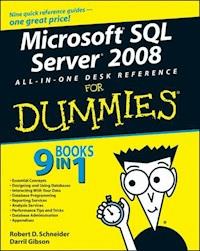
If you're in charge of database administration, developing database software, or looking for database solutions for your company, Microsoft SQL Server 2008 All-In-One Desk Reference For Dummies can help you get a handle on this extremely popular relational database management system. Here you'll find what's new in the latest version; how to choose and install the right variation for your needs; how to monitor, maintain, and protect your data; and what it takes to keep your database healthy. You'll discover how to: * Build and maintain tables * Design a database and communicate with it * Retrieve, analyze, and report data * Build solid, robust database applications * Use the SQL Server Optimizer and Query Designer * Navigate SQL Server with Visual Studio * Develop useful reports with the Report Builder and Report Designer * Create Business Intelligence solutions with Business Intelligence Development Studio * Configure your server and perform major administrative tasks To help you quickly find what you need, Microsoft SQL Server 2008 All-In-One Desk Reference For Dummies is divided into nine minibooks: * Essential Concepts * Designing and Using Databases * Interacting With Your Data * Database Programming * Reporting Services * Analysis Services * Performance Tips and Tricks * Database Administration * Appendixes Microsoft SQL Server 2008 All-In-One Desk Reference For Dummies gets you started, helps you solve problems, and will even answer your questions down the road!
Sie lesen das E-Book in den Legimi-Apps auf:
Seitenzahl: 859
Veröffentlichungsjahr: 2011
Ähnliche


















Microsoft® SQL Server® 2008 All-in-One Desk Reference For Dummies®
by Robert D. Schneider and Darril Gibson
Microsoft® SQL Server® 2008 All-in-One Desk Reference For Dummies®
Published byWiley Publishing, Inc.111 River St.Hoboken, NJ 07030-5774www.wiley.com
Copyright © 2008 by Wiley Publishing, Inc., Indianapolis, Indiana
Published by Wiley Publishing, Inc., Indianapolis, Indiana
Published simultaneously in Canada
No part of this publication may be reproduced, stored in a retrieval system or transmitted in any form or by any means, electronic, mechanical, photocopying, recording, scanning or otherwise, except as permitted under Sections 107 or 108 of the 1976 United States Copyright Act, without either the prior written permission of the Publisher, or authorization through payment of the appropriate per-copy fee to the Copyright Clearance Center, 222 Rosewood Drive, Danvers, MA 01923, (978) 750-8400, fax (978) 646-8600. Requests to the Publisher for permission should be addressed to the Legal Department, Wiley Publishing, Inc., 10475 Crosspoint Blvd., Indianapolis, IN 46256, (317) 572-3447, fax (317) 572-4355, or online at http://www.wiley.com/go/permissions.
Trademarks: Wiley, the Wiley Publishing logo, For Dummies, the Dummies Man logo, A Reference for the Rest of Us!, The Dummies Way, Dummies Daily, The Fun and Easy Way, Dummies.com, and related trade dress are trademarks or registered trademarks of John Wiley & Sons, Inc. and/or its affiliates in the United States and other countries, and may not be used without written permission. Microsoft and SQL Server are registered trademarks of Microsoft Corporation in the United States and/or other countries. All other trademarks are the property of their respective owners. Wiley Publishing, Inc., is not associated with any product or vendor mentioned in this book.
LIMIT OF LIABILITY/DISCLAIMER OF WARRANTY: THE PUBLISHER AND THE AUTHOR MAKE NO REPRESENTATIONS OR WARRANTIES WITH RESPECT TO THE ACCURACY OR COMPLETENESS OF THE CONTENTS OF THIS WORK AND SPECIFICALLY DISCLAIM ALL WARRANTIES, INCLUDING WITHOUT LIMITATION WARRANTIES OF FITNESS FOR A PARTICULAR PURPOSE. NO WARRANTY MAY BE CREATED OR EXTENDED BY SALES OR PROMOTIONAL MATERIALS. THE ADVICE AND STRATEGIES CONTAINED HEREIN MAY NOT BE SUITABLE FOR EVERY SITUATION. THIS WORK IS SOLD WITH THE UNDERSTANDING THAT THE PUBLISHER IS NOT ENGAGED IN RENDERING LEGAL, ACCOUNTING, OR OTHER PROFESSIONAL SERVICES. IF PROFESSIONAL ASSISTANCE IS REQUIRED, THE SERVICES OF A COMPETENT PROFESSIONAL PERSON SHOULD BE SOUGHT. NEITHER THE PUBLISHER NOR THE AUTHOR SHALL BE LIABLE FOR DAMAGES ARISING HEREFROM. THE FACT THAT AN ORGANIZATION OR WEBSITE IS REFERRED TO IN THIS WORK AS A CITATION AND/OR A POTENTIAL SOURCE OF FURTHER INFORMATION DOES NOT MEAN THAT THE AUTHOR OR THE PUBLISHER ENDORSES THE INFORMATION THE ORGANIZATION OR WEBSITE MAY PROVIDE OR RECOMMENDATIONS IT MAY MAKE. FURTHER, READERS SHOULD BE AWARE THAT INTERNET WEBSITES LISTED IN THIS WORK MAY HAVE CHANGED OR DISAPPEARED BETWEEN WHEN THIS WORK WAS WRITTEN AND WHEN IT IS READ.
For general information on our other products and services, please contact our Customer Care Department within the U.S. at 800-762-2974, outside the U.S. at 317-572-3993, or fax 317-572-4002.
For technical support, please visit www.wiley.com/techsupport.
Wiley also publishes its books in a variety of electronic formats. Some content that appears in print may not be available in electronic books.
Library of Congress Control Number: 2008933788
ISBN: 978-0-470-17954-3
Manufactured in the United States of America
10 9 8 7 6 5 4 3 2 1
About the Authors
Robert D. Schneider has more than 15 years of experience developing and delivering sophisticated software solutions worldwide. He has provided technical and business expertise on topics such as Service Oriented Architecture (SOA), database optimization, and distributed computing to a wide variety of enterprises in the financial, technology, and government sectors. Clients have included Chase Manhattan Bank, VISA, HP, SWIFT, Booz Allen Hamilton, and the governments of the United States, Mexico, Brazil, and Malaysia.
Robert is the author of Optimizing Informix Applications, Microsoft SQL Server: Planning and Building a High Performance Database, MySQL Database Design and Tuning, and SQL Server 2005 Express For Dummies. He has also written numerous articles on technical and professional services topics and has been quoted as a subject matter expert in publications worldwide. He can be reached at [email protected].
Darril Gibson has been a Microsoft Certified Trainer (MCT) for more than nine years, providing training on SQL Server (since SQL Server version 7.0) and a wide variety of other Microsoft technologies. He is currently contracted with the U.S. Air Force, providing extensive technical training to Air Force personnel in support of a major network operations support center. He holds nearly 20 current certifications and has been certified in each SQL Server version since SQL Server 7.0.
Darril is the author of MCITP: SQL Server 2005 Database Administration All-In-One and MCITP: SQL Server 2005 Database Developer All-In-One. He developed several video training courses for Keystone Learning on several certification topics including A+, MCSE, and Microsoft Exchange. He has also developed several courses teaching technical topics at the college and university level, and for U.S. government clients.
Dedication
To my family for their support, patience, and encouragement. —Robert D. Schneider
To my loving wife of 16 years who I’m grateful to also call my best friend. —Darril Gibson
Authors’ Acknowledgments
The authors want to acknowledge the following people for their invaluable assistance in creating and publishing this work: Carole McLendon, Nicole Sholly, Kyle Looper, Brian Walls, Toni Settle, Joan K. Griffitts.
Publisher’s Acknowledgments
We’re proud of this book; please send us your comments through our online registration form located at www.dummies.com/register/.
Some of the people who helped bring this book to market include the following:
Acquisitions and Editorial
Project Editor: Nicole Sholly
Acquisitions Editor: Kyle Looper
Copy Editor: Brian Walls
Technical Editor: Damir Bersinic
Editorial Manager: Kevin Kirschner
Editorial Assistant: Amanda Foxworth
Sr. Editorial Assistant: Cherie Case
Cartoons: Rich Tennant (www.the5thwave.com)
Composition Services
Project Coordinator: Katie Key
Layout and Graphics: Carl Byers, Reuben W. Davis, Ronald Terry
Proofreaders: David Faust, Jessica Kramer, Toni Settle
Indexer: Joan K. Griffitts
Publishing and Editorial for Technology Dummies
Richard Swadley, Vice President and Executive Group Publisher
Andy Cummings, Vice President and Publisher
Mary Bednarek, Executive Acquisitions Director
Mary C. Corder, Editorial Director
Publishing for Consumer Dummies
Diane Graves Steele, Vice President and Publisher
Joyce Pepple, Acquisitions Director
Composition Services
Gerry Fahey, Vice President of Production Services
Debbie Stailey, Director of Composition Services
Contents
Title
Introduction
About This Book
Foolish Assumptions
Conventions Used in This Book
What You Don’t Have to Read
How This Book Is Organized
Icons Used in This Book
Where to Go from Here
Book I : Essential Concepts
Chapter 1: Introducing SQL Server 2008
SQL Server 2008: An Evolution, Not a Revolution
Understanding SQL Server’s Editions
Chapter 2: SQL Server Architecture and Key Concepts
Relational Databases: The Heart of Modern Computing Solutions
Understanding Key SQL Server 2008 Concepts
Administration
Application Development
Business Intelligence
Reporting
Integration
Chapter 3: Getting Started, Getting Around
Hardware and Software Requirements
Converting to SQL Server 2008
Tools at Your Disposal
Chapter 4: Setting Up SQL Server 2008
Installing SQL Server
Creating and Maintaining Configurations
Streamlining Administration
Chapter 5: Using SQL Server Management Studio
Menu Structure and Icons
Object Explorer
Template Explorer
Solution Explorer
Running Queries
Book II : Designing and Using Databases
Chapter 1: Setting Up a Database
System Databases
Connecting to a Database Server
Exploring an Existing Database
Understanding the Major Database Objects
Creating a New Database
Using SQLCMD to Create a Database
Scripting Your Database
Chapter 2: Care and Feeding of Your Database
Renaming a Database
Changing Database Parameters
Deleting a Database
Chapter 3: Data Types and How to Use Them
Traditional Data Types
Enhanced Data Types
Creating Your Own Data Types
Assigning a Data Type
Chapter 4: Constructing New Tables
Building a New Table
Additional Column Options
Viewing Table Properties
Creating Views
Creating a Table via SQLCMD
Chapter 5: Looking After Your Tables
Getting a List of Your Tables
Determining Dependencies
Viewing the Table’s Contents
Modifying a Table
Deleting a Table
Altering a Table via SQLCMD
Chapter 6: Understanding Relationships
Relationships: Making Data Meaningful
Relationship Types
Creating Relationships
Managing Relationship Errors
Book III : Interacting with Your Data
Chapter 1: Using Proper Normalization Techniques
Normalizing Your Database
First Normal Form: No Repeating Groups
Second Normal Form: Dependent on the Whole Key
Third Normal Form
Denormalizing Your Database
Chapter 2: The SQL Server Optimizer
Why You Need the Optimizer
How the Optimizer Works
Using Execution Plans to Figure Out What’s Happening
Client Statistics: Helping the Optimizer Do Its Job
Chapter 3: Using the Query Designer
Creating a New Query
Editing Your Query
Exporting Your Query or Results
Chapter 4: Setting Query Options
Configuring Query Options with Performance and Control Parameters
Selecting Results Formatting Options
Chapter 5: Searching for Information
Using AdventureWorks2008
Retrieving Data from a Single Table
Retrieving Data from Multiple Tables
Filtering Information
Chapter 6: Organizing Query Results
Using ORDER BY to Sort Your Results
Grouping Results with GROUP BY
Chapter 7: Modifying Your Data
Using DML Commands
Adding Data to Your Database
Modifying Data in your Database
Removing Data from Your Database
Chapter 8: Taking Advantage of Views
Tying Information Together with Views
Creating a View
Using a View
Maintaining a View
Deleting a View
Chapter 9: Advanced Query Topics
Using Transactions to Protect Your Data
Finding Information with Full-Text Search
Understanding Outer Joins
Querying XML Data
Book IV : Database Programming
Chapter 1: Understanding Transact-SQL
Key Language Concepts
Situations Where It Makes Sense to Use Transact-SQL
Scenarios When It’s Time to Use Another Programming Language
Creating a Script
Modifying a Script
Chapter 2: Stored Procedures and Functions
Why You Need Stored Procedures and Functions
Creating Stored Procedures and Functions
Chapter 3: Triggers
DML Triggers: Letting Your Database Look After Itself
DDL Triggers: Letting Your Server or Your Database Look After Itself
Logon Triggers: Monitoring and Controlling Login Events
Creating Triggers
Maintaining Triggers
Chapter 4: Working with Visual Studio
Introducing Visual Studio
Navigating an SQL Server Database with Visual Studio
Chapter 5: Web Services
Using Web Services to Distribute Data
Using Web Services in Conjunction with SQL Server
Chapter 6: Developing Remote Applications
Data Everywhere: Remote Applications to the Rescue!
Determining When It Makes Sense to Access Data Remotely
Using Linked Servers
Chapter 7: Advanced Development Topics
Better Messaging through SQL Server Service Broker
Automating Administration with SQL Server Management Objects
Integrated Application Development with the .NET Framework
Book V : Reporting Services
Chapter 1: Introduction to SQL Server Reporting Services
What Reporting Services Provides to You and Your Users
Understanding Reporting Services Components
Installing Reporting Services
Chapter 2: Creating Reports with Report Builder
Developing Reports Faster with Report Builder
Designing a New Report
Publishing Reports
Maintaining Reports
Chapter 3: Creating Reports with Report Designer
Generating Sophisticated Output with Report Designer
Understanding Report Definition Language (RDL)
Designing, Publishing, and Maintaining Reports
Chapter 4: Integrating Reports
Tying Reports Together with SharePoint
Using Familiar Microsoft Office Tools to View Reports
Exposing Report Information with Web Services
Book VI : Analysis Services
Chapter 1: Introduction to SQL Server Analysis Services
Introducing SQL Server Analysis Services (SSAS)
Leveraging the Power of Multidimensional Data
Choosing an Environment for Analysis Services
Chapter 2: Creating Business Intelligence Solutions with BIDS
Understanding Business Intelligence
Understanding Analysis Services Scripting Language (ASSL)
Creating a SQL Server Analysis Project
Exploring a SQL Server Analysis Services Project
Chapter 3: Data Mining and Maintaining Analysis Services Objects
An Introduction to Data Mining
Easy Integration with Business Intelligence Development Studio
Creating New Scripts
Managing Existing Analysis Services Objects
Book VII : Performance Tips and Tricks
Chapter 1: Working with the SQL Server Optimizer
Understanding How an Optimizer Works
Communicating with the Optimizer
Helping Your Optimizer Help You
Chapter 2: Using Performance Monitoring Tools
Laying the Right Foundation for Performance Monitoring
Getting a Complete Picture with Windows Task Manager
The Windows System Monitor
Taking Advice from the Database Engine Tuning Advisor
Viewing Graphical Performance Information with SQL Server Profiler
Enforcing Control with the Resource Governor
Chapter 3: Data Access Strategies
Setting a Good Foundation
Using Indexes to Enhance Performance
Designing High-Velocity Queries
Changing Data Quickly
Chapter 4: Tuning SQL Server
Tuning: The Last Resort for Improving Performance
Memory and Processor Settings
Disk Settings
Communication Settings
Book VIII : Database Administration
Chapter 1: Configuring SQL Server
SQL Server Configuration Tools
Adjusting Server Properties
Generating Configuration Scripts
Chapter 2: Performing Major Administrative Tasks
Controlling Database State
Managing Disk Space
Moving Databases
Backing Up and Restoring Information
Automating Things with Maintenance Plans
Chapter 3: Security: Keeping SQL Server Safe
The Value of Security
What Can You Secure?
Who Can You Let Use Your Database?
What Can You Let Users Do?
Implementing Security
Chapter 4: Integration and Your Database
Common Integration Challenges
How SQL Server Integration Services (SSIS) Ties It All Together
Using SQL Server Integration Services
Chapter 5: Replication
Exploring the Publishing Metaphor
Defining a Replication Publishing Model
Configuring Replication
Replicating between Hosts
Chapter 6: Spreading the Load with Partitioning
Understanding SQL Server Partitioning
Partitioning Key Terms and Concepts
Setting Up Partitioning in Your Environment
Book IX : Appendixes
Appendix A: Ten Sources of Information on SQL Server 2008
Microsoft SQL Server Web Site
Microsoft SQL Server Developer Center
Wikipedia
Newsgroups
Magazines
User Groups
Books
Database Design Tools
Administrative Tools
Data Generation Tools
Appendix B: Troubleshooting SQL Server 2008
I Can’t Install the Software!
How Can I Administer My Database?
My Data Is Messed Up!
I Want to Automate Some Operations
How Can I Simplify My Data?
How Can I Load Information into SQL Server?
My Data Is Unprotected!
My Database Server Is Too Slow!
Where Is AdventureWorks?
Where Are My Reports?
Appendix C: Glossary
Introduction
With the release of SQL Server 2008, Microsoft continues its assault on its more established, higher-priced competition. This instance of SQL Server builds on its reputation as a powerful, yet easy-to-use relational database management system.
What’s especially compelling about SQL Server is that it’s available in different editions that all use the same underlying technology and architectural philosophy, yet are aimed at constituencies with different needs. Additionally, SQL Server offers a collection of well-integrated tools and assistants that streamline analysis, reporting, and integration responsibilities within the same framework.
About This Book
This book is designed to help you get productive with SQL Server 2008 as quickly as possible. Chances are that you already have enough on your plate, and wading through reams of database architecture and theory before figuring out how to use the product just isn’t in the cards.
Here are some of the tasks you can accomplish with this book:
Correctly choose the right version of SQL Server.
Quickly install the product in your environment.
Rapidly design a database and then communicate with it.
Efficiently monitor, maintain, and protect your important data.
Construct a solid, robust application to work with your information.
Foolish Assumptions
You don’t need a PhD from MIT to derive value from this book. On the contrary, any exposure to the items on the following list goes a long way toward helping you make the most of the book’s information. And if you don’t currently have any experience, you will soon.
Relational database management systems (RDBMS): This group includes Microsoft SQL Server 2005, Oracle, DB2, MySQL, Microsoft Access, and so on.
Relational database design theory: If you’re light in this area, don’t worry: We show you how to design a relational database quickly, as well as some best practices to follow when doing so.
Structured Query Language (SQL): Even if you’re not familiar with SQL, or Microsoft’s flavor (Transact-SQL), we show you how to construct queries and data modification statements.
Integration technology: SQL Server now includes some simple but extremely powerful tools for associating its data with other sources of information. We show you how to pick the right integration tool and get productive quickly.
Business intelligence tools: The Business Intelligence Development Studio (BIDS) is included as part of the SQL Server installation. If you’ve worked with Visual Studio, you’re ahead of the game because it’s the same environment. Even if BIDS is completely new to you, you learn enough to get around.
Reporting tools: Many of the SQL Server Reporting Services are Web-based tools. If you’ve used a Web browser such as Internet Explorer (and who hasn’t), you can get around most of these tools without any problem.
Software development tools: To get the most from software development tools, you should understand one or more languages (such as C# or Visual Basic). However, in this book, you learn more about the possibilities with other languages rather than the details of how to implement other languages beyond T-SQL.
Conventions Used in This Book
When you peruse the book, you’ll probably notice several typographical tips along the way. Designed to help you quickly orient yourself, they include bold for user entry, monofont for code and other computer output, and italics for new terms.
What You Don’t Have to Read
It’s not necessary to read this book from cover to cover, although we sure hope you’ll want to. You can skip around because all the mini-books and associated chapters are designed to be stand-alone; they don’t require you to build a foundation of knowledge from other chapters.
However, if you’re an absolute newbie with SQL Server who is building a new application, you’ll probably want to look at the early chapters on the product’s architecture and infrastructure before moving on to the development section.
Also, if you’re not one to pop the hood of your car to see how the motor works, you’re likely to find yourself skipping the information called out by the Technical Stuff icons. Just as your car runs without you memorizing the workings of its transmission, you can derive a lot of value from SQL Server 2008 without knowing its internal architecture.
How This Book Is Organized
SQL Server 2008 All-in-One Desk Reference For Dummies is split into nine mini-books. You don’t have to read it sequentially, and you don’t even have to read all the sections in any particular chapter. You can use the Table of Contents and the index to find the information you need and get your answer quickly. In this section, we briefly describe what you find in each part.
Book I: Essential Concepts
Before you get up-and-running with SQL Server 2008, you probably want to know what you’re getting into. This mini-book provides you with a solid foundation upon which you can construct a productive SQL Server implementation. To begin, we tell you all about what’s new in this version, along with guidance on how to select the right edition. A high-level overview of SQL Server’s architecture and related tools follows. After that, it’s time to itemize SQL Server’s hardware and software requirements, followed by a detailed explanation of how to install the product. Finally, we show you how to use the powerful and flexible SQL Server Management Studio for all database design and administration tasks.
Book II: Designing and Using Databases
You’re probably itching to get started and to get the most from your SQL Server database. If that’s the case, you’ll want to spend some time exploring this mini-book. To begin, we show you how to create your SQL Server database from scratch. Because mistakes happen to the best of us, the next chapter focuses on how to modify an already existing database.
Databases are made up of tables, which themselves are made up of data; therefore, we devote a chapter to illustrating all the different types of information that you can store in SQL Server. With that important task out of the way, the next chapter dives into building new tables, followed by a chapter on how to maintain your tables after you’ve created them. We close this mini-book with an important discussion on how relationships and constraints can enhance performance while safeguarding your valuable information.
Book III: Interacting with Your Data
The first time a child peers into a candy store, he typically has one thought on his mind: How can I get in there and get some? Likewise, you might be peering at a database and wondering how you can get in there and get some. This mini-book shows you exactly what you need to do to retrieve your data. The primary tool used to retrieve data is the SELECT statement. It has many options you can use to fine-tune your queries so that you can retrieve exactly what you need and nothing more. SQL Server Management Studio (SSMS) also includes easy-to-use graphical user interface tools that can make your job much easier. They can even be used to build your SELECT statements just by pointing and clicking.
Book IV: Database Programming
Functions, triggers, and stored procedures all sound much scarier than they actually are. By understanding what programming objects are available and what objects you can create, you can jumpstart your database knowledge. Whether you know nothing about what’s possible with database programming objects or you’re an old hand with past versions of SQL, this mini-book gives you valuable insight into what you can achieve with SQL Server 2008.
Book V: Reporting Services
You know there’s data in there. How can you get it out? This is a common challenge for database users. With SQL Server Reporting Services in SQL Server 2008, Microsoft has significantly improved the ability to get the data to the users’ desktops by using familiar tools like Internet Explorer. For you sophisticated users, you can create report models and let them build their own reports based on their changing needs.
Book VI: Analysis Services
Your boss yells, “TMI” (Too Much Information). “Can’t you get this database to tell me only what’s important?” With SQL Server Analysis Services, you can. Very large databases sometimes contain too much data to be valuable. Decision makers need to be able to view the data in such a way that they can make educated decisions. To help, you can change the format of the data to give the decision makers actionable insight. By using SQL Server Analysis Services, you can reformulate the data into cubes using measures and groups. This mini-book provides a good overview of the capabilities of Analysis Services.
Book VII: Performance Tips and Tricks
No matter what level of performance you’re currently receiving from SQL Server, there’s always room for improvement, which is what this mini-book is all about. We get the ball rolling with some insight into how SQL Server’s Query Optimizer works, along with how you can help it to help you. Next up is a detailed review of the most effective monitoring tools to assist you on your performance optimization journey. After that, it’s time to look at how to enhance your indexes, queries, and data modifications, followed by some SQL Server tuning suggestions.
Book VIII: Database Administration
The work of a database administrator never ends. This mini-book is meant to make this overloaded constituency’s life easier. First up is some guidance on how to configure SQL Server for optimal maintainability. After that, it’s time to see how to effectively perform major database administration tasks, followed by assistance on how to secure your SQL Server installation. Next is a deep dive into SQL Server’s Integration Services, which are essential technologies for tying your database with other information silos. Because replication and partitioning are two effective techniques for improving performance and data distribution, we close this mini-book with a chapter dedicated to each of these concepts.
Book IX: Appendixes
First, we point out a group of handy resources where you can turn to obtain added information about making the most of SQL Server. The next section is meant to help you decipher some common problems that many administrators encounter. Finally, you find a practical listing of key terms that you’ll commonly run into as part of your job.
Icons Used in This Book
What’s a Dummies book without icons pointing you in the direction of really great information that’s sure to help you along your way? This section briefly describes each icon we use in this book.
The Tip icon points out helpful information that is likely to make your job easier.
This icon marks a general interesting and useful fact — something that you might want to remember for later use.
The Warning icon highlights lurking danger. With this icon, we’re telling you to pay attention and proceed with caution.
When you see this icon, you know that there’s techie stuff nearby. If you’re not feeling very techie, you can skip this info.
Where to Go from Here
Table 1-1 lists some common tasks, along with where you can get more details, to help you navigate more quickly.
Book I
Essential Concepts
Chapter 1: Introducing SQL Server 2008
In This Chapter
SQL Server 2008: An evolution, not a revolution
More development productivity
Improved integration
Additional security and administrative options
Understanding SQL Server’s editions
Before you take the plunge into SQL Server 2008, it’s only natural for you to wonder what you’re about to get yourself into. This chapter is all about discovering what distinguishes this version from its predecessor, SQL Server 2005, and helping you to identify the edition that will meet your needs. We begin by itemizing its new capabilities, grouped into the following categories:
Development
Integration
Security
Administration
After we cover these important topics, we move on to an exploration and explanation of the different SQL Server editions offered by Microsoft. Finally, if you’re interested in a full architectural overview of SQL Server, keep reading: The next chapter offers a more holistic summary of its overall product design traits and philosophy.
SQL Server 2008: An Evolution, Not a Revolution
Once upon a time, if you wanted to store information on a computer, you had to write your own low-level, highly specialized program that organized this data and also made it possible to update and retrieve it. This process was very cumbersome, time-consuming, and error-prone. Eventually, a host of specialized companies sprang up to provide standardized, industrial-strength products known as databases. Even behemoths such as IBM joined the party with its own heavyweight, expensive database software products.
A database is a special kind of software application whose main purpose is to help people and programs store, organize, and retrieve information. This feature frees up application developers to focus on the business task at hand, rather than being responsible for supervising the intricacies of data management.
As more time passed, a new breed of database companies arose. With names like Oracle, Informix, and Sybase, these vendors (and many others) developed a particular kind of database, known as a relational database. Relational databases are particularly well designed for storing information in tabular format, which further helped software developers as they built a whole new class of enterprise applications.
Microsoft also entered the relational database fray some years back with the SQL Server database. Once thought of as a relatively lightweight database vendor, Microsoft has continually refined SQL Server to the point where it can compete for the largest and most complicated database-driven applications.
Whether you’re upgrading from an existing SQL Server implementation or SQL Server 2008 represents your first foray into Microsoft’s take on relational database management technology, you’ll find that this product provides a nice balance between ease-of-use and powerful capabilities. For those who are new to Microsoft, what’s especially compelling is the degree to which they’ve delivered full-featured, graphical, user interface–driven administrative tools; these intuitive assistants don’t require you to switch to a cryptic command-line interface when the going gets tough. Administrators’ lives are busy enough without having to master yet another confusing or cumbersome set of tools.
Comparatively, if you’ve invested time and effort learning earlier versions of SQL Server, such as SQL Server 2000 or 2005, you’ll feel comfortable with this new release. The user interface, especially for SQL Server Management Studio, will be familiar. The product improvements can best be thought of as following more of an evolutionary, rather than revolutionary, approach.
Now that we’ve made that distinction, here’s a look at some of what’s new under the hood on the 2008 model.
Not all of these features are available in every edition of SQL Server 2008.
More development productivity
Microsoft’s software architecture and database tools have always offered excellent integration and productivity. SQL Server 2008 amplifies the firm’s “Developers, developers, developers, developers!” mantra. Here’s how SQL Server 2008 has helped this important audience:
Language integrated query (LINQ): Generally, developers use Structured Query Language (SQL) to construct and implement queries. LINQ makes it possible to use .NET programming languages (such as Visual Basic or C#) to issue these queries instead.
ADO.NET object services: Microsoft offers Common Language Runtime (CLR) technology to facilitate the interplay between programming languages (such as C# and Visual Basic) and the SQL Server database engine. The ADO.NET framework streamlines application development and management using CLR-based objects.
Additional data types: SQL Server 2008 supplements its already extensive catalog of data types with several new alternatives, including:
• DATE: Stores date-only details.
• TIME: Holds time-only data.
• DATETIMEOFFSET: Keeps track of time zone–based date and time details.
• DATETIME2: Enhancement of the already present DATETIME data type, capable of storing a bigger range of fractional seconds and years.
• GEOMETRY: You can use this new data type when the Earth’s curvature is important to your application, such as when you need extreme accuracy or are calculating a long-distance path.
• GEOGRAPHY: A counterpart to the GEOMETRY data type, it allows you to easily track details about locations on a two-dimensional plane.
• FILESTREAM: This new data type lets you place large blocks of binary information directly onto an NTFS file system. This file system can be placed on less expensive storage devices, yet is still managed by SQL Server.
Improved integration
Integration of disparate components and technologies, as well as consolidating information into centralized data warehouses, have both become more important to customers over the past few years. To address these needs, SQL Server 2008 delivers additional capabilities, as follows:
Star join query optimizations: Because data warehousing queries have distinct traits, SQL Server now sports improved query optimizations dedicated to streamlining these specialized queries.
MERGE SQL statement: This new statement makes it easier for data warehousing-type operations to first determine whether a row exists and then perform an INSERT or UPDATE statement.
Change data capture: By placing data alterations into dedicated change tables, SQL Server makes it easier than ever to update data warehouses with the most current information.
Persistent lookups: SQL Server’s excellent Integration Services (SSIS) can now handle very large tables even more efficiently.
Enhanced security
Of all the major relational database platforms, SQL Server has generally led the pack with regard to integrated operating system and database security. SQL Server 2008 builds on this secure foundation with additional improvements, as follows:
Enhanced encryption: It’s no longer necessary to code your applications to work around encryption. Instead, SQL Server now offers fully transparent data encryption. That is, your solutions don’t require any special modifications to work with encrypted data: SQL Server handles all this for you.
More sophisticated key management: An encryption solution is only as good as the keys that support it. SQL Server now includes support for third-party key management technologies, offering the administrator a broader range of choices.
Improved auditing: It’s easier than ever to set up and maintain auditing of your SQL Server instance. You can now use Data Definition Language (DDL) statements to simplify these tasks.
Streamlined administration
Because most database and system administrators are continually forced to do more with less, Microsoft has invested heavily in making SQL Server less of an administrative burden on these overstretched professionals. Here’s a sampling of these advancements:
Resource Governor: Runaway queries, undisciplined users, and other unpredictable performance drags have plagued the lives of database administrators for years. SQL Server now includes technology that lets you place limits on how your users consume valuable database resources.
Data compression: SQL Server now features better, more integrated data compression. This helps save scarce disk space while lowering the amount of resources consumed when processing large blocks of data.
Better mirroring: This technique, which helps improve performance as well as safeguard data, has become more sophisticated in SQL Server 2008. Performance is faster, and the database engine is better at gracefully recovering from damage to data pages.
Automatic page recovery from the mirror: When a discrepancy arises between a primary data page and its mirrored counterpart, SQL Server is more adept at reconciling these differences without bothering the administrator.
Log compression: Because transaction logs comprise a vital foundational component of SQL Server’s mirroring architecture, anything that can reduce the amount of traffic between mirrored pairs can help improve performance. SQL Server 2008 now uses log compression to cut down on the amount of network traffic.
Policy-based management: It can be very tedious to set up and maintain a comprehensive set of administrative guidelines, especially when there are many servers to look after. Policy-based management is Microsoft’s strategy for centralizing these tasks in one place, and then deploying them to as many computers as necessary. The result is a reduced administrative burden, combined with a better, more consistent application of these policies.
Understanding SQL Server’s Editions
To the average database administrator or application developer examining the various editions of SQL Server, it might seem that someone in Microsoft’s products marketing department stayed up late thinking about ways to befuddle them. Fortunately, things aren’t as confusing as they might appear at first glance. In this section, we give you some quick guidelines you can use to determine the right edition for your specific needs. Note that because this book covers such a broad range of functionality, we used the Enterprise edition to fully highlight SQL Server’s capabilities.
Enterprise: This is the flagship of the entire SQL Server 2008 family. It includes a host of features that make it a good choice for a mission-critical database server platform. Just a few of these benefits are
• No limit on CPUs (other than that imposed by the operating system)
• Full data warehousing capabilities
• Enterprise-wide management tools
• Round-the-clock availability
• Superior security features
• High availability capabilities
Standard: With much of the feature set of its big brother, this edition is fine for the vast majority of database applications, especially those with a departmental rather than an enterprise scope. The main difference is that this edition is lighter in its business intelligence, high availability, data warehousing, and enterprise-wide management feature sets.
Workgroup: Aimed at smaller, departmental applications, this powerful edition of SQL Server introduces some limitations that aren’t likely to be issues for smaller computing environments. Some of these restrictions include
• Hardware and database size constraints
• Diminished high availability
• Reduced business intelligence
Compact: The price is right for this edition: free. As you might surmise from its name, it’s meant to support applications running on Windows Mobile devices, such as smart phones, Pocket PC devices, and set-top boxes. Independent Software Vendors (ISVs) are also able to distribute solutions based on this edition for no database charge.
Express: This database offering is the simplest and easiest to use in the SQL Server 2008 product family. On top of that accolade, it’s also free to download and redistribute (with some licensing restrictions).
This is the right edition if any of the following describe you:
• A software developer (seasoned or brand-new) wanting to learn about relational databases.
• A packaged application provider looking to embed a free, yet sturdy, database with your solution.
• An end user with a lot of information to store, but not a lot of cash to buy a database.
Developer: Aimed at getting students and other budget-constricted individuals on board the SS SQL Server, this version offers all of the capabilities found in the flagship Enterprise, but with distribution licensing restrictions.
Chapter 2: SQL Server Architecture and Key Concepts
In This Chapter
The basics of relational databases
Key SQL Server 2008 concepts
A brief overview of administration, application development, business intelligence, reporting, and integration
Whether you’re a SQL Server veteran or new to this powerful, relational database management system, this chapter helps you understand what makes SQL Server 2008 tick. The chapter starts by examining the increasingly important role that relational databases play in modern information-processing solutions. Next up is how SQL Server is just one component in Microsoft’s overall information access portfolio. The balance of the chapter takes you on a guided tour of the major architectural components of SQL Server 2008.
Relational Databases: The Heart of Modern Computing Solutions
Relational database management systems, which date back to the 1970s, show no signs of yielding their central role in most of today’s data processing applications. In fact, the quantities and complexity of information entrusted to these technologies is expanding rapidly. Modern applications are voracious consumers of storage space. Users view relational databases as the repository of record for data that by its very nature requires high throughput combined with reliability and security guarantees. Video, music, geospatial, and information represented in other data formats all place enormous demands on any information-processing infrastructure.
As if this exponential growth in stored information wasn’t enough, today’s computing solutions are pushing boundaries in other dimensions. Users have come to expect their data be available to them on any device, such as handheld computers and Web browsers via a host of new, innovative applications. These requirements have driven technology providers, such as Microsoft, to expand the functionality of their offerings to meet incipient market needs. SQL Server 2008 represents the next step in the evolution of Microsoft’s flagship database product line. However, it’s not alone — other Microsoft technologies seamlessly interact with this database engine. These offerings along with SQL Server’s ever-expanding architecture are the focus of the next portion of this chapter.
Understanding Key SQL Server 2008 Concepts
The relational database marketplace has been mature for several years. Established vendors now seek to differentiate themselves on price, functionality, and the degree to which their products integrate with other information-processing technologies. From a holistic, one-stop shop viewpoint, Microsoft offers one of the best and most compelling solutions on the market. SQL Server is part of a larger Microsoft philosophy best described as, “Your data: Any place, any time.”
Microsoft’s information access strategy includes SQL Server, along with these other products:
.NET
Visual Studio
BizTalk Server
Office
Technologies designed to work well with each other is what makes this product suite so appealing. In addition to this collaborative philosophy, Microsoft has also baked several key characteristics into SQL Server. Each of these attributes aims at making the jobs of the database designer, developer, and administrator easier. Here’s a look at each of these in more detail.
Reliability
When a relational database is the core foundation of a solution, it’s essential that users and administrators alike can count on the database server to be running, and any information entrusted to its care to be safely stored and retrieved. SQL Server offers a collection of features aimed at increasing the confidence of its users and managers. These range from highly configurable, efficient mirroring to technology that prevents runaway queries and the ability to add additional CPUs when needed without taking the database server down. Microsoft also offers what might be the most well-integrated set of performance monitoring and management tools on the market. To get a better idea of all that these tools can do for you, make sure to explore Book VII, Chapter 2.
Security
Microsoft hasn’t ignored this often-neglected topic. SQL Server 2008 features numerous security-oriented capabilities. For example, transparently integrating encryption directly with all database objects is now possible. Therefore, writing integration-specific logic into your applications is no longer necessary. Instead, SQL Server handles all encryption-related tasks for both the developer and the administrator. This helpful behavior increases the likelihood that encryption is used in the first place. SQL Server also supports third-party key management solutions as well as more granular auditing and audit reporting.
Flexibility
To make SQL Server the central source of information for an enterprise, Microsoft has done an outstanding job of packaging a collection of highly capable supporting software alongside SQL Server. Ranging from integration to reporting to analysis services, these technologies all interact seamlessly and greatly simplify and streamline the workload facing an application developer or administrator. For the balance of this chapter, we point out many of these related offerings.
Administration
Throughout most of their history, relational database management systems have demanded that their database administrators be adept at writing and debugging scripts in order to automate most administrative tasks. The alternative has been to manually enter administrative commands one-by-one. Although this might have worked on stand-alone servers, it’s no longer acceptable in today’s highly distributed database implementations. To address these automation needs, Microsoft offers the SQL Server Management Studio. This rich environment, shown in Figure 2-1, lets the administrator perform all necessary tasks from within one interface. The result is that one administrator can look after many more servers than ever before.
Figure 2-1: The SQL Server Manage-ment Studio.
If you’re interested in becoming an expert in the SQL Server Management Studio, make sure to look at Chapter 5 in this mini-book.
Application Development
SQL Server 2008, as was the case with several earlier incarnations, is tightly coupled with Microsoft’s flagship Visual Studio development product. Although programmers are free to use any modern development technology, they likely find that the combination of Visual Studio and SQL Server is hard to beat from a productivity and functionality perspective. This interdependency goes far beyond traditional application programming paradigms, however, because Visual Studio is at the heart of many other types of SQL Server-related projects. For example, Figure 2-2 shows the Visual Studio user interface for creating a collection of different types of solutions.
Figure 2-2: Creating a new project in Visual Studio.
Business Intelligence
In the not-too-distant past, only the largest enterprises could take advantage of the proven benefits from complex business intelligence analysis. The software and hardware necessary to run these computations was simply out of reach of most organizations. The past few years have seen the price of hardware and software fall at a steady pace, bringing these kinds of solutions to a new audience. Microsoft has done its part as well, delivering highly capable business intelligence technology in conjunction with its database framework. Known as SQL Server Analysis Services, these technologies, which seamlessly integrate with the Microsoft Office suite, make it possible to develop and deliver robust analytic solutions without the need for expensive software and consulting services. Figure 2-3 highlights how, again, the Visual Studio development environment is the foundation for developing a SQL Server–related solution. In this case, designing and creating a multidimensional cube.
Figure 2-3: Configuring business intelligence.
Reporting
SQL Server’s Reporting Services (SSRS) aim to offering the IT organization a single source for creating, maintaining, and delivering reports on information stored in the database. Well-integrated with Microsoft Office, as well as SharePoint Server 2007, SSRS reduces the need to purchase and master third-party reporting solutions. Instead, application designers and developers can work within the same set of tools to deliver the information their users require. For example, Figure 2-4 shows the user interface for the Microsoft Report Designer.
Integration
Several new industries are addressing the ever-multiplying challenges of tying information together from multiple silos. Unfortunately, from the perspective of most IT organizations, this leads to purchasing and administering an increasing number of integration-related tools. Microsoft has gotten into the act as well by offering a set of technologies known as SQL Server Integration Services (SSIS) — a formidable challenger to the Extract, Transform, and Load (ETL) industry. What’s especially attractive about Microsoft’s offering is that there’s no additional software to purchase; it’s all part of SQL Server. It also uses Microsoft’s field-tested approach to solving complex computing challenges via graphically based (rather than script-driven) tools. Figure 2-5, which shows the development platform in which you construct SSIS solutions, illustrates a rich graphical user interface.
Figure 2-4: The Microsoft Report Designer.
Figure 2-5: Building an SSIS project.
Chapter 3: Getting Started, Getting Around
In This Chapter
Hardware and software requirements
Converting to SQL Server 2008
Tools at your disposal
If you’re ready to get started on the road to a fully functional SQL Server environment, this chapter is for you. We get the ball rolling by telling you about the hardware and software foundations that you need to install the product. The next task is to examine what it takes to either upgrade from an earlier version of SQL Server or convert from an entirely different database platform. The chapter closes by taking you on a brief tour of the excellent tools included with SQL Server, along with some examples of situations where you’re able to put them to work.
Hardware and Software Requirements
Although you might be tempted to pop in the DVD containing the SQL Server software, or point your browser at Microsoft’s Web site and then immediately download and install the product, take a few minutes and determine whether your computer meets some minimal requirements. Otherwise, you might find that your installation efforts are for naught or that your SQL Server instance runs poorly (or not at all!). Fortunately, as the next chapter illustrates, Microsoft thoughtfully includes a system configuration check utility as part of the SQL Server installation. However, you can pass this test and still have a sluggish system, which is why you want to pay attention to the recommendations listed in this chapter.
Note: If you’re curious about the installation experience, the next chapter gives that topic the rich treatment it deserves.
Take the time to go through each of these major system readiness categories, making sure that you meet or exceed each of these prerequisites. Also, if you’re installing SQL Server on multiple machines, remember that a machine acting as a central server will generally require faster and better hardware than one that primarily acts as a client. Finally, you need to have administrative privileges on the computer where you’re installing SQL Server.
CPU: To keep things moving, you need a CPU with at least a Pentium III-class processor running at a minimum of 1 GHz. For serious work, plan on employing a Pentium IV processor that offers at least 2 GHz.
Memory: Because sufficient memory serves as the foundation of any well-performing relational database, make sure that you provide 1GB or more. Generally, just as you can’t be too rich or too thin, you can’t provide a relational database with too much CPU or memory; SQL Server will always use as much memory as it needs but not more.
Disk: Given that relational databases use disk drives as their primary storage mechanism, it’s always difficult to recommend a fixed value for the right amount of available disk capacity — every site and application is different. However, note that a full installation of SQL Server and related tools eats more than 2GB before any of your data arrives.
SQL Server ships in several editions for both 32- and 64-bit platforms. This can affect the exact hardware and software configuration that you need. In general, “more and faster” is better.
Operating system: Microsoft gives you a fairly wide choice of operating systems (both 32-bit and 64-bit) that can run SQL Server. They include
• Windows Server 2008 (Standard, Data Center, Enterprise)
• Windows Server 2003 (Standard, Data Center, Enterprise)
• Windows XP Professional Edition
• Windows Vista (Ultimate, Home Premium, Home Basic, Enterprise, Business)
Be prepared to apply the latest service pack for your operating system; in many cases, SQL Server depends on these patches.
Supporting software: Because it’s built on top of some of Microsoft’s newest technologies, SQL Server requires that you install some additional software components. These can include
• .NET Framework 2.0
• SQL Server Native Client
• SQL Server Setup support files
• Windows Installer 3.1
• Microsoft Data Access Components (MDAC) 2.8 SP1 or newer
• Internet Explorer SP1 or newer
SQL Server’s installation logic is quite sophisticated; it generally obtains these components automatically for you as part of the installation process, assuming you’re connected to the Internet.
Converting to SQL Server 2008
Unless you’re building a brand new set of applications, chances are you have an existing database that will need to be converted to work with SQL Server 2008. This section shows you how to handle this important task. We’ve broken this portion into two segments: converting from an earlier version of SQL Server, and converting from a different relational database management system.
Before undertaking any major system or software upgrade, it’s always wise to perform a complete backup of your information. The data you save may be your own!
Upgrading from earlier versions of SQL Server
Upgrading database software (and the data contained in it) is always a nerve-wracking experience. Luckily, if you’re running an earlier instance of SQL Server (such as SQL Server 2000 or 2005), it’s actually quite simple. You can even elect to have your SQL Server 2008 instance simultaneously running alongside the earlier edition.
Assuming that you want to upgrade the entire instance, here’s how to get started:
1. Obtain a copy of the product.
Most database administrators obtain a physical DVD containing the SQL Server product; there are also circumstances where it’s available electronically. If you obtain a physical copy, place the media in your computer’s DVD drive.
2. Launch the SQL Server setup application.
The Setup.exe file is under the \Servers folder on your installation media.
3. Accept the license terms and click Next.
The installation program obtains any necessary supporting software.
4. Select the Upgrade from SQL Server 2000 or 2005 option in the SQL Server 2008 Installation Center dialog box.
The System Configuration Checker analyzes your computer to see if it’s capable of running SQL Server 2008. If any problems occur, you’re alerted here.
5. Choose the instance you want to upgrade and click Next.
You can also instruct SQL Server on whether you want to upgrade the entire instance or just its shared components. Figure 3-1 shows how this dialog box appears:
Figure 3-1: Selecting an instance to upgrade.
6. Review the features that will be upgraded and click Next.
Figure 3-2 shows the list of features that are being upgraded.
7. Configure the accounts you want to run the SQL Server services and click Next.
8. When prompted, fill in details about how you want errors handled, and click Next.
Figure 3-2: Selecting features.
9. Run the Upgrade Rules Check wizard.
SQL Server now executes a rules engine to ensure that your existing instance can be upgraded.
10. Review the Ready to Upgrade page, and click Next.
After you’ve given it the go-ahead, SQL Server upgrades your database to SQL Server 2008. You can monitor how things are going by watching the Progress page.
After the conversion is complete, you need to do a few more things to finish the job, including:
Refreshing usage counters.
Updating statistics. Book VII, Chapter 1 is where you can find out how to address these first two topics.
Registering your servers. Check out Book IV, Chapter 6 for more about distributed environments.
Adjusting your configuration. Book VIII, Chapter 1 shows you how to tweak your SQL Server configuration.
Rebuilding your full-text catalogs. Book III, Chapter 8 includes an explanation of the care and feeding of SQL Server’s full-text search capabilities.
On the other hand, if all you want to do is copy a database from an earlier version of SQL Server into a new instance, you can use the Copy Database Wizard to accomplish this task. Book VIII, Chapter 2 explains how to copy, export, and import databases.
Converting from a different database
Normally, the mere thought of converting between relational database platforms is enough to send shivers up the spine of even the most hardened database administrator. Fortunately, SQL Server 2008 offers several simple yet powerful tools to make migrating data less of a burden. I’ll briefly describe two of these tools, along with criteria you can use to pick one of them.
SQL Server Import and Export Wizard
This utility (launched by right-clicking on the Management folder within the SQL Server Management Studio and selecting the Import Data menu option) allows you to import information easily into your new SQL Server instance. It’s quite flexible and simple to use, and as shown in Figure 3-3, you can bring in data from a broad range of information storage formats, including:
ODBC
Oracle
SQL Server
Flat files
Microsoft Access
Microsoft Excel
If your existing database is on this list, then it’s likely that this is the right tool to use to import information into SQL Server. Book VIII, Chapter 2 explores this topic in more detail.
Figure 3-3: Available data source formats from the SQL Server Import and Export Wizard.
SQL Server Integration Services
These components are much more powerful, but significantly more complex to employ. They make it possible for SQL Server administrators and integration specialists to connect to and manipulate just about any data format out there. Figure 3-4 offers a brief glimpse into the kinds of sophisticated integration workflow available to you. Generally, if you’re faced with a more complex or ongoing integration scenario, it’s worthwhile to get to know this extremely capable technology.
Figure 3-4: Using SQL Server Integration Services.
Tools at Your Disposal
The breadth and quality of SQL Server’s supporting tools are often the deciding factors in helping an organization decide to standardize on this database product. In this section, we enumerate and briefly describe some of the most useful tools in the SQL Server arsenal. To make things clearer, the tools are separated into the following categories:
Administration
Performance
Software development
Administration
For most professionals tasked with looking after a SQL Server instance, or developing new applications that rely on it, the SQL Server Management Studio is a tool that will soon feel comfortable. You can use it to perform just about any administrative task, as well as a host of additional operations. Figure 3-5 shows this valuable tool in action, configuring replication in this case.
Figure 3-5: The SQL Server Manage-ment Studio.
In terms of tool coverage throughout the book, this technology is the star of the show: We use it to illustrate key concepts in just about every chapter.
Of course, Microsoft offers other tools of interest to administrators. For those readers who eschew these new-fangled administrative graphical tools, Microsoft offers the comfort of two old favorites: the SQLCMD character-based utility for entering direct SQL statements, and the Database Console Command (DBCC), which allows you to directly run a host of commands to find (and sometimes modify) details about the inner workings of SQL Server.
Performance
Using traditional, character-based, performance, metric-gathering tools while trying to isolate a system response problem has caused no end of problems for database administrators. Fortunately, SQL Server offers a broad range of graphical tools that you can use to more rapidly identify and fix performance problems.
To begin, Figure 3-6 illustrates a small sampling of the massive quantity of performance-related details that you can track with the Windows System Monitor.
Figure 3-6: Windows System Monitor.
SQL Server goes far beyond merely capturing performance-related information, however. It also offers a collection of tools and assistants that take a more proactive role in coaxing additional performance from your database server. Figure 3-7 illustrates output from the Database Engine Tuning Advisor.
You can use the SQL Server Profiler to get an even more detailed picture of what’s happening during a critical database interaction. Figure 3-8 shows the depth of information delivered by this important utility.
Finally, if you need to take a harder line with database resource-gobbling miscreants, the new SQL Server Resource Governor allows you to block these troublemakers from bringing your system to its knees.
Note: If any of these performance tools pique your interest, make sure to spend some time examining Book VII, Chapter 2.
Figure 3-7: Database Engine Tuning Advisor.
Figure 3-8: SQL Server Profiler.
Software development
Microsoft has done an excellent job in coupling SQL Server to the Visual Studio .NET platform. More so than with any other database platform, this combination means that developers have unprecedented productivity when building a SQL Server–based solution. This tight integration between Visual Studio and SQL Server extends beyond mere application development. In fact, it’s the foundation for just about any type of solution that interacts with a database, including analysis, business intelligence, reporting, and integration. Figure 3-9 illustrates how Visual Studio .NET is the development environment for creating one of these types of projects.
Figure 3-9: Creating a new project in Visual Studio .NET.
Chapter 4: Setting Up SQL Server 2008
In This Chapter
Installing SQL Server
Creating an initial configuration
Streamlining administration
There was a time when installing and configuring a highly capable relational database management system meant clearing your calendar for a week, clearing your desk to hold a batch of weighty manuals, and clearing your mind in anticipation of a long and challenging job. Fortunately, that’s no longer the case. However, installing and setting up a product like SQL Server 2008 does require some planning and preparation, which is what this chapter aims to tell you about.
We start by walking through the entire SQL Server installation process, pointing out several important things that you should do before, during, and after this crucial stage. After the product is installed, the next mission is to ensure that everything is shipshape. We then show you how to set your initial configuration parameters and how easy it is to make changes. The chapter closes with some guidance on establishing solid administration practices and policies.
Installing SQL Server
Deploying SQL Server 2008 on your computer is much less complicated than you might think. However, even if you have a screamingly fast server, completion can take some time; you probably have enough time to hit the gym, shower, and grab a sandwich after the actual file copying is underway.




