


23,99 €
Mehr erfahren.
- Herausgeber: Packt Publishing
- Kategorie: Fachliteratur
- Sprache: Englisch
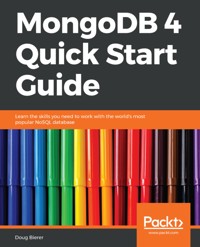
MongoDB has grown to become the de facto NoSQL database with millions of users, from small start-ups to Fortune 500 companies. It can solve problems that are considered difficult, if not impossible, for aging RDBMS technologies. Written for version 4 of MongoDB, this book is the easiest way to get started with MongoDB.
You will start by getting a MongoDB installation up and running in a safe and secure manner. You will learn how to perform mission-critical create, read, update, and delete operations, and set up database security. You will also learn about advanced features of MongoDB such as the aggregation pipeline, replication, and sharding.
You will learn how to build a simple web application that uses MongoDB to respond to AJAX queries, and see how to make use of the MongoDB programming language driver for PHP.
The examples incorporate new features available in MongoDB version 4 where appropriate.
Das E-Book können Sie in Legimi-Apps oder einer beliebigen App lesen, die das folgende Format unterstützen:
Seitenzahl: 157
Veröffentlichungsjahr: 2018
Ähnliche
















MongoDB 4 Quick Start Guide
Copyright © 2018 Packt Publishing
All rights reserved. No part of this book may be reproduced, stored in a retrieval system, or transmitted in any form or by any means, without the prior written permission of the publisher, except in the case of brief quotations embedded in critical articles or reviews.
Every effort has been made in the preparation of this book to ensure the accuracy of the information presented. However, the information contained in this book is sold without warranty, either express or implied. Neither the author, nor Packt Publishing or its dealers and distributors, will be held liable for any damages caused or alleged to have been caused directly or indirectly by this book.
Packt Publishing has endeavored to provide trademark information about all of the companies and products mentioned in this book by the appropriate use of capitals. However, Packt Publishing cannot guarantee the accuracy of this information.
Commissioning Editor: Amey VarangaonkarAcquisition Editor: Reshma RamanContent Development Editor: Kirk DsouzaTechnical Editor: Shweta JadhavCopy Editor: Safis EditingProject Coordinator: Hardik BhindeProofreader: Safis EditingIndexer: Tejal Daruwale SoniGraphics: Jason MonteiroProduction Coordinator:Jyoti Chauhan
First published: September 2018
Production reference: 1260918
Published by Packt Publishing Ltd. Livery Place 35 Livery Street Birmingham B3 2PB, UK.
ISBN 978-1-78934-353-3
www.packtpub.com
Mapt is an online digital library that gives you full access to over 5,000 books and videos, as well as industry leading tools to help you plan your personal development and advance your career. For more information, please visit our website.
Why subscribe?
Spend less time learning and more time coding with practical eBooks and Videos from over 4,000 industry professionals
Improve your learning with Skill Plans built especially for you
Get a free eBook or video every month
Mapt is fully searchable
Copy and paste, print, and bookmark content
Packt.com
Did you know that Packt offers eBook versions of every book published, with PDF and ePub files available? You can upgrade to the eBook version at www.packt.com and as a print book customer, you are entitled to a discount on the eBook copy. Get in touch with us at [email protected] for more details.
At www.packt.com, you can also read a collection of free technical articles, sign up for a range of free newsletters, and receive exclusive discounts and offers on Packt books and eBooks.
Contributors
About the author
Doug Bierer is the owner and CTO of unlikelysource, a website development and consulting company that over the last 10 years has developed 60+ websites for customers around the world. In addition, Doug has been a contract trainer for RogueWave Software/Zend Technologies since 2009. He wrote his first program in 1971 on a PDP-8, and has developed commercial applications in languages including Assembler, C, C++, Java, JavaScript, Perl, and PHP. He developed a video series on MongoDB for InfiniteSkills (now part of O'Reilly Media) in 2014. Before diving into MongoDB, Doug developed applications and performed administration for MySQL databases. He has continued to develop applications that access MongDB to this day.
About the reviewer
Andrew Caya started programming computers in GW-BASIC and QBASIC in the early 1990s. Before becoming a PHP developer almost 10 years ago, he did some software development in C, C++, and Perl. He is now a Zend Certified PHP Engineer and a Zend Certified Architect. He is also the creator of Linux for PHP, the lead developer of a popular Joomla extension, and a contributor to many open source projects.
He is currently CEO, CTO, and founder of Foreach Code Factory, an instructor at Concordia University, the author of Mastering the Faster Web with PHP, MySQL, and JavaScript, and a loving husband and father.
Packt is searching for authors like you
If you're interested in becoming an author for Packt, please visit authors.packtpub.com and apply today. We have worked with thousands of developers and tech professionals, just like you, to help them share their insight with the global tech community. You can make a general application, apply for a specific hot topic that we are recruiting an author for, or submit your own idea.
Table of Contents
Title Page
Copyright and Credits
MongoDB 4 Quick Start Guide
Dedication
Packt Upsell
Why subscribe?
Packt.com
Contributors
About the author
About the reviewer
Packt is searching for authors like you
Preface
Who this book is for
What this book covers
To get the most out of this book
Download the example code files
Download the color images
Conventions used
Get in touch
Reviews
Introducing MongoDB
Overview of MongoDB
Handling big data
Modeling objects without SQL
Installing MongoDB
Installing MongoDB on Windows
Download and install
MongoDB Compass
MongoDB Windows file locations
Installing MongoDB on Linux
Installing on Debian or Ubuntu Linux
Package installation
Configure and run MongoDB on Ubuntu/Debian
Installing on Red Hat, Fedora, or CentOS Linux
Package installation
Configure and run MongoDB on RHEL/Fedora/CentOS
Installing from source
Summary
Understanding MongoDB Data Structures
What is NoSQL?
Documents, collections, and database
Data-modeling considerations
References
Embedded documents
Document design
Creating a MongoDB database and collection
Summary
Using the MongoDB Shell
Overview
Why use the mongo shell?
Options when invoking the shell
.mongorc.js File
Informational commands
Performing simple queries
Defining a query filter
Defining a projection
Modifying the cursor
Database and collection operations
Working with databases
Working with collections
Creating, updating, or deleting documents
Creating one or more documents
Updating one or more documents
Deleting one or more documents
Creating and running shell scripts
Running a direct command
Running a shell script
Summary
Developing with Program Language Drivers
Overview of the MongoDB PHP driver
MongoDB PHP architecture
MongoDB PHP extension classes
MongoDB\Driver classes
MongoDB\BSON classes
MongoDB\Driver\ {Exception, Monitoring} classes
Installing the MongoDB PHP extension
ext/mongodb installation using PECL
ext/mongodb installation on Windows
Installing the PHP library for MongoDB (PHPLIB)
Performing CRUD operations using PHPLIB
Core PHPLIB class instances needed for CRUD operations
Creating documents
Reading documents
Searching by ObjectId
Updating documents
Deleting documents
Other libraries and framework integration
Summary
Building Complex Queries Using Aggregation
An overview of aggregation
What is aggregation?
Why use aggregation?
Using single-purpose aggregation
Using the aggregation pipeline
Aggregation pipeline stages
$bucket
$group
$lookup
$match
Aggregation pipeline expression operators
Aggregation pipeline accumulators
$group stage accumulators
$project and $addFields stage accumulators
Aggregation pipeline expression operator examples
Using map-reduce
Using the MongoDB Compass aggregation pipeline builder
Summary
Maintaining MongoDB Performance
Indexes
Single field indexes
Compound indexes
Multi-key indexes
Simple backup and restore
mongodump
mongorestore
Replication
Understanding MongoDB replication
Deploying a replica set
Resetting the IP address
Configuring the replica set member
Initializing the replica set
Adding and removing members
Removing a member from a replica set
Adding a member to a replica set
Sharding
Understanding sharding
Choosing a shard key
Sharding strategies
Ranged sharding
Hashed sharding
Deploying a sharded cluster
Summary
Securing MongoDB
MongoDB security overview
Transport Layer Security
Changes in MongoDB v4.0
x.509 certificates
Configuring mongod to use TLS
Authentication
SCRAM
Mongo shell authentication using SCRAM
Internal communication using SCRAM
x.509 authentication
Mongo shell authentication using x.509
Internal authentication using x.509
Kerberos
LDAP
Access control
Initializing security
Database privilege actions
CRUD privilege actions
Database management privilege actions
Infrastructure privilege actions
Role-based access control
Built-in roles
Custom roles
Database user administration
Summary
Getting from a Web Form to MongoDB
Building the application
Defining the initial view
Defining the Add Purchase view
Defining the JSON response script
Defining the Connection class
Defining the service classes
Application\Base
Application\Main
Application\Lookup
Application\Add
Configuring transaction support
Adding security
Summary
Using Docker
Using MongoDB with Docker
Other Books You May Enjoy
Leave a review - let other readers know what you think
Preface
MongoDB can solve problems considered difficult if not impossible for aging Relational Database Management System (RDBMS) technologies. In order to properly use this technology, a major thought-paradigm shift needs to take place. This guide will address this issue by showing readers how to quickly and easily obtain results for even the most complex modeling tasks. Most computer professionals have been trained to use RDBMS, but are unsure of how to properly use MongoDB. One important thing that this book explores is how to properly model and use data in a NoSQL environment. Examples focus on PHP and JavaScript as both are widely used on internet web servers, and are well understood by the majority of IT professionals.
Who this book is for
This book is intended for DevOps professionals, web developers, IT professionals, Database Administrators (DBAs), job seekers looking to transition their careers into the database with a future, and technical managers who want to get a clue as to what their techs are talking about.
What this book covers
Chapter 1, Introducing MongoDB, discusses NoSQL, provides an overview of MongoDB, and ends by covering detailed installation procedures for Windows as well as various forms of Linux servers. Also covered in this chapter, in addition to a discussion of the benefits of using MongoDB, are big picture questions including what is it and why use it.
Chapter 2, Understanding MongoDB Data Structures, covers foundational aspects of MongoDB database design, including documents, fields, and collections. Comparisons are drawn between SQL and MongoDB terminology. At the end of this chapter, you will learn how to create a MongoDB database.
Chapter 3, Using the Mongo Shell, of especial interest to DBAs, covers how to use the mongo shell to connect to a MongoDB database and perform CRUD (Create, Read, Update and Delete) operations. Plenty of JavaScript examples are provided.
Chapter 4, Developing with Program Language Drivers, goes through how to access a MongoDB database using PHP. Up until this point, examples are using JavaScript. In this chapter, the focus shifts to programming language driver access. This chapter will be of great interest to developers. Even if your main language is not PHP, the examples can be easily understood.
Chapter 5, Building Complex Queries Using Aggregation, addresses complex queries. The focus of this chapter will be on a feature unique to MongoDB called aggregation. This facility allows database developers or DBAs to return subsets of data grouped, sorted and filtered, running through a multi-stage pipeline. Plenty of JavaScript examples are provided.
Chapter 6, Maintaining MongoDB Performance, focuses on performance features such as indexing and sharded clusters. In addition, there is a substantial discussion on backup, restore, and replication. Solid working examples are shown, providing detailed steps that show you how to create a replica set as well as a sharded cluster.
Chapter 7, Securing MongoDB, shows how to secure the database itself, add users, and adjust permissions to specific collections. You will also learn how to enforce authentication and create an admin user. In addition, we address how to configure MongoDB to use SSL/TLS using x.509 certificates.
Chapter 8, Getting from Web Form to MongoDB, presents an end-to-end example using the PHP language driver. You will see how data posted from a web form is added to the database over a secure communications link, with security enabled. After that, you will see how a simple query is implemented showing the new entry. In addition, this chapter shows how to launch AJAX requests and have MongoDB respond using PHP.
To get the most out of this book
It is expected that the reader has access to a computer running any of the major operating systems, including Windows, macOS, and Linux. MongoDB does not need to be installed before you start reading: the first chapter will give you detailed installation instructions.
A basic knowledge of JavaScript is assumed. You should have some idea of JavaScript syntax, but do not have to be a guru.
PHP knowledge is not required, but will be useful to understand the examples in chapters 4 and 8. PHP syntax is very close to that of the C language, and was chosen because most developers are familiar with either PHP or C.
A knowledge of the SQL language is not required, but may be helpful to understand some of the analogies given in the book to help aid understanding of key MongoDB concepts.
Likewise, a knowledge of RDBMS systems is not required, but might help the reader at a foundational level.
Installation instructions and information you need for getting set up are provided in the first chapter.
Download the example code files
You can download the example code files for this book from your account at www.packt.com. If you purchased this book elsewhere, you can visit www.packt.com/support and register to have the files emailed directly to you.
You can download the code files by following these steps:
Log in or register at
www.packt.com
.
Select the
SUPPORT
tab.
Click on
Code Downloads & Errata
.
Enter the name of the book in the
Search
box and follow the onscreen instructions.
Once the file is downloaded, please make sure that you unzip or extract the folder using the latest version of:
WinRAR/7-Zip for Windows
Zipeg/iZip/UnRarX for Mac
7-Zip/PeaZip for Linux
The code bundle for the book is also hosted on GitHub athttps://github.com/PacktPublishing/MongoDB-4-Quick-Start-Guide. In case there's an update to the code, it will be updated on the existing GitHub repository.
We also have other code bundles from our rich catalog of books and videos available athttps://github.com/PacktPublishing/. Check them out!
Download the color images
We also provide a PDF file that has color images of the screenshots/diagrams used in this book. You can download it here: https://www.packtpub.com/sites/default/files/downloads/9781789343533_ColorImages.pdf.
Conventions used
There are a number of text conventions used throughout this book.
CodeInText: Indicates code words in text, database table names, folder names, filenames, file extensions, pathnames, dummy URLs, user input, and Twitter handles. Here is an example: "Mount the downloaded WebStorm-10*.dmg disk image file as another disk in your system."
A block of code is set as follows:
use <dbName>; db.<collection>.insertOne({ // document }); or db.createCollection(<collection>);
Any command-line input or output is written as follows:
sudo pecl install mongodb
Bold: Indicates a new term, an important word, or words that you see onscreen. For example, words in menus or dialog boxes appear in the text like this. Here is an example: "Select System info from the Administration panel."
Get in touch
Feedback from our readers is always welcome.
General feedback: If you have questions about any aspect of this book,mention the book title in the subject of your message and email us [email protected].
Errata: Although we have taken every care to ensure the accuracy of our content, mistakes do happen. If you have found a mistake in this book, we would be grateful if you would report this to us. Please visitwww.packt.com/submit-errata, selecting your book, clicking on the Errata Submission Form link, and entering the details.
Piracy: If you come across any illegal copies of our works in any form on the Internet, we would be grateful if you would provide us with the location address or website name. Please contact us [email protected] a link to the material.
If you are interested in becoming an author: If there is a topic that you have expertise in and you are interested in either writing or contributing to a book, please visitauthors.packtpub.com.
Reviews
Please leave a review. Once you have read and used this book, why not leave a review on the site that you purchased it from? Potential readers can then see and use your unbiased opinion to make purchase decisions, we at Packt can understand what you think about our products, and our authors can see your feedback on their book. Thank you!
For more information about Packt, please visit packt.com.
Introducing MongoDB
This chapter gives you a brief overview of MongoDB, including answering such questions as what is MongoDB?,why use it?, and what are its benefits? It then covers installing the MongoDB Community Edition (free version) on a Windows server and on Linux. You will learn the installation differences between RPM based Linux distributions (Red Hat, Fedora, CentOS) and Deb based (Debian, Ubuntu). There is also a brief summary of how to install directly from source.
The topics that we will learn in this chapter are:
Overview of MongoDB
Installing MongoDB
Installing MongoDB on Linux
Overview of MongoDB
MongoDB represents a radical and much needed departure from relational database technology. Dr. Edgar F. Codd (https://en.wikipedia.org/wiki/Edgar_F._Codd), an English computer scientist working for IBM, published his seminal paper, A Relational Model of Data for Large Shared Data Banks in 1970. It formed the basis for what we now know as RDBMS(Relational Database Management Systems), using SQL (Structured Query Language), adopted by IBM, Relational Software (later Oracle), and Ingres (https://en.wikipedia.org/wiki/Ingres_(database), a research project at the University of California in Berkeley. Ingres, in turn, spawned Postgres, Sybase, Microsoft SQL Server, and others.




