



5,49 €
Mehr erfahren.
- Herausgeber: Chris Jake
- Kategorie: Lebensstil
- Sprache: Englisch
Are you new to GoPro Hero8 Black camera, or are you an existing user seeking professional tips and recommendations on the use of GoPro Hero 8 Black.
My GoPro Hero8 Black Handbook is a mix of basic, intermediate and advanced exposition of the effective use of the GoPro Hero 8 Black camera to capture the best quality and unique photos and videos.
The information in this book is presented in a self-guided, step by step approach easy to relate with, in a handy (easy to carry about) book size.
My GoPro Hero8 Black Handbook will expose and enlighten you on:
- The basics and salient features of GoPro Hero 8 Black
- How to choose your settings and presets for the best quality output.
- Customization of the camera to suit your preference.
- GoPro Accessories: description, buying tips, and price.
- The use and design of mounts.
- Photo, video, and time lapse editing techniques.
- Sharing your photos and videos to various media and social media.
- Battery saving tips and recommendations.
- Troubleshooting.
- Exclusive pro tips in every section of this book that will make you use your camera like a pro.
- Frequently Asked Questions and value answers.
- How to return your camera when damaged and getting up to 50% discount on GoPro accessories.
Das E-Book können Sie in Legimi-Apps oder einer beliebigen App lesen, die das folgende Format unterstützen:
Veröffentlichungsjahr: 2020
Ähnliche
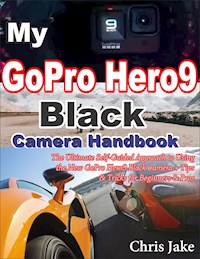


















My
GoPro
Hero8 Black Camera
Handbook
The Ultimate Self-Guided Approach to Using the New GoPro Hero 8 Black Camera+ Tips & Tricks for Beginners & Pros
––––––––
Chris Jake
Copyright @2020 by Chris Jake
All rights reserved. No part of this publication may be reproduced, distributed or transmitted in any form or by any means, including recording, photocopying, or any other electronic or mechanical means, without prior written permission of the publisher, except in the case of brief quotations embodied in critical reviews and certain other noncommercial uses permitted by copyright law.
# Photography has improved life.
# The way you pose for a photo shot is the same way you'll appear. The statement is soon becoming a cliché with advanced camera settings and editing software.
# Nothing can bring back the dead, but a quality image or video of the deceased can have a big influence in bringing them back into our abstract life.
# A quality video production and quality photo are miles better than 100 videos and photos with very low resolution.
# Would you rather stream for 30 seconds at 300 MB at a very high resolution or streaming the same video at 30MB at a very low resolution? The world is evolving very fast, and no one is doing a low-quality video anymore, making a low quality for your brand's advert tells so much about what you're offering to the market.
# According to statistics, only 20% of images taken with digital cameras are printed on paper eventually. This tells much about the digital revolution.
Table of Contents
Table of Contents
Introduction
Section 1: Introducing the GoPro Hero8 Black (Beginner’s guide)
What is new in GoPro Hero 8 Black?
Know the parts of your GoPro Hero8 Black
Set up your camera for first-time use
Navigate through the Hero8 Black Touch Screen
The camera capture screen description
Important on-screen messages
Section 2: Using the GoPro App & Pairing with the Hero8 Black
Section 3: GoPro Hero8 Black Accessories
GoPro Plus
Section 4: Understanding and Setting the Preferences +Dashboard Features
Setting the Screen Orientation
The Dashboard Feature
Dashboard icons explained
Setting your Preferences
Section 5: Familiarizing with the Voice Control Function/Connecting to External Microphone
Familiarizing with Voice control function
Voice Control Command Description
Connecting your camera to an external microphone
Section 6: Presets
Change the presets
Customize the presets
Making your personal presets (Custom presets)
Restoring presets to default settings
Deleting the custom preset
Section 7: The Act of Taking Photos on GoPro Hero8 Black
Photo Presets Description
Setting the Photo Timer
Adjusting the Touch Zoom
Photo Output Description
General Photo Settings
Digital Lens settings
Megapixels
Shutter
Burst Rate
Section 8: The Act of Recording Videos on GoPro Hero8 Black
Video presets description
Video settings
Mode (Custom Preset)
Big 3 video settings: resolution/FPS/ Aspect ratio
Visual video settings
Live Streaming set-up
Section 9: Time Lapse Mode
Time Lapse Presets option
Time Lapse General Settings
TimeWarp
Time Lapse Video Recording Time
Time Lapse Interval
Night Lapse Interval
Section 10: Playing Back Your Media and Transferring Files
Gallery View
Deleting multiples files
Connecting your camera to other devices
Connecting your camera to Bluetooth devices
Selecting the connection speed
Transferring files
Transferring files from SD Card
Uploading to the GoPro Cloud
The Cloud Media
Section 11: Additional Tips
Create your video story
Finding the best Shots for your video story
HiLight Tags
Battery saving tips
Maintenance measures
Fixing the Mount
How to use the mounting fingers
Using adhesive mount with your camera
Section 12: Troubleshooting and FAQ
About the Author
Introduction
In 2019, GoPro released the GoPro Hero8 Black, succeeding the GoPro Hero 7, which comes in Black and Silver. No technological device is without flaws, but it is expected that a new release from an existing product should correct anomalies and technical flaws- Hero8 Black isn't a disappointment as an upgrade to GoPro Hero7.
With much improvement to the system set-up and software features, there is so much to the new Hero8 Black camera. Although you might be a bit disappointed with some missing hardware features in the Hero8 Black, that isn't a big deal anyway as you can get the accessories that suit your preferences and activities.
GoPro HERO8 Black is the most customizable GoPro ever. It lets you create your own presets and personalize your screen for instant access to the settings you use the most.
You must familiarize yourself with the latest development even if you have been using GoPro camera products or other camera brands. It is a good read for those looking to delve into photography for fun and personal use.
How to use this handbook
This handbook has been made in a handy size so that you can easily put it in your camera kit bag, as you can take it around. It is more than just a book; it is a reference book. Therefore you read and do. Don't Read and Do later.
This book is also available in large print size paperback for those that have preferences for big text print font.
The icons used in this book
Important note (Please take note)
Pro Tips (Tips and Tricks)
Warning (Caution)
Section 1: Introducing the GoPro Hero8 Black (Beginner’s guide)
Welcome!
If you are new to this product, this is a perfect guide for you. It doesn’t matter if you have been using a previous version of the GoPro camera. The first section is made to show you around the new GoPro Hero 8 Black. It is quite different from the GoPro Hero 7 and the older version in many ways.
What do you know about GoPro?
› It was founded in the year 2002 by an American technology company.
› The originator of GoPro is Nick Woodman.
› The company focuses on the manufacturing of action cameras.
› The company develops its mobile apps and video editing software for more improved output.
› Their official website is http://www.gopro.com
What is new in GoPro Hero 8 Black?
For those using older versions of the GoPro cameras, and are considering upgrading to the new GoPro Hero 8 Black, consider taking your time to see what makes the Hero 8 Black different from the previous versions of the GoPro camera.
Mounting fingers built-in
The Hero 8 comes with mounting fingers built-in, which means that the pins slide into the top of a pole. With this addition, there is no need to get a frame mount to connect it to accessories.
An arrow pointing to the mounting finger
Upgraded Resolution
In Hero 8, you can no longer find 720p as well as 960p. The least resolution you can use is pegged at 1080p. This also means that Live Streaming on Hero 8 is now at higher quality FHD (Full High Definition).
Also, Hero 8 comes with 4K resolution, also called 4K; this refers to a horizontal display resolution of approximately 4,000 pixels. Previously, it was peaked at 2.7K
You can combine the Linear mode with HyperSmooth features for more stable and quality output at the highest resolution. The maximum bitrate is at 100Mbps at 4K, which is a remarkable upgrade to the Hero 7.
HyperSmooth 2.0
This feature was developed to give better stabilization when using your camera in motion. Now, the stabilization works in every frame rate or resolution, with the slo-mo modes not excluded from this feature. In Hero 7, this feature is available, but it is limited when you get into higher frame rates.
LiveBurst photo mode
Those who love still images, Hero8 Black got you covered. In this mode, the Hero 8 camera snaps your images 1.5 seconds before and after you press the shutter button to take the shot.
Horizon Lock (GoPro motion sensor data)
Sometimes, it can be a herculean task to keep the camera perfectly level. The Hero 8 camera itself doesn’t fix this, but the app does. GoPro added that this feature is only possible using the GoPro app with Hero 8. The app can help you fix the lopsided footage automatically after shots must have been taken.
Improvements to Capture presets
The new addition to this is the shortcuts to the preset settings. In the video mode, for instance, you will find options like Standard, Slo-Mo, Activity, and Cinematic presets. This grants you optimized settings to suit whatsoever you want to do.
Improved TimeWarp (Hyperlapse feature)
There is an automatic mode that works out which speed your video-lapses will be recorded. In Hero 7, you will have to set speed through guesswork. It is said that the improved feature will use sensors to detect motion and adjust the speed appropriately automatically.




