


34,79 €
Mehr erfahren.
- Herausgeber: Packt Publishing
- Kategorie: Fachliteratur
- Sprache: Englisch
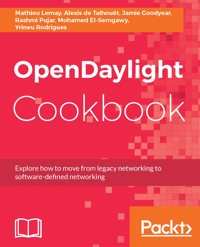
OpenDaylight is an open source platform to program and build Software-Defined Networks (SDN). Its aim is to accelerate the adoption of SDN and NFV. With above 90 practical recipes, this book will help you to solve day-to-day problems and maintenance tasks surrounding OpenDaylight’s implementation.
This book starts with the OpenDaylight fundamentals. In this book, you will gain a sound understanding of the methods and techniques when deploying OpenDaylight in production environment. Later on, you will learn to create a Service Chain using SFC. This book will address common problems and day-to-day maintenance tasks with OpenDaylight.
We’ll also will teach you how to interact with OpenDaylight APIs and use the necessary tools to simulate networks. You will also explore how to create your own branded OpenDaylight along with authorising and authenticating users using OpenDaylight Identity Manager.
By the end of this book, you will have the necessary skills to operate an OpenDaylight SDN environment.
Das E-Book können Sie in Legimi-Apps oder einer beliebigen App lesen, die das folgende Format unterstützen:
Veröffentlichungsjahr: 2017
Ähnliche

















BIRMINGHAM - MUMBAI
OpenDaylight Cookbook
Copyright © 2017 Packt Publishing
All rights reserved. No part of this book may be reproduced, stored in a retrieval system, or transmitted in any form or by any means, without the prior written permission of the publisher, except in the case of brief quotations embedded in critical articles or reviews.
Every effort has been made in the preparation of this book to ensure the accuracy of the information presented. However, the information contained in this book is sold without warranty, either express or implied. Neither the authors, nor Packt Publishing, and its dealers and distributors will be held liable for any damages caused or alleged to be caused directly or indirectly by this book.
Packt Publishing has endeavored to provide trademark information about all of the companies and products mentioned in this book by the appropriate use of capitals. However, Packt Publishing cannot guarantee the accuracy of this information.
First published: June 2017
Production reference: 1270617
ISBN 978-1-78646-230-5
www.packtpub.com
Credits
Authors
Mathieu Lemay
Alexis de Talhouet
Jamie Goodyear
Rashmi Pujar
Mohamed El-Serngawy
Yrineu Rodrigues
Copy Editor
Safis Editing
Reviewer
Pradeeban Kathiravelu
Project Coordinator
Kinjal Bari
Commissioning Editor
Kartikey Pandey
Proofreader
Safis Editing
Acquisition Editor
Divya Poojari
Indexer
Mariammal Chettiyar
Content Development Editor
Mamata Walkar
Graphics
Kirk D'Penha
Technical Editor
Sayali Thanekar
Production Coordinator
Arvindkumar Gupta
About the Authors
Mathieu Lemay is the CEO of Inocybe Technologies, a company founded in 2005, a SDN pioneer specializing in real-world OpenDaylight-based deployment solutions, training, and services, and the CTO of Civimetrix Telecom, a company deploying open access networks.
Mathieu has more than 20 years of experience in information technology. At the age of 10, he was programming C++, ADA, and x86 ASM and then got involved in networking from the early bulletin board systems to first commodity internet.
He earned a master's degree in electrical engineering with a focus on wireless and optical telecommunications. Inocybe Technologies has been a member of OpenDaylight since June 2013, and Mathieu is currently a committer to the docs and reservation projects. After nine years of being CEO, Mathieu has acquired intensive knowledge of business administration.
Alexis de Talhouet has always been interested in the way information is transmitted through a network. His background in computer science and networking combined with an interest in new technology naturally guided him to the SDN field.
Jamie Goodyear is an open source advocate, Apache developer, and computer systems analyst with Savoir Technologies. He has designed, critiqued, and supported architectures for large organizations worldwide.
Jamie holds a bachelor of science degree in computer science from Memorial University of Newfoundland.
Jamie has worked in systems administration, software quality assurance, and senior software developer roles for businesses ranging from small start-ups to international corporations. He has attained committer status on Apache Karaf, Servicemix, and Felix and is a project management committee member on Apache Karaf. His first print publication was co-authoring Packt Publishing's Instant OSGi Starter, followed by co-authoring Packt Publishing's Learning Apache Karaf, and Packt Publishing's Apache Karaf Cookbook.
Currently, he divides his time between providing high-level reviews of architectures, mentoring developers and administrators with SOA deployments, and helping grow the OpenDaylight and Apache communities.
Rashmi Pujar is interested in new technology trends that are shaping today's networks. With a background in networking and telecommunications, she finds ample opportunities at Inocybe to engage her interests.
Mohamed El-Serngawy has experience in virtualization platforms and security, and his curiosity about SDN and cloud computing led him to join Inocybe. He is also interested in software vulnerabilities and playing soccer.
Yrineu Rodrigues has three years of experience in software-defined networking, with a solid background in algorithms and programming languages. Yrineu works for Instituto Atlantico on SDN projects and is a project leader/committer on the OpenDaylight project (Network Intent Composition - NIC).
About the Reviewer
Pradeeban Kathiravelu is an open source evangelist. He is a PhD researcher at INESC-ID Lisboa/Instituto Superior Tecnico, Universidade de Lisboa, Portugal, and Universite Catholique de Louvain, Belgium. He is a fellow of the Erasmus Mundus Joint Degree in Distributed Computing (EMJD-DC), researching a software-defined approach for quality of service and data quality in multi-tenant clouds.
He holds a master of science degree in Erasmus Mundus European Master in Distributed Computing (EMDC), from Instituto Superior Tecnico, Portugal, and KTH Royal Institute of Technology, Sweden. He also holds a first class bachelor of science of engineering (honors) degree, majoring in computer science and engineering from University of Moratuwa, Sri Lanka.
His research interests include software-defined networking (SDN), distributed systems, cloud computing, web services, big data in biomedical informatics, and data mining. He is very interested in free and open source software development and has been an active participant in the Google Summer of Code (GSoC) program since 2009, as a student and as a mentor.
www.PacktPub.com
For support files and downloads related to your book, please visit www.PacktPub.com.
Did you know that Packt offers eBook versions of every book published, with PDF and ePub files available? You can upgrade to the eBook version at www.PacktPub.com and as a print book customer, you are entitled to a discount on the eBook copy. Get in touch with us at [email protected] for more details.
At www.PacktPub.com, you can also read a collection of free technical articles, sign up for a range of free newsletters and receive exclusive discounts and offers on Packt books and eBooks.
https://www.packtpub.com/mapt
Get the most in-demand software skills with Mapt. Mapt gives you full access to all Packt books and video courses, as well as industry-leading tools to help you plan your personal development and advance your career.
Why subscribe?
Fully searchable across every book published by Packt
Copy and paste, print, and bookmark content
On demand and accessible via a web browser
Customer Feedback
Thanks for purchasing this Packt book. At Packt, quality is at the heart of our editorial process. To help us improve, please leave us an honest review on this book's Amazon page at https://www.amazon.com/dp/1786462303.
If you'd like to join our team of regular reviewers, you can e-mail us at [email protected]. We award our regular reviewers with free eBooks and videos in exchange for their valuable feedback. Help us be relentless in improving our products!
Table of Contents
Preface
What this book covers
What you need for this book
Who this book is for
Sections
Getting ready
How to do it...
How it works...
There's more...
See also
Conventions
Reader feedback
Customer support
Downloading the example code
Downloading the color images of this book
Errata
Piracy
Questions
OpenDaylight Fundamentals
Introduction
Connecting OpenFlow switches
Getting ready
How to do it...
How it works...
Mounting a NETCONF device
Getting ready
How to do it...
How it works...
There's more...
GET data store
Invoking RPC
Deleting a netconf-connector
Browsing data models with YANGUI
Getting ready
How to do it...
How it works...
There's more...
See also
Basic distributed switching
Getting ready
How to do it...
How it works...
There's more...
Configuring L2Switch
Bonding links using LACP
Getting ready
How to do it...
How it works...
Changing user authentication
Getting ready
How to do it...
How it works...
OpenDaylight clustering
Getting ready
How to do it...
How it works...
See also
Virtual Customer Edge
Introduction
Leveraging UNI manager for E2E WAN links
Getting ready
How to do it...
How it works...
Linking multiple networks across MPLS VPN
Getting ready
How to do it...
How it works...
Using USC secure channels to work with devices
Getting ready
How to do it...
How it works...
There's more...
Using machine-to-machine protocol for Internet of Things
Getting ready
How to do it...
How it works...
Controlling the cable modem termination system
Getting ready
How to do it...
How it works...
Dynamic Interconnects
Introduction
Using the SNMP plugin with OpenDaylight
Getting ready
How to do it...
Managing an Ethernet switch in an SDN Environment
Getting ready
How to do it...
There's more...
Configuring the Ethernet switch using the REST API
Multivendor support
Automating legacy devices
Getting ready
How to do it...
See also
Remote configuration for OpenFlow switches
Getting ready
How to do it...
How it works...
There's more...
Dynamically updating the network device YANG model
Getting ready
How to do it...
How it works...
Securing network bootstrapping infrastructures
Getting ready
How to do it...
How it works...
Providing virtual private cloud services for enterprises
Getting ready
How to do it...
How it works...
Managing SXP-capable devices using OpenDaylight
Getting ready
How to do it...
There's more...
Using OpenDaylight as an SDN controller server
Getting ready
How to do it...
How it works...
See also
Network Virtualization
Introduction
Network virtualization with OpenFlow
Getting ready
How to do it...
How it works...
There's more...
Integrating with OpenStack neutron
Getting ready
How to do it...
How it works...
OpenStack integration with OpenDaylight
Getting ready
How to do it...
How it works...
Edge-based virtual networks
Getting ready
How to do it...
How it works...
Service function chaining
Getting ready
How to do it...
How it works...
Virtual Core and Aggregation
Introduction
Configuring and retrieving BGP information
Getting ready
How to do it...
How it works...
See also
Managing and visualizing topologies using BGP-LS
Getting ready
How to do it...
How it works...
Adding and removing BGP routes to/from the network
Getting ready
How to do it...
How it works...
See also
Configuring and retrieving PCEP information
Getting ready
How to do it...
How it works...
Managing LSP tunnels with PCEP
Getting ready
How to do it...
See also
Network-wide programming with PCEP
Getting ready
How to do it...
Getting BGP and PCEP statistics using the Java management extension
Getting ready
How to do it...
Enabling TCP MD5 authentication for secure BGP and PCEP connectivity
Getting ready
How to do it...
BGP component configuration using the OpenConfig implementation
Getting ready
How to do it...
Implementing new extensions to the BGP and PCEP protocols
Getting ready
How to do it...
See also
Intent and Policy Networking
Introduction
Simple firewall with NIC
Getting ready
How to do it...
How it works...
MPLS intents and label management
Getting ready
How to do it...
How it works...
Traffic redirection with intents
Getting ready
How to do it...
How it works...
End-to-end intents
Getting ready
How to do it...
How it works...
NIC and OpenStack integration
Getting ready
How to do it...
How it works...
QoS operation with intents
Getting ready
How to do it...
Verification
How it works...
LOG action using NIC
Getting ready
How to do it...
How it works...
VTN renderer using NIC
Getting ready
How to do it...
How it works...
OpenDaylight Container Customizations
Introduction
Reconfiguring SSH access to OpenDaylight
Getting ready
How to do it...
How it works...
There's more...
Creating your own branded OpenDaylight
Getting ready
How to do it...
How it works...
Customizing your OpenDaylight repositories
Getting ready
How to do it...
How it works...
There's more...
Customizing your start up applications
Getting ready
How to do it...
How it works...
There's more...
Installing OpenDaylight as a service
Getting ready
How to do it...
How it works...
There's more...
Creating your own custom OpenDaylight command using the Maven archetype
Getting ready
How to do it...
How it works...
There's more...
See also
Deploying applications using features
Getting ready
How to do it...
How it works...
There's more...
Using JMX to monitor and administer OpenDaylight
Getting ready
How to do it...
How it works...
There's more...
Setting up Apache Karaf Decanter to monitor OpenDaylight
Getting ready
How to do it...
How it works...
There's more...
Authentication and Authorization
Introduction
OpenDaylight identity manager
Getting ready
How to do it...
See also
Basic filtering for RBAC in OpenDaylight
Getting ready
How to do it...
How it works...
Token-based authentication in OpenDaylight
Getting ready
How to do it...
How it works...
OpenDaylight source IP authorization
Getting ready
How to do it...
How it works...
OpenDaylight with OpenLDAP environment federation
Getting ready
How to do it...
How it works...
OpenDaylight with FreeIPA environment federation
Getting ready
How to do it...
How it works...
Preface
OpenDaylight is an open source project aiming to be a common tool across the networking industry for enterprises, service providers, and manufacturers. This provides a highly available multiprotocol infrastructure geared to build and manage software-defined networking (SDN) deployments. Based on a Model Driven Service Abstraction Layer, the platform is extensible and allows users to create applications for communicating with a wide variety of southbound protocols and hardware.
In other words, OpenDaylight is a framework used to solve networking-related use cases in both SDN and network function virtualization (NFV) domains.
The recipes in these chapters will present fundamental use cases one can solve using OpenDaylight.
A common and widely used network emulator, Mininet, is required to perform various recipes in this book. Prior to any recipe, as a requirement, you will need a running version of Mininet.
What this book covers
Chapter 1, OpenDaylight Fundamentals, talks about the OpenDaylight platform. The goal of the platform is to enable the adoption of SDN and create a solid base for NFV.
Chapter 2, Virtual Customer Edge, talks about virtual customer edge, which can connecting network entity endpoints to each other and integrating them within the network by allowing some access policy rules.
Chapter 3, Dynamic Interconnects, focuses on establishing dynamic connections among network devices within the SDN environment.
Chapter 4, Network Virtualization, covers some usage of network virtualization provided by OpenDaylight.
Chapter 5, Virtual Core and Aggregation, focuses on fundamental use cases for BGP and PCEP using OpenDaylight SDN controller.
Chapter 6, Intent and Policy Networking, covers how Network Intent Composition (NIC) provides some features to enable the controller to manage and direct network services and resources based on intent.
Chapter 7, OpenDaylight Container Customizations, dedicates the recipes to network engineers, systems builders, and integrators—the people who need to make their OpenDaylight deployment integrate even more closely into their organization.
Chapter 8, Authentication and Authorization, learns how to use OpenDaylight built-in authentication and authorization functionality and how to integrate OpenDaylight with existing federation systems such free IPA.
What you need for this book
You need to download the OpenDaylight software and select the Beryllium-SR4 release from this link:
https://www.opendaylight.org/downloads
Also, download the zip or the tarball, and once it's extracted, get into that folder through the command line, and you are ready to play with the recipes.
Who this book is for
OpenDayLight is an open source SDN controller based on standard protocols. It aims to accelerate the adoption of SDN and create a solid foundation for NFV. With over 90 practical recipes, this book will address common problems and day-to-day maintenance tasks with OpenDaylight.
Sections
In this book, you will find several headings that appear frequently (Getting ready, How to do it..., How it works..., There's more..., and See also).
To give clear instructions on how to complete a recipe, we use these sections as follows:
Getting ready
This section tells you what to expect in the recipe, and describes how to set up any software or any preliminary settings required for the recipe.
How to do it...
This section contains the steps required to follow the recipe.
How it works...
This section usually consists of a detailed explanation of what happened in the previous section.
There's more...
This section consists of additional information about the recipe in order to make the reader more knowledgeable about the recipe.
See also
This section provides helpful links to other useful information for the recipe.
Conventions
In this book, you will find a number of text styles that distinguish between different kinds of information. Here are some examples of these styles and an explanation of their meaning.
Code words in text, database table names, folder names, filenames, file extensions, pathnames, dummy URLs, user input, and Twitter handles are shown as follows: "This will list all the nodes under theopendaylight-inventorysubtree of MD-SAL that stores OpenFlow switch information."
A block of code is set as follows:
<node xmlns="urn:TBD:params:xml:ns:yang:network-topology"> <node-id>new-netconf-device</node-id> <host xmlns="urn:opendaylight:netconf-node-topology">127.0.0.1</host> <port xmlns="urn:opendaylight:netconf-node-topology">17830</port> <username xmlns="urn:opendaylight:netconf-node-topology">admin</username> <password xmlns="urn:opendaylight:netconf-node-topology">admin</password> <tcp-only xmlns="urn:opendaylight:netconf-node-topology">false</tcp-only>
Any command-line input or output is written as follows:
$ ./bin/karaf
New terms and important words are shown in bold. Words that you see on the screen, for example, in menus or dialog boxes, appear in the text like this: "If prompted, choose to select theInsecure connectionoption."
Reader feedback
Feedback from our readers is always welcome. Let us know what you think about this book-what you liked or disliked. Reader feedback is important for us as it helps us develop titles that you will really get the most out of.
To send us general feedback, simply e-mail [email protected], and mention the book's title in the subject of your message.
If there is a topic that you have expertise in and you are interested in either writing or contributing to a book, see our author guide at www.packtpub.com/authors.
Customer support
Now that you are the proud owner of a Packt book, we have a number of things to help you to get the most from your purchase.
Downloading the example code
You can download the example code files for this book from your account at http://www.packtpub.com. If you purchased this book elsewhere, you can visit http://www.packtpub.com/support and register to have the files e-mailed directly to you.
You can download the code files by following these steps:
Log in or register to our website using your e-mail address and password.
Hover the mouse pointer on the
SUPPORT
tab at the top.
Click on
Code Downloads & Errata
.
Enter the name of the book in the
Search
box.
Select the book for which you're looking to download the code files.
Choose from the drop-down menu where you purchased this book from.
Click on
Code Download
.
You can also download the code files by clicking on the Code Files button on the book's webpage at the Packt Publishing website. This page can be accessed by entering the book's name in the Search box. Please note that you need to be logged in to your Packt account.
Once the file is downloaded, please make sure that you unzip or extract the folder using the latest version of:
WinRAR / 7-Zip for Windows
Zipeg / iZip / UnRarX for Mac
7-Zip / PeaZip for Linux
The code bundle for the book is also hosted on GitHub at https://github.com/PacktPublishing/OpenDaylight-Cookbook. We also have other code bundles from our rich catalog of books and videos available at https://github.com/PacktPublishing/. Check them out!
Downloading the color images of this book
We also provide you with a PDF file that has color images of the screenshots/diagrams used in this book. The color images will help you better understand the changes in the output. You can download this file from https://www.packtpub.com/sites/default/files/downloads/OpenDaylightCookbook_ColorImages.pdf.
Errata
Although we have taken every care to ensure the accuracy of our content, mistakes do happen. If you find a mistake in one of our books-maybe a mistake in the text or the code-we would be grateful if you could report this to us. By doing so, you can save other readers from frustration and help us improve subsequent versions of this book. If you find any errata, please report them by visiting http://www.packtpub.com/submit-errata, selecting your book, clicking on the Errata Submission Form link, and entering the details of your errata. Once your errata are verified, your submission will be accepted and the errata will be uploaded to our website or added to any list of existing errata under the Errata section of that title.
To view the previously submitted errata, go to https://www.packtpub.com/books/content/support and enter the name of the book in the search field. The required information will appear under the Errata section.
Piracy
Piracy of copyrighted material on the Internet is an ongoing problem across all media. At Packt, we take the protection of our copyright and licenses very seriously. If you come across any illegal copies of our works in any form on the Internet, please provide us with the location address or website name immediately so that we can pursue a remedy.
Please contact us at [email protected] with a link to the suspected pirated material.
We appreciate your help in protecting our authors and our ability to bring you valuable content.
Questions
If you have a problem with any aspect of this book, you can contact us at [email protected], and we will do our best to address the problem.
OpenDaylight Fundamentals
OpenDaylight is a collaborative platform supported by leaders in the networking industry and hosted by the Linux foundation. The goal of the platform is to enable the adoption of software-defined networking (SDN) and create a solid base for network functions virtualization (NFV).
In this chapter, we will cover the following recipes:
Connecting OpenFlow switches
Mounting a NETCONF device
Browsing data models with YANGUI
Basic distributed switching
Bonding links using LACP
Changing user authentication
OpenDaylight clustering
Introduction
OpenDaylight is an open source project aiming to be a common tool across the networking industry - for enterprises, service providers, and manufacturers. It provides a highly available, multi-protocol infrastructure geared at building and managing software-defined networking deployments. Based on a Model Driven Service Abstraction Layer, the platform is extensible and allows users to create applications to communicate with a wide variety of south-bound protocols and hardware.
In other words, OpenDaylight is a framework used to solve networking-related use cases in both software-defined networking and network function virtualization domains.
To download the OpenDaylight software, select the Beryllium-SR4 release available at this link:
https://www.opendaylight.org/downloads Download the ZIP or the tarball, and once extracted, get into that folder through the command line, and you are ready to play with the recipes.
The recipes in this chapter will present fundamental use cases that one can solve using OpenDaylight.
A common and widely used network emulator, Mininet, is going to be required to perform various recipes within this book. Prior to any recipe, as a requirement, you will need a running version of Mininet. To achieve this, please follow the steps explained in the Mininet documentation:
http://mininet.org/download/
Connecting OpenFlow switches
OpenFlow is a vendor-neutral, standard communications interface defined to enable the interaction between the control and forwarding channels of an SDN architecture. The OpenFlowPlugin project intends to support implementations of the OpenFlow specification as it evolves. It currently supports OpenFlow versions 1.0 and 1.3.2. In addition, to support the core OpenFlow specification, OpenDaylight Beryllium also includes preliminary support for the table type patterns and OF-CONFIG specifications.
The OpenFlow southbound plugin currently provides the following components:
Flow management
Group management
Meter management
Statistics polling
Let's connect an OpenFlow switch to OpenDaylight.
Getting ready
This recipe requires an OpenFlow switch. If you don't have any, you can use a Mininet-VM with OvS installed. You can download Mininet-VM from the following website:
https://github.com/mininet/mininet/wiki/Mininet-VM-Images
Any version should work.
The following recipe will be presented using a Mininet-VM with OvS 2.0.2.
How to do it...
Perform the following steps:
Start the OpenDaylight distribution using the
karaf
script. Using this script will give you access to the Karaf CLI:
$ ./bin/karaf
Install the user-facing feature responsible for pulling in all dependencies needed to connect an OpenFlow switch:
opendaylight-user@root>feature:install odl-openflowplugin-all
It might take a minute or so to complete the installation.
Connect an OpenFlow switch to OpenDaylight.
As mentioned in the Getting ready section, we will use Mininet-VM as our OpenFlow switch as this VM runs an instance of OpenVSwitch:
${CONTROLLER_IP} is the IP address of the host running OpenDaylight.
We're establishing a TCP connection. For a more secure connection, we could use TLS protocol; however, this will not be included in this book as this is beyond the scope of the book.
Have a look at the created OpenFlow node.Once the OpenFlow switch is connected, send the following request to get information regarding the switch:
Type: GETHeaders:URL: http://localhost:8181/restconf/operational/opendaylight-inventory:nodes/This will list all the nodes under the opendaylight-inventory subtree of MD-SAL that stores OpenFlow switch information. As we connected our first switch, we should have only one node there. It will contain all the information that the OpenFlow switch has, including its tables, its ports, flow statistics, and so on.
How it works...
Once the feature is installed, OpenDaylight is listening to connections on port 6633 and 6640. Setting up the controller on the OpenFlow-capable switch will immediately trigger a callback on OpenDaylight. It will create the communication pipeline between the switch and OpenDaylight so they can communicate in a scalable and non-blocking way.
Mounting a NETCONF device
The OpenDaylight component responsible for connecting remote NETCONF devices is called the NETCONF southbound plugin, aka the netconf-connector. Creating an instance of the netconf-connector will connect a NETCONF device. The NETCONF device will be seen as a mount point in the MD-SAL, exposing the device configuration and operational data store and its capabilities. These mount points allow applications and remote users (over RESTCONF) to interact with the mounted devices.
The netconf-connector currently supports RFC-6241, RFC-5277, and RFC-6022.
The following recipe will explain how to connect a NETCONF device to OpenDaylight.
Getting ready
This recipe requires a NETCONF device. If you don't have any, you can use the NETCONF test tool provided by OpenDaylight. It can be downloaded from the OpenDaylight Nexus repository:
https://nexus.opendaylight.org/content/repositories/opendaylight.release/org/opendaylight/netconf/netconf-testtool/1.0.4-Beryllium-SR4/netconf-testtool-1.0.4-Beryllium-SR4-executable.jar
How to do it...
Perform the following steps:
Start the OpenDaylight Karaf distribution using the
karaf
script. Using this script will give you access to the Karaf CLI:
$ ./bin/karaf
Install the user-facing feature responsible for pulling in all dependencies needed to connect a NETCONF device:
opendaylight-user@root>feature:install odl-netconf-topology odl-restconf
It might take a minute or so to complete the installation.
Start your NETCONF device.
If you want to use the NETCONF test tool, it is time to simulate a NETCONF device using the following command:
This will simulate one device that will be bound to port 17830.
Configure a new netconf-connector.Send the following request using RESTCONF:
By looking closer at the URL you will notice that the last part is new-netconf-device. This must match the node-id that we will define in the payload.
Headers:Accept: application/xml
Content-Type: application/xml
Payload: <node xmlns="urn:TBD:params:xml:ns:yang:network-topology"> <node-id>new-netconf-device</node-id> <host xmlns="urn:opendaylight:netconf-node-topology">127.0.0.1</host> <port xmlns="urn:opendaylight:netconf-node-topology">17830</port> <username xmlns="urn:opendaylight:netconf-node-topology">admin</username> <password xmlns="urn:opendaylight:netconf-node-topology">admin</password> <tcp-only xmlns="urn:opendaylight:netconf-node-topology">false</tcp-only> </node> Let's have a closer look at this payload:node-id: Defines the name of the netconf-connector.address: Defines the IP address of the NETCONF device.port: Defines the port for the NETCONF session.username: Defines the username of the NETCONF session. This should be provided by the NETCONF device configuration.password: Defines the password of the NETCONF session. As for the username, this should be provided by the NETCONF device configuration.tcp-only: Defines whether or not the NETCONF session should use TCP or SSL. If set to true it will use TCP.Once you have completed the request, send it. This will spawn a new netconf-connector that connects to the NETCONF device at the provided IP address and port using the provided credentials.
Verify that the
netconf-connector
has correctly been pushed and get information about the connected NETCONF device.
First, you could look at the log to see if any errors occurred. If no error has occurred, you will see the following:
Once the new netconf-connector is created, some useful metadata is written into the MD-SAL's operational data store under the network-topology subtree. To retrieve this information, you should send the following request:
Type: GETHeaders:URL: http://localhost:8181/restconf/operational/network-topology:network-topology/topology/topology-netconf/node/new-netconf-deviceWe're using new-netconf-device as the node-id because this is the name we assigned to the netconf-connector in a previous step.
This request will provide information about the connection status and device capabilities. The device capabilities are all the YANG models the NETCONF device is providing in its hello-message that was used to create the schema context.
More configuration for the netconf-connector.As mentioned previously, the netconf-connector contains various configuration elements. Those fields are non-mandatory, with default values. If you do not wish to override any of these values, you shouldn't provide them:
Using this configuration, your payload would look like this:
<node xmlns="urn:TBD:params:xml:ns:yang:network-topology"> <node-id>new-netconf-device</node-id> <host xmlns="urn:opendaylight:netconf-node-topology">127.0.0.1</host> <port xmlns="urn:opendaylight:netconf-node-topology">17830</port> <username xmlns="urn:opendaylight:netconf-node-topology">admin</username> <password xmlns="urn:opendaylight:netconf-node-topology">admin</password> <tcp-only xmlns="urn:opendaylight:netconf-node-topology">false</tcp-only> <schema-cache-directory xmlns="urn:opendaylight:netconf-node-topology">new_netconf_device_cache</schema-cache-directory> <reconnect-on-changed-schema xmlns="urn:opendaylight:netconf-node-topology">false</reconnect-on-changed-schema> <connection-timeout-millis xmlns="urn:opendaylight:netconf-node-topology">20000</connection-timeout-millis> <default-request-timeout-millis xmlns="urn:opendaylight:netconf-node-topology">60000</default-request-timeout-millis> <max-connection-attempts xmlns="urn:opendaylight:netconf-node-topology">0</max-connection-attempts> <between-attempts-timeout-millis xmlns="urn:opendaylight:netconf-node-topology">2000</between-attempts-timeout-millis> <sleep-factor xmlns="urn:opendaylight:netconf-node-topology">1.5</sleep-factor> <keepalive-delay xmlns="urn:opendaylight:netconf-node-topology">120</keepalive-delay> </node>How it works...
Once the request to connect a new NETCONF device is sent, OpenDaylight will set up the communication channel used for managing and interacting with the device. At first, the remote NETCONF device will send its hello-message defining all of the capabilities it has. Based on this, the netconf-connector will download all the YANG files provided by the device. All those YANG files will define the schema context of the device.
At the end of the process, some exposed capabilities might end up as unavailable, for two possible reasons:
The NETCONF device provided a capability in its
hello-message
, but hasn't provided the schema.
OpenDaylight failed to mount a given schema due to YANG violation(s).
OpenDaylight parses YANG models as per RFC 6020; if a schema is not respecting the RFC, it could end up as an unavailable-capability.
If you encounter one of these situations, looking at the logs will pinpoint the reason for such a failure.




