


31,19 €
Mehr erfahren.
- Herausgeber: Packt Publishing
- Kategorie: Fachliteratur
- Sprache: Englisch
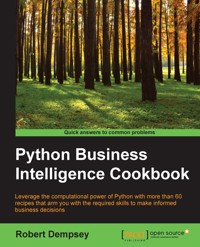
The amount of data produced by businesses and devices is going nowhere but up. In this scenario, the major advantage of Python is that it's a general-purpose language and gives you a lot of flexibility in data structures. Python is an excellent tool for more specialized analysis tasks, and is powered with related libraries to process data streams, to visualize datasets, and to carry out scientific calculations. Using Python for business intelligence (BI) can help you solve tricky problems in one go.
Rather than spending day after day scouring Internet forums for “how-to” information, here you’ll find more than 60 recipes that take you through the entire process of creating actionable intelligence from your raw data, no matter what shape or form it’s in. Within the first 30 minutes of opening this book, you’ll learn how to use the latest in Python and NoSQL databases to glean insights from data just waiting to be exploited.
We’ll begin with a quick-fire introduction to Python for BI and show you what problems Python solves. From there, we move on to working with a predefined data set to extract data as per business requirements, using the Pandas library and MongoDB as our storage engine.
Next, we will analyze data and perform transformations for BI with Python. Through this, you will gather insightful data that will help you make informed decisions for your business. The final part of the book will show you the most important task of BI—visualizing data by building stunning dashboards using Matplotlib, PyTables, and iPython Notebook.
Das E-Book können Sie in Legimi-Apps oder einer beliebigen App lesen, die das folgende Format unterstützen:
Seitenzahl: 179
Veröffentlichungsjahr: 2015
Ähnliche


















Table of Contents
Python Business Intelligence Cookbook
Python Business Intelligence Cookbook
Copyright © 2015 Packt Publishing
All rights reserved. No part of this book may be reproduced, stored in a retrieval system, or transmitted in any form or by any means, without the prior written permission of the publisher, except in the case of brief quotations embedded in critical articles or reviews.
Every effort has been made in the preparation of this book to ensure the accuracy of the information presented. However, the information contained in this book is sold without warranty, either express or implied. Neither the author, nor Packt Publishing, and its dealers and distributors will be held liable for any damages caused or alleged to be caused directly or indirectly by this book.
Packt Publishing has endeavored to provide trademark information about all of the companies and products mentioned in this book by the appropriate use of capitals. However, Packt Publishing cannot guarantee the accuracy of this information.
First published: December 2015
Production reference: 1111215
Published by Packt Publishing Ltd.
Livery Place
35 Livery Street
Birmingham B3 2PB, UK.
ISBN 978-1-78528-746-6
www.packtpub.com
Credits
Author
Robert Dempsey
Reviewer
Utsav Singh
Commissioning Editor
Nadeem Bagban
Acquisition Editor
Sonali Vernekar
Content Development Editor
Preeti Singh
Technical Editor
Siddhesh Patil
Copy Editor
Sonia Mathur
Project Coordinator
Shweta H. Birwatkar
Proofreader
Safis Editing
Indexer
Mariammal Chettiyar
Graphics
Disha Haria
Production Coordinator
Nilesh R. Mohite
Cover Work
Nilesh R. Mohite
About the Author
Robert Dempsey is a tested leader and technology professional who specializes in delivering solutions and products to solve tough business challenges. His experience of forming and leading agile teams, combined with more than 16 years of technology experience, enables him to solve complex problems while always keeping the bottom line in mind.
Robert has founded and built three start-ups in tech and marketing, developed and sold two online applications, consulted for Fortune 500 and Inc. 500 companies, and has spoken nationally and internationally on software development and agile project management.
He's the founder of Data Wranglers DC, a group that is dedicated to improving the craft of data engineering, as well as a board member of Data Community DC.
In addition to spending time with his growing family, Robert geeks out on Raspberry Pi, Arduinos, and automating more of his life through hardware and software.
Find him on his website at http://robertwdempsey.com.
I would like to thank my family for giving me the mornings, nights, and weekends to write this book. Without their love and support everything would be a lot harder. I'd also like to thank the creators of Pandas, scikit-learn, matplotlib, and all the excellent Python tools that allow us to do all that we do with data and have fun at the same time. Finally, I'd like to thank the team at Packt for giving me a platform for this book, and you for purchasing it.
About the Reviewer
Utsav Singh holds a BTech from Uttar Pradesh Technical University and currently works as a senior software engineer at MAQ Software. He is a Microsoft certified Business Intelligence developer, and he has also worked on Amazon Web Services (AWS) and Microsoft Azure. He loves writing reusable, scalable, clean, and optimized code. He believes in developing software that keeps everyone happy—programmers, clients, and end users.
He is experienced in AWS, Python, Django, Shell scripting, MySQL, SQL Server, and C#. With help from these technologies and extensive experience in business intelligence, he has been designing and automating terabyte-scale data marts and warehouses for the last three years.
www.PacktPub.com
Support files, eBooks, discount offers, and more
For support files and downloads related to your book, please visit www.PacktPub.com.
Did you know that Packt offers eBook versions of every book published, with PDF and ePub files available? You can upgrade to the eBook version at www.PacktPub.com and as a print book customer, you are entitled to a discount on the eBook copy. Get in touch with us at <[email protected]> for more details.
At www.PacktPub.com, you can also read a collection of free technical articles, sign up for a range of free newsletters and receive exclusive discounts and offers on Packt books and eBooks.
https://www2.packtpub.com/books/subscription/packtlib
Do you need instant solutions to your IT questions? PacktLib is Packt's online digital book library. Here, you can search, access, and read Packt's entire library of books.
Why subscribe?
Free access for Packt account holders
If you have an account with Packt at www.PacktPub.com, you can use this to access PacktLib today and view 9 entirely free books. Simply use your login credentials for immediate access.
Preface
Data! Everyone is surrounded by it, but few know how to truly exploit it. For those who do, glory awaits!
Okay, so that's a little dramatic; however, being able to turn raw data into actionable information is a goal that every organization is working to achieve. This book helps you achieve it.
Making sense of data isn't some esoteric art requiring multiple degrees—it's a matter of knowing the recipes to take your data through each stage of the process. It all starts with asking an interesting question.
My mission is that, by the end of this book, you will be equipped to apply Python to business intelligence tasks—preparing, exploring, analyzing, visualizing, and reporting—in order to make more informed business decisions using the data at hand.
Prepare for an awesome read, my friend!
A little context first. The code in this book is developed on Mac OS X 10.11.1, using Python 3.4.3, IPython 4.0.0, matplotlib 1.4.3, NumPy 1.9.1, scikit-learn 0.16.1, and Pandas 0.16.2—in other words, the latest or near-latest versions at the time of publishing.
What this book covers
Chapter 1, Getting Set Up to Gain Business Intelligence, covers a set of installation recipes and advice on how to install the required Python packages and libraries as well as MongoDB.
Chapter 2, Making Your Data All It Can Be, provides recipes to prepare data for analysis, including importing the data into MongoDB, cleaning the data, and standardizing it.
Chapter 3, Learning What Your Data Truly Holds, shows you how to explore your data by creating a Pandas DataFrame from a MongoDB query, creating a data quality report, generating summary statistics, and creating charts.
Chapter 4, Performing Data Analysis for Non Data Analysts, provides recipes to perform statistical and predictive analysis on your data.
Chapter 5, Building a Business Intelligence Dashboard Quickly, builds on everything that you've learned and shows you how to generate reports in Excel, and build web-based business intelligence dashboards.
What you need for this book
For this book, you will need Python 3.4 or a later version installed on your operating system. This book was written using Python 3.4.3 installed by Continuum Analytics' Anaconda 2.3.0 on Mac OS X El Capitan version 10.11.1.
The other software packages that are used in this book are IPython, which is an interactive Python environment that is very powerful and flexible. This can be installed using package managers for Mac OSes or prepared installers for Windows and Linux-based OSes.
If you are new to Python installation and software installation in general, I highly recommend using the Anaconda Python distribution from Continuum Analytics.
Other required software mainly comprises Python packages that are all installed using the Python installation manager, pip, which is a part of the Anaconda distribution.
Who this book is for
This book is intended for data analysts, managers, and executives with a basic knowledge of Python who now want to use Python for their BI tasks. If you have a good knowledge and understanding of BI applications and have a working system in place, this book will enhance your toolbox.
Sections
In this book, you will find several headings that appear frequently (Getting ready, How to do it, How it works, There's more, and See also).
To give clear instructions on how to complete a recipe, we use these sections as follows:
Getting ready
This section tells you what to expect in the recipe, and describes how to set up any software or any preliminary settings required for the recipe.
How to do it…
This section contains the steps required to follow the recipe.
How it works…
This section usually consists of a detailed explanation of what happened in the previous section.
There's more…
This section consists of additional information about the recipe in order to make the reader more knowledgeable about the recipe.
See also
This section provides helpful links to other useful information for the recipe.
Reader feedback
Feedback from our readers is always welcome. Let us know what you think about this book—what you liked or disliked. Reader feedback is important for us as it helps us develop titles that you will really get the most out of.
To send us general feedback, simply e-mail <[email protected]>, and mention the book's title in the subject of your message.
If there is a topic that you have expertise in and you are interested in either writing or contributing to a book, see our author guide at www.packtpub.com/authors.
Customer support
Now that you are the proud owner of a Packt book, we have a number of things to help you to get the most from your purchase.
Downloading the example code
You can download the example code files from your account at http://www.packtpub.com for all the Packt Publishing books you have purchased. If you purchased this book elsewhere, you can visit http://www.packtpub.com/support and register to have the files e-mailed directly to you.
Errata
Although we have taken every care to ensure the accuracy of our content, mistakes do happen. If you find a mistake in one of our books—maybe a mistake in the text or the code—we would be grateful if you could report this to us. By doing so, you can save other readers from frustration and help us improve subsequent versions of this book. If you find any errata, please report them by visiting http://www.packtpub.com/submit-errata, selecting your book, clicking on the ErrataSubmissionForm link, and entering the details of your errata. Once your errata are verified, your submission will be accepted and the errata will be uploaded to our website or added to any list of existing errata under the Errata section of that title.
To view the previously submitted errata, go to https://www.packtpub.com/books/content/support and enter the name of the book in the search field. The required information will appear under the Errata section.
Piracy
Piracy of copyrighted material on the Internet is an ongoing problem across all media. At Packt, we take the protection of our copyright and licenses very seriously. If you come across any illegal copies of our works in any form on the Internet, please provide us with the location address or website name immediately so that we can pursue a remedy.
Please contact us at <[email protected]> with a link to the suspected pirated material.
We appreciate your help in protecting our authors and our ability to bring you valuable content.
Questions
If you have a problem with any aspect of this book, you can contact us at <[email protected]>, and we will do our best to address the problem.
Chapter 1. Getting Set Up to Gain Business Intelligence
In this chapter, we will cover the following recipes:
Introduction
In this chapter, you'll get fully set up to perform business intelligence tasks with Python. We'll start by installing a distribution of Python called Anaconda. Next, we'll get MongoDB up and running for storing data. After that, we'll install additional Python libraries, install a GUI tool for MongoDB, and finally take a look at the dataset that we'll be using throughout this book.
Without further ado, let's get started!
Installing Anaconda
Throughout this book, we'll be using Python as the main tool for performing business intelligence tasks. This recipe shows you how to get a specific Python distribution—Anaconda, installed.
Getting ready
Regardless of which operating system you use, open a web browser and browse to the Anaconda download page at http://continuum.io/downloads.
The download page will automatically detect your operating system.
How to do it…
In this section, we have listed the steps to install Anaconda for all the major operating systems: Mac OS X, Windows, and Linux.




