


22,99 €
Mehr erfahren.
- Herausgeber: John Wiley & Sons
- Kategorie: Geisteswissenschaft
- Sprache: Englisch
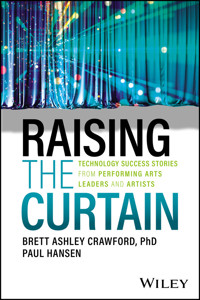
Learn how emerging technologies benefit artists and performing arts organizations Raising the Curtain: Technology Success Stories from Performing Arts Leaders and Artists focuses on empowering artists and performing arts organizations in theater, dance, and music to grow audiences and to increase impact through smart and strategic uses of technology. This book will help you effectively increase your artistic and administrative reach in order to expand your outreach to diverse audiences, without breaking the bank. In fact, you'll be more efficient by choosing multi-function technologies that work for you. You'll also see how advanced software can extend your donor reach--and ensure that you're contacting donors at the right time. You can also maximize your organization's brand by incorporating social media, AI tools, media streaming platforms, and more. Inside, you'll learn about the most useful tech tools out there, including a wide breadth of technology, from Tessitura to A.I., from the success stories of artists such as Emmet Cohen and Jane Monheit, and organizations such as Attack Theatre and The Kennedy Center. Even more importantly, you'll gain the confidence you need to incorporate technology into all areas of your organization in order to define your path to greater success. * Discover software platforms, online tools, and other interactive technologies useful to designers, artists, and arts organizations * Save money, expand your reach, and future-proof your performing arts organization or career * Lead conversations about technologies and digital opportunities with staff, board members, or donors * Get an overview of technology that addresses the unique opportunities and challenges facing the performing arts industry This book is a great resource for performing arts administrators and artists to learn new ideas about technology solutions. Administrators, leaders, and performers alike will appreciate the opportunity to bring art to audiences using today's latest innovations.
Sie lesen das E-Book in den Legimi-Apps auf:
Seitenzahl: 392
Veröffentlichungsjahr: 2024
Ähnliche



















Table of Contents
Cover
Table of Contents
Title Page
Introduction
CHAPTER 1: Getting on the Same Page: Efficient Internal Communication + Project Management
Times Change, but How Do We?
How Knowledge Systems Create Success
Internal Communications: From Memos to Email and Slack
Managing the Workflow: Project Management Software
Training
The Selection Process
Summary
Takeaways
Technology Solutions
Note
Notes
CHAPTER 2: Keeping Track of Everyone
Structuring the System
Using Data Analytics for Strategy + Planning
Data‐Forward Company Culture
Privacy, Security + Legal Compliance
Artificial Intelligence: Automation, Machine Learning, + Chatbots
Selecting + Designing a CRM with a Robust CDP
Takeaways
Technology Solutions
Notes
CHAPTER 3: Growing Audiences + Donors: Tools + Tactics
Marketing + Communications
The Customer Journey + User Experience Design
Team, Tools, + Tactics
Subscriptions Are Not Dead
Donations Adapt: Apps, Taps, Codes, + NFTs
Takeaways
Technology Solutions
CHAPTER 4: Making Magic: Enhancing Artistic Productions
Set Design
Costume Design
Lighting Design
Video Design
Sound Design + Music Composition
Playwriting, Directing, + Casting
Takeaways
Technology Solutions
CHAPTER 5: Defining Who You Are: Branding, Rebranding, + Residencies
Brand Style Guide
Branding Through Social Media
Rebranding
Residencies
Takeaways
Technology Solutions
CHAPTER 6: Extending the Stage: Digital Content, Education, + Touring
Streaming + Simulcasts
Education, Mentorship, + New Work Development
Touring
Takeaways
Technology Solutions
CHAPTER 7: The Arts Are for Everyone: Diversity + Accessibility
Hearing + Vision‐Impaired Audiences
Meeting the Needs of Artists with Disabilities
Podcasts + Live Streaming
Human Resources + Marketing
Training
Summary
Takeaways
Technology Solutions
APPENDIX: Interviewees
Acknowledgments
About the Authors
Index
Copyright
End User License Agreement
List of Illustrations
Chapter 1
Figure 1.1: An example of a Slack channel setup
Figure 1.2:
King Lear actors outside the steel blast furnace
, directed by Ka...
Figure 1.3:
King Lear standing inside the steel blast furnace
, directed by K...
Figure 1.4: Attack Theatre sample audition workflow
Figure 1.5: Attack Theatre sample events checklist and timetable
Chapter 2
Figure 2.1: Sample ladder of engagement
Figure 2.2: Customer data profile
Figure 2.3: Sample dashboard analyzing a donor campaign
Figure 2.4: Sample dashboard to compare show attendance
Chapter 3
Figure 3.1: The marketing funnel has four stages: Awareness, Interest, Desir...
Figure 3.2: Taking time to map your core customers' journeys focuses your me...
Figure 3.3: This image shows how Airtable can be used for surveys. This imag...
Figure 3.4: This is an example of a geo‐targeted ad. It is for the Barrymore...
Figure 3.5: At an outdoor concert at Hull Park, people signed up to receive ...
Figure 3.6: SPOC’s performances at Hull Park demonstrate the power of going ...
Figure 3.7: The PBT's DipJar and accompanying marketing. Photo provided by M...
Figure 3.8: Setting up a QR code for a Venmo donation is easy.
Chapter 4
Figure 4.1: Top: Digital 3D set rendering with a transparent area to show ho...
Figure 4.2: APT used a 3D printer to create this stag sculpture designed by ...
Figure 4.3: Costume maker Eric Winterling's primary piece of technology is h...
Figure 4.4: The video design by 59 Productions for the 2023 Broadway revival...
Figure 4.5: Performers moved in front of green screens and were added to art...
Figure 4.6: Audiences at
The Elements of Oz
used an app on their smartphones...
Figure 4.7: Pittsburgh's Benedum Center for the Performing Arts was built in...
Chapter 5
Figure 5.1: This graph offers a clear explanation of the basic elements of a...
Figure 5.2: Jazz singer Jane Monheit (upper left; photo by Jeremy Ryan); New...
Figure 5.3: Ballet RI's brand identity now features their new logo, photos o...
Figure 5.4: Detroit Opera's new logo and promotional artwork represent a mor...
Figure 5.5: The Cleveland Orchestra's branding for their annual residency in...
Chapter 6
Figure 6.1: The Norton Owen Reading Room at Jacob's Pillow has monitors for ...
Figure 6.2: NY Phil's Media Wall in the lobby of the David Geffen Hall allow...
Figure 6.3: A 2023 case study by Advisory Board for the Arts (ABA) highlight...
Figure 6.4: Boston Baroque works with GBH Production Group's award‐winning e...
Figure 6.5: SFJAZZ included complete video and audio systems and control roo...
Figure 6.6: The Dallas Symphony Orchestra captures concerts that are streame...
Figure 6.7: Attack Theatre shared the proposed list of technology to purchas...
Figure 6.8: Price Suddarth created a nine‐part film series during the pandem...
Figure 6.9: The PNB Dance Film Festival began in 2022 and removes financial ...
Chapter 7
Figure 7.1: Vision‐impaired patrons experiencing a “Touch Tour” of props bac...
Figure 7.2: Haptic suits were provided at an outdoor silent disco at Lincoln...
Figure 7.3: Deaf artist Monique Holt as Aldonza/Dulcinea in
Man of La Mancha
Figure 7.4: Hosts of
The Score
, Lee Bynum, Paige Reynolds, and Rocky Jones...
Figure 7.5: Jazz pianist Emmet Cohen streams weekly live music sessions call...
Figure 7.6: Devon Ginn, host of Indiana Repertory Theatre's podcast,
Greenro
...
Figure 7.7: MVMT10K
Guide
Cover
Table of Contents
Title Page
Copyright
Introduction
Begin Reading
APPENDIX: Interviewees
Acknowledgments
About the Authors
Index
End User License Agreement
Pages
i
ii
iii
xiii
xiv
xv
1
2
3
4
5
6
7
8
9
10
11
12
13
14
15
16
17
18
19
20
21
22
23
24
25
27
28
29
30
31
32
33
34
35
36
37
38
39
40
41
42
43
44
45
46
47
48
49
50
51
52
53
54
55
56
57
58
59
60
61
62
63
64
65
66
67
68
69
70
71
72
73
74
75
76
77
78
79
80
81
82
83
84
85
86
87
88
89
90
91
93
94
95
96
97
98
99
100
101
102
103
104
105
106
107
108
109
110
111
112
113
114
115
116
117
118
119
120
121
122
123
125
126
127
128
129
130
131
132
133
134
135
136
137
138
139
140
141
142
143
144
145
147
148
149
150
151
152
153
154
155
156
157
158
159
160
161
162
163
164
165
166
167
168
169
170
171
172
173
174
175
176
177
179
180
181
182
183
184
185
186
187
188
189
190
191
192
193
194
195
196
197
198
199
200
201
202
203
204
205
206
207
208
209
210
211
212
213
214
215
216
217
218
219
220
221
222
223
224
225
226
227
228
229
231
232
233
234
235
236
237
238
239
240
iv
241
Praise for Raising the Curtain
“I'm excited about this book—I don't think there's anything like it out there. I Google things, but would have loved to have a book like this so many times.”
—Dane Toney, project and media specialist at Attack Theatre
“This book is a needed offering in the world. It's so important and it really will help.”
—Stephanie Martinez, artistic director at PARA‐MER Dance Theatre
“As we know, nearly every aspect of modern life intersects with technology—and the performing arts are no exception. Brett Ashley Crawford and Paul Hansen, in their excellent new book, Raising the Curtain, remind us that this can be a good thing! Each thoughtful and thorough chapter artfully demystifies the ever‐changing landscape of our digital world—and provides clear examples of how to best deploy software and other applications in a way that makes work easier and more efficient for artists and arts administrators. Dr. Crawford and Mr. Hansen have cut through the noise and demonstrated a true philosophy around technology in our field, while also showcasing real, actionable tactics that can be implemented into your practice right away.”
—James McNeel, managing director, City Theatre Company
“I think this book is great—something really special here.”
—Juan José Escalante, executive director at Miami City Ballet
“This book offers a framework and guide for people in [performing arts] institutions for ways how technology can aid their organizations.”
—Scott Penner, freelance set and costume designer
Raising the Curtain
Technology Success Stories from Performing Arts Leaders and Artists
Brett Ashley Crawford, PhDPaul Hansen
Introduction
In the performing arts, our goal is to create great art and programs that connect with audiences and communities. Getting to opening night requires managing people, money, and materials. In other words, great art requires a great business model that includes the smart use of technology, from artistic creation to administration to community connection to reaching donors.
Digital transformation is continually changing how we make art, run businesses, and even live our lives. In this book, you'll find stories about nonprofit organizations, artists, and the technology they use to achieve success.
The performing arts are struggling to emerge from the COVID‐19 pandemic in the United States and other countries around the globe. Audiences have yet to return to pre‐pandemic numbers, subscriptions are faltering, and donors are receding. Bluntly, if you look at the numbers over time, the performing arts have been losing audiences and relying on long‐term, big‐money donors for more than a decade. Recent headlines in the media too frequently highlight organizations canceling shows, shrinking seasons, or ceasing operations altogether, striking fear in the hearts of many. There is a path forward. Lessons can be learned from the many organizations running efficient and effective operations—they pay their bills, run full seasons, and operate robust enterprises. These are the stories you will read in this book.
In our post‐pandemic, AI‐infused world, arts success stories are fueled by using technology and data in new ways to grow their business operations and innovate productions. Colleen Dilenschneider, a cultural leadership consultant who maintained an ongoing data analysis of audiences and marketing throughout the pandemic, found that organizations that invested in their infrastructure and continued engaging with their communities are finding audiences and donors return and even grow.
Harnessing technology to fuel success is the point of our book. We are both lifelong performing arts professionals working in production, management, and education. Our heart is in the work and the transformative power of the arts—we know that the performing arts can change lives. One of the keys to success, in our experience, is empowering people to use the tools available to them.
We're both “accidental techies” in our careers in the arts, filled with passion and curiosity. We discovered the efficiencies and impact that can be gained by using technology. We were simultaneously dismayed when we realized how many of our friends and colleagues were missing opportunities due to legacy (old) systems, missing integrations across departments, siloed systems, or the right tech in the wrong hands.
We have taken our combined 50 years of experience and added to it. Instead of offering two perspectives, this book brings together the innovative work of organizations and artists across multiple disciplines (jazz, symphony orchestras, choruses, contemporary dance, ballet, theater, opera, and more). Our interviews are with people working in jobs from marketing and fundraising to diversity, equity, accessibility, inclusion (DEAI), production, and information technology. The power of harnessing data and tech for transformational outcomes is revealed through their stories. Throughout the book, their words bring their work to life:
“The arts, by nature, are always evolving. You might take a piece of music that was written 400 years ago, and a new choreographer will take that music and create something that has never been seen before. We have to embrace technology in order to keep up with the evolution of the art form itself.”
—Juan José Escalante, executive director, Miami City Ballet
“How you innovate is you solve the problems as they come.”
—Denise McGovern, vice president of communications + media, Dallas Symphony Orchestra
“I use data to make strategic decisions as a leader in the organization. We serve our customers in the way that they have come to expect of the world. We exist in the same world as Amazon and Target and the rest of them. So, our interactions need to be the same.”
—Larae J. Ferry, director of marketing, Alvin Ailey American Dance Theater
Raising the Curtain can't tell the story of every artist and performing arts leader finding success using technology. We have attempted, however, to provide examples of many different tactics, strategies, and tools. There are more examples of success across the performing arts than could ever be included in one book.
By providing a breadth of voices and experiences, Raising the Curtain serves arts administrators, board members, designers, and artists. We hope you'll find inspiration and solutions for your problem areas. This book can be read cover‐to‐cover or by diving into a chapter that covers a specific area you're working on.
New technologies enter the market daily. This book could never hope to be exhaustive in every solution, nor do we only highlight the most “cutting‐edge” tech. We all know that whatever is cutting‐edge today is soon considered the norm or, even worse, so trendy it quickly becomes obsolete. We also share how some of the simplest technologies are often the best for the job.
Finally, we know that stories of great success didn't just happen. Incorporating technology into a personal workflow or an organization is difficult. Change management is a considerable part of the process. Hence, many interviewees provide examples of successfully incorporating a particular process or technology. Training and skill development are essential, as is socialization across the organization in small steps.
Maintaining a digital ecosystem is increasingly the foundation of effective and efficient business practice. We wrote Raising the Curtain in an effort to demystify technology and support performing arts organizations and artists in their quest to find efficient and effective solutions to the problems they face. Although any technology described in this book may have a new version or be out‐of‐date by the time you read this book, we hope you'll use these stories for inspiration in the way it is being incorporated and as a starting point to find the right tech solutions for your needs.
CHAPTER 1Getting on the Same Page: Efficient Internal Communication + Project Management
Technology is a tool, a collaborator, that supports business operations in a significant but subtle way. While it would be wonderful to simply add on a technology to the workplace and have it magically solve our problems, that is rarely the case. Yet, when intentionally selected and implemented, technologies in the workplace have proven time and again that they can save time and headaches, therefore increasing the impact of our work.
In our experience as artists, freelancers, and arts administrators, the technology we use has often saved the day, but to be honest, it has also sometimes created massive headaches. This chapter will share our experiences as well as those of several theater, dance, and music companies. These success stories of creating and using institutional systems will reveal how they decrease “one more dead‐end email chain” and increase clarity of purpose, priorities, and workflows.
The chapter begins with the frameworks of how our work systems and environments have changed over the years before we dive into knowledge management and how to increase institutional memory, efficiency, and job satisfaction day to day. The arts are a people business, so we'll also discuss how we can create better models for communication. The technology solutions that we'll investigate are software‐as‐a‐service (SaaS) models for workflow management. None of this works independently or is adopted without intention and training. The chapter wraps up with how to best train and maintain these systems in a world that is ever‐changing.
Times Change, but How Do We?
Running arts organizations or pursuing artistic careers is far more complicated than most people think. Brett often equates it to running a start‐up with a constantly changing product. But technology can help with the overall management of your creative enterprise. An early technology adopter, Brett began creating systems for documents and contracts in her first job in a three‐person off‐Broadway theater in the year 1992. This was the age of 3.5″ computer discs that you inserted into a computer because the memory inside the computer was tiny and mostly used for processing. Of the three employees, only two were comfortable with computers. The artistic director was not, but he supported the time it took to implement the tiny system and liked that things could get done efficiently.
In a three‐person organization, space was limited: a theater and a small office. While there were production meetings, staff “meetings” were more often conversations around morning coffee. The ease of communication was simple and production focused. Three brains, lots of three‐ring notebooks, file cabinets, and one computer with 3.5″ discs served as the knowledge system. It was fun but highly inefficient, with a lot of running up and down the stairs to the theater.
By 2006, Brett was the managing director for Imagination Stage, and the world had changed with respect to the technology available. But the systems that existed were happenstance. A system of shared knowledge of what goes where, how to communicate clearly, and how to prioritize still had to be created, communicated, and used. The company was also much bigger, with 52 full‐time and 275 part‐time artists, teaching artists, and over hire. Email predominated communication, and shared file folders on a server were common.
But problems existed. Younger staff had no sense of what the priorities were, especially which email needed the first response. Seniority, not mission or impact, often determined who had access for space. Eventually, a new software tool for space management provided a decision tree and transparency—40,000 square feet, seven classrooms, two theaters, and various other public spaces require coordination for facility management and maintenance. Additionally, the staff created a company‐wide agreement for communication protocols (email priority systems, calendar appointments instead of email chains for meetings, etc.).
When Paul was the marketing director for a midsized dance company, communication about projects, workflow, and related responsibilities was not consistent. Even with an administrative staff of four, there was no system in place for sharing of internal information, which often led to duplicated work and missed opportunities. And often the first email in a chain was responded to instead of someone reading the entire chain on a given topic, wasting more precious time. Each staff member was great at what they did in their respective areas, but the lack of an organized system created more work and harmed efficiencies.
It is hopefully becoming clear that creating ecosystems of technology can make work easier but that doing so requires more than a standard, top‐down approach. Senior and junior employees need buy‐in and training. Any adopted technology solution will have to adapt over time. Hence, you will find ample explanations of not only useful tech solutions, but also conversations around how the employees are trained, how systems are created, and how the habits of work are changed, also known as change management.
It cannot go without saying that the global pandemic and lockdown had an immense impact on the way we all work. However, the need for clear and efficient internal operations existed prior to the pandemic. The only critical change noted over and over again in interviews was the need to rely on cloud‐based solutions.i The organizations and individuals succeeded before, during, and after the pandemic because of clear and clean systems that could expand and contract as workflows changed.
Moving out of lockdown into the current day, hybrid and remote work continues to be a recognized and often successful solution for many organizations. But even if your organization has returned to 100 percent in‐office, creating internal systems of knowledge sharing, communication, and workflow will undoubtedly contribute to greater success. The overarching system or technology framework has to facilitate person‐to‐person and team‐to‐team processes. And, most importantly, it must support the mission or purpose of the work overall.
How Knowledge Systems Create Success
Systems allow for work to proceed with ease. If an employee knows where to find a file, how to get the answer they need, or what the top priorities of their day are, work flows efficiently and effectively. The problem is that most organizations and individual businesses create “accidental” systems. These systems are created to serve the person who created them, with little thought to how they connect to the rest of the operations of the organization or fellow employees. We all know when something takes longer than it should, but it is rare that time is spent trying to fix the cause (“No one codified where to put the files in the drive”); rather, we often fix the system (“I'll put my work where I need it over here”).
This is not a technology‐based problem. When we had a world of documents, file folders, memos, and sticky notes, how the filing system was created was usually driven by one person in the organization. People who needed a file repeatedly would keep it (or a copy of it) on their desk. These breaks in the paper system would leave people looking for files, or lead to confusing the version history of a document (“How do you have the newest document—the file folder says the last one was edited on X date?”).
It is also important to note that knowledge management has been a part of business structure for centuries, most often managed and transferred through a process of coworking and training. Small business owners would pass their knowledge on to the next generation through lived experience. Those working in trades would pass their knowledge through apprenticeship.
It wasn't until the 1990s that CEOs started talking about knowledge management—perhaps because the media and the web encouraged a new language for discussing the work of a new knowledge economy. According to Harvard Business Review, there are two approaches to knowledge management. When knowledge is managed in computer systems, it is a “codified” strategy. The second leans on the person‐to‐person transfer of knowledge, which if intentionally done is a “personalization” strategy. Choosing between the two is a choice and a strategy for a business. If a business wants to grow, codification is the right choice:
The codification strategy opens up the possibility of achieving scale in knowledge reuse and thus of growing the business.1
So what does it mean to codify your knowledge? In simple terms, it is a way of breaking down information (often stored in files or folders) into a transparent system that all the appropriate users can access to do their work and achieve their goals. For performing artists and organizations, often our collective shared knowledge exists in “siloes” tied to performances or shows. The following is a way of thinking about materials:
Materials that will be reused by many people, teams, or departments.
Materials should be centrally located for all access (e.g., an employee handbook) or by department (e.g., a marketing style guide or logos).
Consider whether the materials will need to be updated and, if so, when.
If often, consider a wiki or internal‐facing web page instead of a fixed PDF or other document.
Materials that will be used once or within a time frame.
Materials should be located within a system of folders and names that align with the uses (e.g., 22‐23 Production Name or 22‐23 Season Marketing).
People to documents: Create a flowchart of who uses or needs access to what materials and establish a permission tree that matches these needs.
Barbara needs to view document X. Donald needs to edit document X. Both have access to the document, but they have different permissions. Permission trees are important and need to be transparent (tell employees: you are being given
edit
access to Y drive and
view
access to Z). Permissions prevent accidental removal/deletion, but more important, they create a cleaner, expanded view and path for each employee. Employees see only what they need to do their work.
Training employees is part of the strategy. Never assume anyone knows how to use your technology. They may be masters of the system at their previous position, but every software and codification is different. This is true regardless of age. No one is born knowing business technology, although we can all manage our personal devices. Employees still need a tutorial explaining how your company manages logins and how to navigate the system you or your organization have created.
Buy‐in/change management is necessary for effective implementation. Everyone has to use the system or it simply won't work. Creating rewards or positive public praise for people who use the system and add their materials appropriately is key.
The Producing Artistic Director and IT Director/Company Dancer at Attack Theatre were interviewed to gain a better sense of how knowledge management systems can work for a midsized contemporary dance company. Attack Theatre was founded in 1994 as a collaboration between two dancers, Michele de la Reza and Peter Kope. Its mission is to explore artistic expression in its commitment to remain curious in its investigation of new ideas; to artistically collaborate through deliberate, interdisciplinary partnerships; and to connect with local and global communities to provide accessible creative learning opportunities. To accomplish its mission, the company offers a performance season that includes original work choreographed by the company and collaborative work with other institutions, adult education courses, public school partnerships, and community education programs. The company also tours its work across the United States and beyond. As a midsized contemporary dance company with an operating budget of $1.2 million annually, it pays a staff and a company of dancers, with additional part‐time staff totaling 13 and an additional 65‐plus artists and teachers throughout the year. The company opened its first permanent home in Lawrenceville, a neighborhood in Pittsburgh, in 2021. A succinct description would be a company that is small with outsized impact and operations.
To achieve more than a typical company of their size might, Attack Theatre began investing in technology systems several years ago. The goal was to increase work efficiency. In 2019, they invested in Egnyte, a knowledge management system. Egnyte is a secure hosted file management platform. It includes layers of security, privacy, and compliance beyond a typical sharing/collaboration system with permission controls. The change to Egnyte saved time prior to the pandemic and was critical to operations afterward. As Dane Toney, a company dancer at Attack Theatre and its IT manager, explains:
Egnyte is pretty much our sole server. It houses everything—I mean everything. It was set up right before the lockdown. Before that all our servers were based on hard drives in the office. You could access them remotely, but it was very difficult and very, very slow.
Speed is particularly important when working with larger files typical to a dance company like Attack Theatre. Content spans all documents, all music, video, photos, and archival materials.
When asked how moving to Egnyte revolutionized their work, both Toney and de la Reza note a multitude of impacts. For example, “We don't have 14 versions of the same document when editing grants” because of Egnyte's reliable version history system. Furthermore, it increases security and customization of users, which they find particularly helpful with an increased reliance on freelance workers. For example, Attack Theatre is currently working with an external public relations firm and graphic designer. They now share specific Egnyte folders with a specific permission level and an expiration date. This approach saves time and future headaches since there is no need to remember to go back and reverse permissions. Similarly, dancers have increased engagement in the system and access to files. De la Reza notes that “This changes communication flow and increased efficiency.” Both Toney and de la Reza acknowledge that although Egnyte is powerful, it can take an additional level of training to understand a different logic and architecture. Admittedly, it is also more expensive than some of the integrated workspace solutions available to nonprofits. Toney notes that “Egnyte is expensive and powerful.” They plan to continue to grow into using advanced tools of the system.
One of the oft‐mentioned benefits of creating a system of organized and accessible materials is that employees can work independently. Providing the ability for staff to complete a project from beginning to end without waiting for someone to give them something, thus slowing down their process, increases worker satisfaction because they can self‐actualize. Data from the “great resignation” of 2021 clearly demonstrated that people left jobs due to a lack of work satisfaction. Increasing a sense of satisfaction with one's work should, therefore, support internal commitment to a company. Creating a technology infrastructure that increases a sense of job ownership supports employee persistence. And it deepens institutional memory through actual documentation and human connectivity. De la Reza explains how this works at Attack Theatre:
Instead of calling someone and saying “Where can I find X?,” they run a query in Egnyte. Institutional memory becomes more transparent… . [By] committing to these different technologies and the use of them … we're hopefully also preparing ourselves for a changing workforce… . Institutional memory is something that is so valuable.
There are many other options beyond Egnyte. Big tech supports nonprofits through discounted pricing, from Amazon Web Services (AWS) to Microsoft Teams to Google Drive, among others. Regardless of where an organization stores its materials, the key to success is taking the time to codify the system and to train and reward individuals. This approach allows for high employee satisfaction, higher team morale, and a greater efficiency of work.
Whatever the system chosen, how we communicate across our organizations and how we communicate between our teams should integrate. This integrated system amplifies the efficiency and transparency available to any organization.
Internal Communications: From Memos to Email and Slack
As noted earlier, the performing arts is a people business—people working with people to make art for people. Effective and efficient communication is critical. When looking back on the heyday of the corporation, immortalized by television shows like Mad Men, we see that communication often consisted of watercooler conversations and memos from the boss. One offered informal and quick sharing of ideas or thoughts while the other served as a more formal notification, perhaps created in triplicate and saved for future reference. Business‐to‐business (B2B) communication occurred via telephone, meetings, or letters.
Business was disrupted in the 1970s and 1980s with the advent of the facsimile (fax) machine, which, over a phone line, could send a reproduction of a letter. It was so much faster than mailing letters. It also facilitated easy contracting and work across distances. It was so useful that it was still being used in the early 2000s by many, well after the advent of email, because it met the legal requirements of paper (Brett was faxing Actors Equity Association reports in the mid‐2000s, and it was not uncommon to have to fax something for an international exchange as late as the 2010s!).
Email disrupted communications even more than the fax machine. Email was going to be the savior of all interpersonal communication. And it was—until it wasn't. In 20 short years, it became one of the biggest work inefficiencies used daily in the workplace. “Death by Email” was a common headline and generated the pursuit of the coveted “Inbox Zero.” But email is only a tool and cannot take all the blame. It can be structured and used effectively, applying inbox rules, priorities, and other guidelines. Email's strength is its use as asynchronous communication. The problem is, we often use it as a synchronous communication path with an expected response. All of us, at one time or another, have expected someone to reply instantly or been expected to reply. You have likely had someone knock on your door with “I sent you an email 30 minutes ago, but I haven't heard back.”
In people‐driven, collaborative work that happens on a deadline, email falls short. It's linear and slow. While you can organize an email thread by a conversation, maintaining the integrity of a document passed through an email chain can easily become fraught with issues. Finding the information in an email that answered a question a few days and dozens of emails ago is often difficult. The list of potential woes felt by employees due to email is long. And, if the heart of our work is collaboration, then finding and using alternatives is increasingly common.
One way to solve the problem is using a solution for internal communications that moves immediate, bite‐sized pieces of information to a more responsive platform. There are many options, from Slack to Teams to Yammer or HipChat or Mattermost. The increasing set of options reveals that these solutions work. These platforms also organize themselves into channels, allowing for self‐sorted and easily searched information.
Email is not dead and remains necessary in the workplace. For communicating outside the organization, email is still critical. And email can still play a defined role in the internal operations of an organization, particularly for materials that don't require a quick turnaround, thereby leaning into email's strength. The key is creating standards and expectations of what goes where and sharing them with all users.
Using Slack or any of its work messaging siblings is easy. It is, essentially, threaded or “channeled” instant messaging akin to texting. It is not uncommon for small companies of two or three people to function using just texts. However, even small companies benefit from dedicated communication channels like Slack, as demonstrated in upcoming examples from Attack Theatre and Quantum Theatre. In fact, Brett started using Slack with a three‐person enterprise in a university and was surprised at the immediate impact. It was particularly useful because of its natural content sorting and dedicated communication space outside of email.
Perhaps most importantly, unlike texting, work messaging systems are easily organized and searched. The ability to search is one of the reasons that Toney from Attack Theatre finds Slack to be a critical time‐saving tool:
With the amount we were texting each other and the amount we were emailing, things could easily be lost. And within text there's no search function, or at least I don't have a search function. So it's the amount of times I had to scroll through old text streams to find something in answer to “Hey, I sent a text. I don't remember what that number was but it was in a text message somewhere.” It's like scrolling and scrolling and scrolling and scrolling to figure it out. So that has been the biggest benefit of just kind of keeping everything in its project and easily being able to search exactly what you need. For me, it was the biggest time‐saver.
Attack Theatre adopted Slack only a couple of years ago. As de la Reza, one of the company founders, found, it took the usual transition for those used to an email‐based culture:
In the beginning, I was like, “Oh, another thing to check.” And now I get annoyed that people send me emails; I'm like, Why are you emailing me? There's a Slack channel for this project, please put it in the Slack channel.
Once a company introduces a non‐email internal communication tool like Slack, quite simply it completely changes their relationship to email.
Additionally, using a tool like Slack is good for project management and the primary reason many companies turn to it. However, it quickly changes the workplace culture and community. At Attack Theatre (and many others), there is a channel for company pets that actually gets the most activity (see Figure 1.1). All work and no play makes Slack a dull tool.
Figure 1.1: An example of a Slack channel setup
Photo courtesy of Slack
Attack Theatre's success as a dance company is similar to others. We interviewed Stewart Urist, former executive director of Quantum Theatre, because of the organization's very different work challenges and the solutions Slack afforded it. Urist implemented Slack when he joined the company. The organization's mission statement reads, “Quantum Theatre is a company of progressive, professional artists dedicated to producing intimate and sophisticated theatrical experiences in uncommon settings, exploring universal themes of truth, beauty, and human relationships in unexpected ways.” The organization has a physical office but its work is site‐specific. It has seven full‐time staff; production staff and artists are hired for shows. Urist notes that one of the biggest gains from incorporating Slack is sorting and transparency: “The initial draw was definitely addressing the clutter of an inbox intermixing very simple emails or operational internal conversations from longer‐term external work. If it's all in your inbox, you have to have a system to organize that. With Slack, those smaller conversations could be broken into separate threads. It made it easy to be responsive to someone's simple one‐sentence question… . If it came in Slack, I knew it was one of my team members who needed me right away.”
At Quantum Theatre, the company used Slack as a front‐of‐house, back‐of‐house communication tool. As a site‐specific operation, traditional headsets for communication are usually unavailable or nonfunctional due to the limitations of the spaces. An example is the Carrie Furnace, an historic steel blast furnace in Rankin, Pennsylvania, that has metallic interference. Other historic spaces or schools have thick concrete walls that inhibit signals for works that quite literally move you from room to room. In those circumstances, Slack is used to run the cues for the shows. According to Urist, “Most places we worked had Wi‐Fi or a hotspot we set up or with individual cell providers that had a signal. Slack was a good way to communicate between front and back of house, and even run the show” (see Figure 1.2 and Figure 1.3).
Figure 1.2:King Lear actors outside the steel blast furnace, directed by Karla Boos, at Carrie Furnace, Pittsburgh
Courtesy of Quantum Theatre
Although messaging tools like Slack seem intuitive, they still require intentional design, with a standard for channel naming and assigning someone to be in charge of starting/archiving channels. One common practice seems to be aligning channels to productions, as well as having a separate channel for administrative concerns. And, like any knowledge management system, establishing permission levels for each channel will help keep the mental load lighter. As de la Reza notes, “Archiving productions or projects once they are complete is essential to keeping a busy company's channels clean.”
Figure 1.3:King Lear standing inside the steel blast furnace, directed by Karla Boos, at Carrie Furnace, Pittsburgh
Courtesy of Quantum Theatre
Training new employees on tools like Slack cannot be skipped, but it is not difficult. As de la Reza points out, “I think the training also relies on shared understanding of what channels are for and how to use it. I mean, it's not always what the technology can do, it's how we have a common understanding.” At Attack Theatre, staff meetings include discussions about clarifications and improvements. For example, at one meeting someone mentioned there is a status button in Slack that would help people know if they should expect a response. Everyone agreed that would be useful. Additionally, due to the plethora of projects and programs, they created a naming protocol. All channels with education programs have “ed” at the beginning and all productions have “show,” for example, #edduquesnepublicschool.
Managing the Workflow: Project Management Software
The three W's are critical pieces of workflow and collaboration: who's doing what when. Project management software is a useful tool that provides clarity on the three W's for each employee and offers an organizationwide view for administrators. Furthermore, having a system that clarifies how an individual's work affects the larger project or organization results in increased worker satisfaction.
There are many benefits to creating a work management system. Perhaps first and foremost, it keeps work and goals all in one place. According to the Asana Anatomy of Work Global Index 2023 (download full report https://asana.com/resources/anatomy-of-work)2, we spend 60 percent of our time every day trying to work—doing tasks like searching for documents, chasing approvals, and attending meetings—instead of performing skilled or strategic work. Teams lack alignment because tasks, files, and commutation are disjointed and spread across multiple logins and locations. Eliminating confusion increases team efficiency and effectiveness. Finally, when you provide greater clarity for the work, communication between team members and supervisors becomes focused and aligned to goals and tasks.
In the performing arts, it often feels as though everyone should know what to do—a rehearsal for an orchestra performance is similar in many respects. Many feel it should be a “rinse and repeat” mindset for a team. However, there are always exceptions to every “repeat.” A workflow template could be used, but there will always be something unusual and different about a specific piece of music, a performance, a play, or a dance. That is why we make the art and why the audience comes back to see it. There is always something new to discover. The arts, especially the nonprofit arts, can benefit from a transparent workflow system.
The Anatomy of Work study determined that nonprofit organizations are typically highly collaborative workplaces but struggle to adapt to new business challenges. The nonprofit performing arts organizations are no different. From production to administration, teams of people collaborate. What is often lacking is a system for clear planning and management of individual projects.
Cloud‐based software solutions offer a path for transparency and a shared understanding of goals, objectives, and tasks. But there is no silver bullet. The companies and individuals we interviewed for this book all have different preferences and solutions. Quantum Theatre utilizes Asana, Attack Theatre uses Airtable, and Aspen Music Festival uses ArtsVision, software that was designed to support the performing arts industry. Notable in all interviews, the key to success for a company is creating a culture around the technology. Any well‐designed tool can be made to work, but it only works if everyone uses it and agrees to the terms. And the software must easily work within the systems created for storage and communication. De la Reza noted that at Attack Theatre:
Airtable's effectiveness is so much greater because Egnyte and Airtable interact and links in Slack. We have a system where we say you know if you're in Slack and you'll say, you know, “Carrie, could you please look at the budget for the draft budget for NEA,” in all caps, and you put a hyperlink to where it is. If we had to attach things and upload things all the time, it would have just been an entirely different ballgame.
Asana
Asana is a cloud‐based software that Brett has used since 2014 for the Arts Management and Technology Lab team at Carnegie Mellon University. The team meets weekly but otherwise operates remotely, connecting via Asana and Slack for all other communication. If a task requires a specific file, the file location is included in the task description as a hyperlink. What makes Asana work so well is the option for individualized views. Asana projects are essentially smart sheets that can be viewed in the way each user works best: list format, Kanban boards, or calendar format. It also allows users to see all their tasks in one place, called My Tasks, and to include personal tasks that are not part of a project, like a reminder to make an appointment for the eye doctor.
Urist at Quantum Theatre also utilized Asana for both administration and production. It was particularly useful for time‐based work, from marketing and development to general event timelines and punchlists. For both large and smaller projects, there were tasks and milestones to mark key drop dates. Urist also used Asana for one‐on‐one and team meetings for collaborative agendas. Similar to the communication and knowledge tools we've mentioned, the Asana workspace can be managed by the organization's administrators who need to see everything, while specific projects can limit members and give permission to either view only or to edit. The view‐only option is particularly useful for collaborators who need to know information but don't need to be able to work in the project. At Quantum Theatre they could manage projects that were production‐focused (archiving when complete) as well as manage season or annual projects like an annual campaign or capital campaign.
Financially, Asana is well suited for smaller organizations because it is free, with a team size limit. It provides web access and mobile access for hybrid or site‐specific work.
Airtable
As mentioned earlier, Attack Theatre accomplishes a lot for an organization of its size, primarily because of how Airtable makes its workflow so efficient. Attack Theatre uses Airtable for everything: auditions, education programs, human resources and contracts, productions, marketing, and fundraising. De La Reza feels one major success has been with contracts—Airtable has both empowered the small staff and made the contracting process much faster than before:
Airtable has enabled those with the information, who are really developing the projects and the scope, to create the contracts, all the input, the emails, and the phone numbers and the conditions of what the project is, and provide that information within the Airtable structure. Then those contracts go to the next step for approval. And then it can seamlessly go to the finance person, who is responsible for a whole other world. Right now they are also responsible for checking vaccinations if it's an in‐person engagement versus a virtual, so … the finance person doesn't actually need to know the minutia of the project; they just need to be able to respond to what the information is in the Airtable and begin their work. Airtable has streamlined the process, because we also have an extremely high density of independent contractors and projects for an organization our size. Last fiscal year, we worked with 68 artists [as well as] many W‐2 employees. Airtable enables us to handle all this efficiently with a 20‐hour‐a‐week finance person. The minutia can happen before it gets to them, and the process happens much quicker.




