


27,59 €
Mehr erfahren.
- Herausgeber: Packt Publishing
- Kategorie: Fachliteratur
- Sprache: Englisch
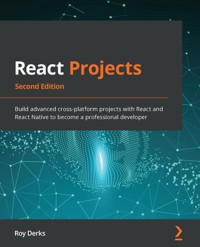
Developed by Facebook, React is a popular library for building impressive user interfaces. React extends its capabilities to mobile platforms using the React Native framework and integrates with popular web and mobile tools to build scalable applications.
React Projects is your guide to learning React development by using modern development patterns and integrating React with powerful web tools, such as GraphQL, Expo, and React 360. You'll start building a real-world project right from the first chapter and get hands-on with developing scalable applications as you advance to building more complex projects. Throughout the book, you'll use the latest versions of React and React Native to explore features such as routing, Context, and Hooks on multiple platforms, which will help you build full-stack web and mobile applications efficiently. Finally, you'll get to grips with unit testing with Jest and end-to-end testing with Cypress to build test-driven apps.
By the end of this React book, you'll have developed the skills necessary to start building scalable React apps across web and mobile platforms.
Das E-Book können Sie in Legimi-Apps oder einer beliebigen App lesen, die das folgende Format unterstützen:
Seitenzahl: 315
Veröffentlichungsjahr: 2022
Ähnliche

















React Projects Second Edition
Build advanced cross-platform projects with React and React Native to become a professional developer
Roy Derks
BIRMINGHAM—MUMBAI
React Projects Second Edition
Copyright © 2022 Packt Publishing
All rights reserved. No part of this book may be reproduced, stored in a retrieval system, or transmitted in any form or by any means, without the prior written permission of the publisher, except in the case of brief quotations embedded in critical articles or reviews.
Every effort has been made in the preparation of this book to ensure the accuracy of the information presented. However, the information contained in this book is sold without warranty, either express or implied. Neither the author, nor Packt Publishing or its dealers and distributors, will be held liable for any damages caused or alleged to have been caused directly or indirectly by this book.
Packt Publishing has endeavored to provide trademark information about all of the companies and products mentioned in this book by the appropriate use of capitals. However, Packt Publishing cannot guarantee the accuracy of this information.
Associate Group Product Manager: Pavan Ramchandani
Publishing Product Manager: Ashitosh Gupta
Senior Editor: Mark Dsouza
Content Development Editor: Divya Vijayan
Technical Editor: Saurabh Kadave
Copy Editor: Safis Editing
Project Coordinator: Ajesh Devavaram
Proofreader: Safis Editing
Indexer: Hemangini Bari
Production Designer: Prashant Ghare
Marketing Coordinator: Anamika Singh
First published: December 2019
Second edition: April 2022
Production reference: 1290422
Published by Packt Publishing Ltd.
Livery Place
35 Livery Street
Birmingham
B3 2PB, UK.
ISBN 978-1-80107-063-8
www.packt.com
To all developers who are starting their journey with React. It will be hard work, but you will succeed.
– Roy Derks
Contributors
About the author
Roy Derks is a serial start-up CTO, conference speaker, and developer from Amsterdam. He has been actively programming since he was a teenager, starting as a self-taught programmer using online tutorials and books. At the age of 14, he founded his first start-up, a peer-to-peer platform where users could trade DVDs with other users for free. This marked the start of his career in web development, which back then primarily consisted of creating web applications using an MVC architecture with the LAMP stack.
In 2015, he was introduced to React and GraphQL at a hackathon in Berlin, and after winning a prize for his project, he started to use these technologies professionally. Over the next few years, he helped multiple start-ups create cross-platform applications using React and React Native, including a start-up he co-founded. He also started giving workshops and talks at conferences around the globe. Over the last years he gave over 100 conference talks about React, React Native, and GraphQL, inspiring ten thousands of developers worldwide.
You can follow Roy on Twitter to get more information on the latest developments in the world of React and React Native: https://twitter.com/gethackteam.
About the reviewers
Kirill Ezhemenskii is an experienced software engineer, a frontend and mobile developer, a solution architect, and the CTO at a healthcare company. He's a functional programming advocate and an expert in the React stack, GraphQL, and TypeScript. He's also a React Native mentor.
Emmanuel Demey works with the JavaScript ecosystem on a daily basis. He spends his time sharing his knowledge with anyone and everyone. His first goal at work is to help the people he works with. He has spoken at French conferences (such as Devfest Nantes, Devfest Toulouse, Sunny Tech, and Devoxx France) about topics related to the web platform, such as JavaScript frameworks (Angular, React.js, and Vue.js), accessibility, and Nest.js. He has been a trainer for 10 years at Worldline and Zenika (two French consulting companies). He is also the co-leader of the Google Developer of Lille group and the co-organizer of the Devfest Lille conference.
Table of Contents
Preface
Chapter 1: Creating a Single-Page Application in React
Project overview
Getting started
Creating a single-page application
Setting up a project
Structuring a project
Creating new components
Summary
Further reading
Chapter 2: Creating a Portfolio in React with Reusable Components and Routing
Project overview
Getting started
Creating a portfolio in React
Creating a portfolio with Create React App
Installing Create React App
Building reusable React components
Structuring our application
Reusing components in React
Routing with react-router
Summary
Further reading
Chapter 3: Building a Dynamic Project Management Board
Project overview
Getting started
Creating a project management board application
Handling the data flow
Loading and displaying the data
Working with custom Hooks
Creating custom Hooks
Reusing a custom Hook
Making the board dynamic
Styling in React with styled-components
Summary
Further reading
Chapter 4: Building a Server-Side-Rendered Community Feed Using Next.js
Project overview
Getting started
Community feed application
Setting up Next.js
Installing Next.js
Adding styled-components
Routing with Next.js
Handling query strings
Enabling SSR
Fetching data server side with Next.js
Adding head tags for SEO
Summary
Further reading
Chapter 5: Building a Personal Shopping List Application Using Context and Hooks
Project overview
Getting started
Personal shopping list
Using the Context API for state management
Creating Context
Nesting Context
Mutating Context with Hooks
Using life cycles in functional components
Using advanced state with useReducer
Mutating data in the Provider
Creating an application Context
Code splitting with React Suspense
Summary
Further reading
Chapter 6: Building an Application Exploring TDD Using the React Testing Library and Cypress
Project overview
Getting started
The hotel review application
Unit testing components
Testing React state and Hooks
End-to-end testing with Cypress
Summary
Further reading
Chapter 7: Building a Full-Stack E-Commerce Application with Next.js and GraphQL
Project overview
Getting started
Getting started with the initial React application
Building a full stack e-commerce application with React, Apollo, and GraphQL
Creating a GraphQL server with Next.js
Consuming GraphQL with Apollo Client
Summary
Further reading
Chapter 8: Building an Animated Game Using React Native and Expo
Project overview
Getting started
Creating an animated game application with React Native and Expo
Setting up React Native with Expo
Adding gestures and animations in React Native
Advanced animations with Lottie
Summary
Further reading
Chapter 9: Building a Full-Stack Social Media Application with React Native and Expo
Project overview
Getting started
Checking out the initial project
Building a full-stack social media application with React Native and Expo
Advanced routing with authentication
Using the camera with React Native and Expo
Differences in styling for iOS and Android
Summary
Further reading
Chapter 10: Creating a Virtual Reality Application with React and Three.js
Project overview
Getting started
Creating a VR application with React and Three.js
Getting started with Three.js
Creating 3D objects with Three.js
Rendering 360-degree panorama images
Animating 3D objects
Summary
Further reading
Other Books You May Enjoy
Preface
This book will help you take your React knowledge to the next level by showing how to apply both basic and advanced React patterns to create cross-platform applications. The concepts of React are described in a way that's understandable to both new and experienced developers; no prior experience of React is required, although it would help.
In each of the 10 chapters of this book, you'll create a project with React or React Native. The projects created in these chapters implement popular React features such as Hooks for re-using logic, the context API for state-management, and Suspense. Popular libraries, such as React Router and React Navigation, are used for routing, while the JavaScript testing framework React Testing Library and Cypress are used to write unit and integration tests for the applications. Also, some more advanced chapters involve a GraphQL server, and Expo is used to help you create React Native applications.
Who this book is for
The book is for JavaScript developers who want to explore React tooling and frameworks for building cross-platform applications. Basic knowledge of web development, ECMAScript, and React will assist in understanding key concepts covered in this book.
The supported React versions for this book are:
React - v18.0React Native - v0.64What this book covers
Chapter 1, Creating a Single-Page Application in React, will explore the foundation of building React projects that can scale. Best practices of how to structure your files, packages to use, and tools will be discussed and practiced. You'll learn about React architecture while building a Single-page application. Also, webpack and Babel are used to compile code.
Chapter 2, Creating a Portfolio in React with Reusable Components and Routing, will explain how to set up and re-use styling in React components throughout your entire application. We will build a GitHub Card application to see how to use CSS in JavaScript and re-use components and styling in your application. Next to this, you'll learn about implementing navigation with React Router v6.
Chapter 3, Building a Dynamic Project Management Board, will cover how to reuse application state-logic from components by using Hooks. You'll learn how to build custom Hooks and interact with Web APIs to make draggable components. Styled Components are introduced to make it easier to style React components in a scalable way.
Chapter 4, Build a Server-Side-Rendered Community Feed Using Next.js, will discuss routing, ranging from setting up basic routes, dynamic route handling, and how to set up routes for server-side rendering. Therefore the React web framework Next.js will be used as you'll learn while building an application based on Stack Overflow.
Chapter 5, Build a Personal Shopping List Application Using Context and Hooks, will show you how to use the React context API with Hooks to handle the data flow throughout the application. We will create a personal shopping list to see how data can be accessed and changed from parent to child components and vice versa with Hooks and the context API.
Chapter 6, Build an Application Exploring TDD Using React Testing Library and Cypress, will focus on unit testing with assertions and snapshots. You'll learn how to manage test coverage, and implement visual integrations tests using the Cypress framework. We will build a hotel review application to see how to test components and data flows.
Chapter 7, Build a Full-Stack E-Commerce Application with Next.js and GraphQL, will use GraphQL to supply a backend to the application. This chapter will show you how to set up a Full Stack React application with Next.js including a basic GraphQL server. We will build an e-commerce application to see how to create a server, send requests to it, and handle authentication.
Chapter 8, Build an Animated Game Using React Native and Expo, will discuss animations and gestures, which are what truly distinguishes a mobile application from a web application. This chapter will explain how to implement them. Also, the differences in gestures between iOS and Android will be shown by building a card game application that has animations and that responds to gestures.
Chapter 9, Build a Full-Stack Social Media Application with React Native and Expo, will cover scaling and structuring React Native applications, which are slightly different from web applications created with React. This chapter will outline how to use native APIs of the mobile device, such as using the Camera, while building a Full Stack social media application to examine the best practices for React Native.
Chapter 10, Creating a Virtual Reality Application with React and Three.js, will discuss how to get started with React and Three.js by creating a panorama viewer that gives the user the ability to look around in the virtual world and create components inside it. The application you'll build will look like a game you can play in Virtual Reality (VR).
To get the most out of this book
All the projects in this book are created with React or React Native. Prior knowledge of JavaScript is required for most chapters in this book. Although all the concepts of React and related technologies are described in this book, we advise you to refer to React docs if you want to find out more about a feature. In the following section, you can find some information about setting up your machine for this book and how to download the code for each chapter.
For the applications that are created in this book, you'll need to have at least Node.js v14.19.1 installed on your machine so that you can run npm commands. If you haven't installed Node.js on your machine, please go to https://nodejs.org/en/download/, where you can find the download instructions for macOS, Windows, and Linux.
After installing Node.js, run the following commands in your command line to check the installed versions:
For Node.js (should be v14.19.1 or higher):node -v
For npm (should be v6.14.14 or higher):npm -v
If you are using the digital version of this book, we advise you to type the code yourself or access the code from the book's GitHub repository (a link is available in the next section). Doing so will help you avoid any potential errors related to the copying and pasting of code.
The contents of this book use the latest available version when this book is completed in April 2022. Any updates after this date, might not work with the functionalities described in this book. It's advised to follow the official React and React Native documentation to get more information on the features that got released after this book was published.
Download the example code files
You can download the example code files for this book from GitHub at https://github.com/PacktPublishing/React-Projects-Second-Edition. If there's an update to the code, it will be updated in the GitHub repository.
We also have other code bundles from our rich catalog of books and videos available at https://github.com/PacktPublishing/. Check them out!
Download the color images
We also provide a PDF file that has color images of the screenshots and diagrams used in this book. You can download it here: https://static.packt-cdn.com/downloads/9781801070638_ColorImages.pdf.
Conventions used
There are a number of text conventions used throughout this book.
Code in text: Indicates code words in text, database table names, folder names, filenames, file extensions, pathnames, dummy URLs, user input, and Twitter handles. Here is an example: "If we look at the source code for this component in App.js, we'll see that there's already a CSS header element in the return function."
A block of code is set as follows:
.App-logo {
height: 40vmin;
pointer-events: none;
}
When we wish to draw your attention to a particular part of a code block, the relevant lines or items are set in bold:
import './Header.css';
- function Header() {
+ function Header({ logo }) {
return (
<header className='App-header'>
Any command-line input or output is written as follows:
npx create-react-app chapter-2
Bold: Indicates a new term, an important word, or words that you see onscreen. For instance, words in menus or dialog boxes appear in bold. Here is an example: "Select System info from the Administration panel."
Tips or important notes
Appear like this.
Get in touch
Feedback from our readers is always welcome.
General feedback: If you have questions about any aspect of this book, email us at [email protected] and mention the book title in the subject of your message.
Errata: Although we have taken every care to ensure the accuracy of our content, mistakes do happen. If you have found a mistake in this book, we would be grateful if you would report this to us. Please visit www.packtpub.com/support/errata and fill in the form.
Piracy: If you come across any illegal copies of our works in any form on the internet, we would be grateful if you would provide us with the location address or website name. Please contact us at [email protected] with a link to the material.
If you are interested in becoming an author: If there is a topic that you have expertise in and you are interested in either writing or contributing to a book, please visit authors.packtpub.com.
Share Your Thoughts
Once you've read React Projects, we'd love to hear your thoughts! Please click here to go straight to the Amazon review page for this book and share your feedback.
Your review is important to us and the tech community and will help us make sure we're delivering excellent quality content.




