


5,99 €
Mehr erfahren.
- Herausgeber: TechSavy Arena
- Kategorie: Wissenschaft und neue Technologien
- Sprache: Englisch
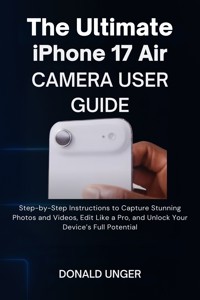
Unlock Your iPhone 17 Air’s Camera Potential with This Step-by-Step Guide!
Are you ready to transform your iPhone 17 Air into a professional-grade camera? Whether you're a beginner, a photography enthusiast, or an aspiring content creator, "The Ultimate iPhone 17 Air Camera User Guide" will equip you with the knowledge and tools to capture stunning photos and videos with ease.
Inside this book, you’ll discover everything you need to know to master the iPhone 17 Air’s camera. Learn how to unlock advanced settings like RAW image capture for professional-quality editing, discover how to shoot in Portrait Mode and Night Mode, and learn expert tips on lighting, composition, and focus. Whether you want to take breathtaking selfies, capture cinematic videos, or shoot perfectly composed landscapes, this guide will show you how.
But that’s not all. The Ultimate iPhone 17 Air Camera User Guide also dives deep into practical topics like organizing your photos, using iCloud for seamless storage, and editing your images like a pro. Plus, you’ll get expert advice on how to handle camera accessories like lenses, tripods, and stabilizers that take your content to the next level.
With step-by-step instructions, proven techniques, and insider tips, this guide ensures that you’ll never miss a moment. By the end of the book, you’ll be able to unleash your iPhone 17 Air’s full potential, taking photos and videos that stand out from the crowd.
What You’ll Learn Inside:
- How to take the perfect selfie with the 18MP front camera.
- How to master advanced features like ProRAW and HDR for pro-level editing.
- Tips for stunning video recording with Dolby Vision HDR.
- Essential accessories and apps to enhance your shooting experience.
- Best practices for continuous improvement in photography.
Don’t just snap photos—create masterpieces. Get your copy of "The Ultimate iPhone 17 Air Camera User Guide" and start capturing stunning photos and videos today!
Das E-Book können Sie in Legimi-Apps oder einer beliebigen App lesen, die das folgende Format unterstützen:
Veröffentlichungsjahr: 2025
Ähnliche


















The Ultimate iPhone 17 Air Camera User Guide
Step-by-Step Instructions to Capture Stunning Photos and Videos, Edit Like a Pro, and Unlock Your Device’s Full Potential
Donald Unger
Copyright © 2025 Donald Unger
All rights reserved. No part of this publication may be reproduced, distributed, or transmitted in any form or by any means, including photocopying, recording, or other electronic or mechanical methods, without the prior written permission of the publisher, except in the case of brief quotations embodied in critical reviews and certain other noncommercial uses permitted by copyright law.
Disclaimer
This publication is an independent guide and is not affiliated with, endorsed by, or authorized by Apple Inc. All references to iPhone and other trademarked products owned by Apple Inc. are used for identification purposes only and are the property of their respective owner. The author and publisher have no affiliation with Apple Inc.
Table of Contents
Introduction
About the iPhone 17 Air Camera
What You'll Learn in This Guide
How to Use This Guide
Chapter 1: Getting Started with the iPhone 17 Air Camera
Setting Up Your iPhone 17 Air for Photography
Understanding Camera Settings & Customization
Accessing the Camera App
Essential Settings: What You Need to Know
Navigating the Camera Interface
Chapter 2: Exploring the Key Features of the iPhone 17 Air Camera
48MP Fusion Camera Overview
How the Photonic Engine Enhances Your Photos
Night Mode and Low-Light Photography
Portrait Mode and Depth Control
Zooming and Framing with Digital Zoom
Macro Photography: Capturing the Smallest Details
Using Live Photos and Burst Mode
Chapter 3: Capturing Stunning Photos
Taking Your First Photo
Setting Up for the Shot
Mastering Composition: Rule of Thirds, Leading Lines
Adjusting Exposure, Focus, and White Balance
Understanding HDR and Auto Exposure
How to Use Filters and Presets Effectively
Perfecting Your Shots with AI Enhancements
Working with Light: Natural vs. Artificial Lighting
Chapter 4: Mastering Video Recording
Introduction to iPhone 17 Air Video Recording
Setting Up for High-Quality Video
Recording in 4K and 1080p
Dolby Vision HDR Video and Cinematic Effects
Using Slow Motion, Time-Lapse, and Fast Forward
Activating Center Stage for Video Calls
Tips for Smooth, Professional-Looking Videos
Chapter 5: Advanced Photography Techniques
Using the Pro Camera Features (If Available)
Creating Custom Settings for Different Scenarios
Taking Action Shots and Fast-Moving Subjects
Adjusting ISO and Shutter Speed (Manual Controls)
Using Third-Party Apps for Enhanced Control
Capturing Panoramas and Wide-Angle Shots
Chapter 6: Editing Photos and Videos Like a Pro
Built-In Editing Tools for Photos
Cropping, Rotating, and Adjusting Image Composition
Enhancing Colors, Contrast, and Brightness
Using Filters and Effects Creatively
Editing Videos: Cutting, Trimming, and Adding Effects
Advanced Editing Tips for Professionals
Using Third-Party Apps for Advanced Editing
Exporting and Sharing Your Creations
Chapter 7: Maximizing Your Camera’s Performance
Optimizing Your iPhone for Photography
How to Extend Battery Life While Using the Camera
Clearing Space for More Photos and Videos
Keeping Your Camera Lens Clean and Scratch-Free
Updating Your iPhone for Optimal Camera Performance
Chapter 8: Troubleshooting and Common Issues
Camera App Not Opening or Crashing?
Solving Blurry or Out-of-Focus Photos
Why Are Your Photos Turning Out Too Dark or Too Bright?
Solving Storage Issues with Large Photo Files
Resolving Video Recording Problems
What to Do When the Camera Freezes or Stops Working
Chapter 9: Using the Front Camera for Selfies and FaceTime
Capturing the Perfect Selfie with the 18MP Front Camera
Portrait Mode for Selfies
How to Use Center Stage for Selfies and Video Calls
Tips for Beautifully Lit Selfies
Using the Front Camera for Livestreaming and Video Recording
Chapter 10: Advanced Camera Settings and Customization
Enabling RAW Image Capture for Professional Editing
Adjusting Camera Shortcuts for Quick Access
Using Gridlines, Focus, and Exposure Locks
Exploring Customizable Features for Photography Enthusiasts
Using Camera Widgets for Quick Access
Adjusting Pro Mode Settings (For Advanced Users)
Chapter 11: Camera Accessories and Enhancements
Recommended Lenses and Camera Attachments
Tripods, Gimbals, and Other Stabilizers
Lighting Gear for Better Photos and Videos
Using a Microphone for High-Quality Audio
Best Apps to Enhance Your Camera Experience
Chapter 12: Managing Photos and Videos
Organizing Your Camera Roll and Albums
Using iCloud for Photo and Video Storage
How to Back Up Your Photos and Videos
Transferring Files to a Computer or Other Devices
Deleting and Recovering Deleted Photos and Videos
Conclusion
Wrapping Up Your iPhone 17 Air Camera Journey
Best Practices for Continuous Improvement
Staying Up-to-Date with Camera Updates
Final Tips for Becoming a Pro Photographer on iPhone
Resources and Additional Learning
Appendix
Camera Terms
Quick Tips & Camera Shortcuts
Resources for Further Reading
Contacting Apple Support for Camera Issues
iPhone 17 Air Camera Specifications
Introduction
Imagine having the power to capture professional-quality photos and videos with just the device in your pocket. No bulky camera equipment, no complicated settings—just your iPhone 17 Air, ready to snap breathtaking images at the tap of a finger. If that sounds like the future of photography, you’re not far off. The iPhone 17 Air Camera takes mobile photography to an unprecedented level, offering a suite of features that push the boundaries of what’s possible on a smartphone.
In this guide, you’ll learn exactly how to harness that power. Whether you're a complete beginner, an avid photo enthusiast, or someone who wants to refine their skills, The Ultimate iPhone 17 Air Camera User Guide will help you unlock the full potential of your device. The iPhone 17 Air camera system is packed with cutting-edge technology, including a 48MP Fusion camera, an advanced Photonic Engine for enhanced image processing, and a range of intelligent features that take your photos and videos to new heights.
This isn’t just another “how-to” manual. This is your comprehensive, step-by-step blueprint for becoming a pro with your iPhone 17 Air camera. You’ll be guided through every feature and function, with detailed explanations, practical tips, and expert advice to make your photography and videography experience as seamless and rewarding as possible. If you’ve ever struggled with taking the perfect shot or felt overwhelmed by editing options, this guide is here to change that.
About the iPhone 17 Air Camera
The iPhone 17 Air represents the pinnacle of smartphone imaging. It’s equipped with a 48MP Fusion main camera, leveraging a large quad-pixel sensor to capture rich, vibrant, and detailed images. But what truly sets the iPhone 17 Air apart is its combination of hardware and software that work together to deliver flawless shots in any condition. The device’s AI-powered features, like Smart HDR and Portrait Mode, adapt in real-time, ensuring that every shot is perfectly exposed and beautifully detailed.
But this camera is more than just a high-resolution sensor—it’s an intelligent system that learns how to enhance your photos based on what you're capturing. Whether you’re photographing landscapes in broad daylight or snapping intimate portraits in low light, the iPhone 17 Air uses machine learning to adjust settings, enhance colors, and refine details. Its impressive video capabilities, from 4K recording to Dolby Vision HDR, make it the ideal tool for capturing cinematic moments.
What You'll Learn in This Guide
This guide is your personal manual to mastering every aspect of the iPhone 17 Air’s camera system. From the basics of setting up your device to advanced techniques for professional-level photos and videos, this book is packed with practical advice that anyone can follow. Here’s what you’ll discover inside:
The Basics:
You’ll start with the essential setup and customization, learning how to navigate the camera app, adjust settings, and optimize your device for the best performance.
Photography Mastery:
We’ll dive into various camera modes, from Portrait to Night Mode, showing you how to capture stunning photos in any lighting condition. You’ll also learn how to compose shots, adjust focus and exposure, and perfect your images with AI enhancements.
Advanced Video Techniques:
The iPhone 17 Air’s video capabilities are unparalleled, and we’ll guide you through every feature—whether you’re filming in 4K, experimenting with slow motion, or using the cinematic video effects that will make your content stand out.
Editing Like a Pro:
Great photography doesn’t end with the shot. In this guide, we’ll show you how to use the built-in editing tools to enhance your photos and videos, including tips for adjusting colors, applying filters, and even using third-party apps for professional-grade edits.
Creative Tips and Tricks:
Once you’ve mastered the basics, we’ll dive into more advanced techniques. Learn how to shoot fast-moving subjects, shoot panoramic vistas, or use manual controls to adjust settings like ISO and shutter speed for ultimate control over your photos.
By the end of this guide, you’ll feel confident in your ability to shoot, edit, and share high-quality photos and videos—whether you’re documenting everyday moments or creating content for your brand or social media presence.
How to Use This Guide
To get the most out of this guide, it’s best to follow along with your iPhone 17 Air in hand. We’ve structured each chapter to be practical, with real-world applications that allow you to put the lessons into action immediately. You’ll find that each section includes clear, step-by-step instructions that guide you through every feature of the camera.
Follow Along:
If you're new to photography or just learning the ins and outs of the iPhone 17 Air, start from the beginning and work your way through the guide. You’ll develop a solid foundation that you can build upon as you progress to more advanced techniques.
Jump to Your Interests:
If you're an experienced photographer, feel free to jump straight into the chapters that interest you the most. You’ll find plenty of expert-level tips that will help you enhance your workflow, speed up your editing process, and push your creativity even further.
Use the Visual Aids:
Throughout the book, we’ve included visual aids—images and diagrams that highlight key features and demonstrate how to perform different tasks. These will help you understand exactly what to do and where to focus your attention.
Practice Makes Perfect:
Remember, the best way to learn photography is by practicing. As you read through each chapter, take the time to experiment with the features and settings on your iPhone 17 Air. The more you use the camera, the more natural these techniques will become.
Wrapping Up
Now that you’ve got an overview of what’s to come, it’s time to start your journey toward mastering the iPhone 17 Air’s camera. This guide is designed to be your go-to resource for all things related to photography and videography on your device. Whether you’re looking to capture personal memories, create professional content, or simply improve your skills, we’ve got you covered.
Chapter 1: Getting Started with the iPhone 17 Air Camera
Setting Up Your iPhone 17 Air for Photography
The iPhone 17 Air is not just another smartphone; it's a high-powered tool capable of capturing exceptional photos and videos. But before you start snapping away, setting it up properly is crucial to getting the most out of the camera. The iPhone 17 Air camera comes with a multitude of features, so understanding how to configure it for your unique needs is the first step toward mastering mobile photography.
First things first, ensure that your iPhone 17 Air is fully charged and running the latest iOS version. New features and performance improvements are regularly rolled out, and you’ll want to make sure you're equipped with the best tools from the start. To check for updates, simply go to Settings > General> Software Update, and follow the prompts to install the latest version.




