


39,59 €
Mehr erfahren.
- Herausgeber: Packt Publishing
- Kategorie: Fachliteratur
- Sprache: Englisch
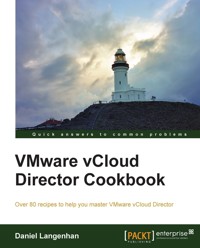
VMware vCloud Director is an enterprise software solution that enables the building of secure, private clouds by pooling together infrastructure resources into virtual data centers. The tool enables self-service via a web interface to reduce the management overhead and offers amazing possibilities for production and development environments. Thus, the tool will ensure efficient management of resources with data center efficiency and business agility.
"VMWare VCloud Director Cookbook" will cover a lot of ground, ranging from easy to complex recipes. It will not only dive into networks, data-stores, and vApps, but also cover vCloud design improvements, troubleshooting, and the vCloud API.
"VMWare VCloud Director Cookbook" is split into different sections, each of which deals with a special topic in vCloud - from networks, to vApps, to storage and design. This book contains over 80 recipes with the difficulty levels ranging from simple to very advanced. You will learn how to automate vCloud easily and quickly with the API, and also learn how to isolate a vApp and still fully access it without risking the network. Design considerations that need to be addressed while deploying the vCloud and more will also be looked into.
"VMWare VCloud Director Cookbook" will make your life as an admin a lot easier by providing you with some good recipes that have been proven to work in small to large enterprises.
Das E-Book können Sie in Legimi-Apps oder einer beliebigen App lesen, die das folgende Format unterstützen:
Seitenzahl: 400
Veröffentlichungsjahr: 2013
Ähnliche















Table of Contents
VMware vCloud Director Cookbook
VMware vCloud Director Cookbook
Copyright © 2013 Packt Publishing
All rights reserved. No part of this book may be reproduced, stored in a retrieval system, or transmitted in any form or by any means, without the prior written permission of the publisher, except in the case of brief quotations embedded in critical articles or reviews.
Every effort has been made in the preparation of this book to ensure the accuracy of the information presented. However, the information contained in this book is sold without warranty, either express or implied. Neither the author, nor Packt Publishing, and its dealers and distributors will be held liable for any damages caused or alleged to be caused directly or indirectly by this book.
Packt Publishing has endeavored to provide trademark information about all of the companies and products mentioned in this book by the appropriate use of capitals. However, Packt Publishing cannot guarantee the accuracy of this information.
First published: October 2013
Production Reference: 1171013
Published by Packt Publishing Ltd.
Livery Place
35 Livery Street
Birmingham B3 2PB, UK.
ISBN 978-1-78217-766-1
www.packtpub.com
Cover Image by Daniel Langenhan (<[email protected]>)
Credits
Author
Daniel Langenhan
Reviewers
Cody Bunch
Thomas Hepper
Mitesh Soni
Acquisition Editor
James Jones
Lead Technical Editor
Amey Varangaonkar
Technical Editors
Veena Pagare
Anand Singh
Copy Editors
Brandt D'mello
Kirti Pai
Alfida Paiva
Sayanee Mukherjee
Project Coordinator
Angel Jathanna
Proofreaders
Lindsey Thomas
Jonathan Todd
Indexer
Rekha Nair
Graphics
Ronak Dhruv
Abhinash Sahu
Production Coordinator
Prachali Bhiwandkar
Cover Work
Prachali Bhiwandkar
About the Author
Daniel Langenhan is a client-focused Virtualization Expert with more than 18 years of international industry experience.
His skills span the breadth of virtualization, ranging from architecture, design, and implementation for large multitier enterprise client systems to delivering captivating education and training sessions in security technologies and practices to diverse audiences.
In addition to this, he possesses an extensive knowledge and experience in process management, enterprise-level storage, Linux, and Solaris operating systems.
Utilizing his extensive knowledge, experience, and skills, he has a proven track record of successful integration of virtualization into different business areas, while minimizing cost and maximizing reliability and effectiveness of the solutions for his clients.
He has gained his experience with major Australian and international vendors and clients. Daniel's consulting company is well established with strong industry ties in many verticals, for example, finance, telecommunications, and print. His consulting business also provided services to VMware International.
Daniel is the author of Instant VMware vCloud Starter, Packt Publishing and VMware View Security Essentials, Packt Publishing.
I would like to thank my wife, Renata, for her tireless support and patience in all things. This book would not have been possible without her.
About the Reviewers
Cody Bunch is a Private Cloud/Virtualization Architect, VMware vExpert, and VMware VCP from San Antonio, TX. Cody has authored and co-authored several OpenStack and VMware books. Additionally, he has been a Technical Editor on a number of projects. Cody also regularly speaks at industry events and local user groups.
Cody has also worked on the OpenStack Cloud Computing Cookbook Second Edition, OpenStack Security Guide, Automating VMware vSphere with vCenter Orchestrator, Managing VMware Infrastructure with PowerShell, and VMware VI and VMware vSphere SDK books by Packt Publishing.
Thomas Hepper has worked for more than 20 years in the area of Computer Hardware and Software. With Silicon Graphics workstations, his long journey started through the Unix world (IRIX/HP-UX/AIX/Solaris/Linux). His first contact with the virtual world and Windows came later. Currently, he is responsible for an environment of approximately 1,300 VMs on approximately 150 physical systems, all running on VMware ESXi.
Mitesh Soni is a Technical Lead with iGATE's Cloud Services, Research & Innovation group. He is a Sun Certified Java Programmer, Sun Certified Web Component Developer, and VMware Cloud Professional. He has been involved in thought leadership and technology evangelization via papers, seminars, wikis, and creating solutions related to cloud computing. Mitesh has worked on cloud platforms such as Amazon Web Services, VMware vCloud, CloudStack, and CloudBees. He has published papers in national and international conferences. He is a regular author for cloud computing-related articles in the Open Source For You magazine.
Mitesh is interested in reviewing cloud computing-related books.
www.PacktPub.com
Support files, eBooks, discount offers and more
You might want to visit www.PacktPub.com for support files and downloads related to your book.
Did you know that Packt offers eBook versions of every book published, with PDF and ePub files available? You can upgrade to the eBook version at www.PacktPub.com and as a print book customer, you are entitled to a discount on the eBook copy. Get in touch with us at <[email protected]> for more details.
At www.PacktPub.com, you can also read a collection of free technical articles, sign up for a range of free newsletters and receive exclusive discounts and offers on Packt books and eBooks.
http://PacktLib.PacktPub.com
Do you need instant solutions to your IT questions? PacktLib is Packt's online digital book library. Here, you can access, read and search across Packt's entire library of books.
Why Subscribe?
Free Access for Packt account holders
If you have an account with Packt at www.PacktPub.com, you can use this to access PacktLib today and view nine entirely free books. Simply use your login credentials for immediate access.
Instant Updates on New Packt Books
Get notified! Find out when new books are published by following @PacktEnterprise on Twitter, or the Packt Enterprise Facebook page.
Preface
VMware vCloud has evolved to be one of the most exciting technologies in the last few years. It is not only the follow-up product to VMware Lab Manager but it also opens up your vSphere infrastructure for customer-based management. VMware vCloud allows you to manage your vSphere infrastructure and lets you push work from the administrators back onto the customers. This enables customers to self provide and self administer their resources without impacting their security or resource management.
This book contains the most up-to-date and enterprise-proven concepts to enhance your vCloud productivity. Not only do we discuss vCloud 5.1, but we also talk about the newest release, vCloud 5.5. You will see how to integrate these new features and increase your productivity even more.
We will present recipes that not only deal with the daily tasks but also present you with new ideas and concepts that you may not have thought of before, as well as give you some great tips and shortcuts.
What this book covers
Chapter 1, Setting Up Networks, walks you through the creation of the different networks that exist in vCloud. We will go from External Networks, through VXLANs, and the Cisco 1000v to Edge networks.
Chapter 2, vCloud Networks, plays with all the vCloud networking, routing, and isolation possibilities. Accessing isolated network, working with vCloud routers, as well as Edge and fencing will be investigated.
Chapter 3, Better vApps, delves into all that you can do with vApps. We will discuss the import and export of vApps as well as Guest Customization.
Chapter 4, Datastores and Storage Profiles, focuses on Datastores, storage profiles, and linked clones.
Chapter 5, Working with the vCloud API, introduces you to working with the vCloud API. We will be using PowerShell, PHP, vCenter Orchestrator as well as the REST API to build VMs.
Chapter 6, Improving the vCloud Design, will give you a new understanding of how to design a productive and effective vCloud environment.
Chapter 7, Operational Challenges, introduces you to solutions to combat common and uncommon operational problems. This chapter is a collection of all kinds of useful recipes that will provide you with tips and tricks on how to be more efficient with vCloud Director.
Chapter 8, Troubleshooting vCloud, focuses on logfiles, error finding, and recovery.
Appendix, contains a list of all the abbreviations used used in this book.
What you need for this book
The book was written using vCloud 5.1 and vCloud 5.5; therefore you need at least:
You can obtain trial licensing for vCloud from http://www.vmware.com/try-vmware.
In this book we will also discuss recipes that require the following software:
Generally used tools:
Tools for networks (Chapter 1, Setting Up Networks and Chapter 2, vCloud Networks):
Tools for API usage (Chapter 5, Working with the vCloud API):
Who this book is for
VMware vCloud Director Cookbook is aimed at system administrators and technical architects moving from a virtualized environment to cloud environments.
This book assumes some previous knowledge of vCloud that can be obtained by referring to Instant VMware vCloud Starter by Daniel Langenhan. You need basic knowledge of the vCloud GUI as well as some experience with vSphere. An understanding of basic network terminology is beneficial.
The book was written using vCloud 5.1 and vCloud 5.5, but most of the concepts and recipes will also work with vCloud 1.5.
Reader feedback
Feedback from our readers is always welcome. Let us know what you think about this book—what you liked or may have disliked. Reader feedback is important for us to develop titles that you really get the most out of.
To send us general feedback, simply send an e-mail to <[email protected]>, and mention the book title via the subject of your message.
If there is a topic that you have expertise in and you are interested in either writing or contributing to a book, see our author guide on www.packtpub.com/authors.
Customer support
Now that you are the proud owner of a Packt book, we have a number of things to help you to get the most from your purchase.
Downloading the example code
You can download the example code files for all Packt books you have purchased from your account at http://www.packtpub.com. If you purchased this book elsewhere, you can visit http://www.packtpub.com/support and register to have the files e-mailed directly to you.
Errata
Although we have taken every care to ensure the accuracy of our content, mistakes do happen. If you find a mistake in one of our books—maybe a mistake in the text or the code—we would be grateful if you would report this to us. By doing so, you can save other readers from frustration and help us improve subsequent versions of this book. If you find any errata, please report them by visiting http://www.packtpub.com/submit-errata, selecting your book, clicking on the errata submission form link, and entering the details of your errata. Once your errata are verified, your submission will be accepted and the errata will be uploaded on our website, or added to any list of existing errata, under the Errata section of that title. Any existing errata can be viewed by selecting your title from http://www.packtpub.com/support.
Piracy
Piracy of copyright material on the Internet is an ongoing problem across all media. At Packt, we take the protection of our copyright and licenses very seriously. If you come across any illegal copies of our works, in any form, on the Internet, please provide us with the location address or website name immediately so that we can pursue a remedy.
Please contact us at <[email protected]> with a link to the suspected pirated material.
We appreciate your help in protecting our authors, and our ability to bring you valuable content.
Questions
You can contact us at <[email protected]> if you are having a problem with any aspect of the book, and we will do our best to address it.
Chapter 1. Setting Up Networks
In this chapter, we will see how to set up the various network resources that we will use in the next chapter. We will cover the following recipes:
Introduction
Network virtualization is what makes vCloud Director such an awesome tool. However, before we go full out in the next chapter, we need to set up network virtualization, and it is what we will be focusing on here.
When we talk about isolated networks, we are talking about vCloud Director making use of different methods of the Network layer 3 encapsulation (OSI/ISO model). Basically, it's the same concept that was introduced with VLANs. VLANs split up the network communication in a network in different totally-isolated communication streams. vCloud makes use of these isolated networks to create networks in Organizations and vApps.
vCloud Director has three different network items listed as follows:
To create isolated networks, vCloud Director uses Network Pools. Network Pools are a collection of VLANs, port groups, and VLANs that can use layer 2 in the layer 3 encapsulation. The content of these pools can be used by Organizations and vApp Networks for network virtualization.
Network Pools
There are four kinds of Network Pools that can be created:
VXLANs and Network isolation-backed networks solve the problems of pre-provisioning and reserving a multitude of VLANs, which makes them extremely important. However, using a port group or VLAN Network Pools can have additional benefits that we will explore later.
So let's get started!
Setting up an External Network
Let's start with something very simple, such as setting up an External Network.
Getting ready
Creating an External Network requires an existing port group in vSphere. This port group can be on a vSwitch, a Distributed vSwitch, or a Cisco 1000v Distributed Switch. The port group can be supported by a VLAN or a physical network.
How to do it...
The External Network will now be created and is ready to be used.
How it works...
An External Network is just a connection between vCloud Director and a port group on vSphere. vCloud Director adds IP management to the port group. When creating an External Network, you have to define a pool. This pool is used to automatically assign IP addresses to VMs, Edge Gateways, or vApp routers attached to this External Network. A Static IP Pool has to contain a minimum of one IP, but can contain the maximum available IPs minus the gateway address. vCloud Director will manage all the IPs assigned though Organization Networks and Edge devices. The IP assignments can be seen by right-clicking on the External Network and selecting IP Allocations as shown in the following screenshot:
Using only one IP in an External Network Static IP Pool is interesting only if all IPs for VMs are assigned manually and no Edge or vApp router is used. If this is not the case, one should assign at least 5 to 10 IPs to the Network Pool. We will make excessive use of the External Network and we will use its IP pool for load balancing, VPNs, and much more.
There's more...
You can assign more than one IP range to an External Network, making it possible to create more than one IP range that can be used. However, IP allocation happens automatically and you are not able to control which IP from what range will be allocated to which specific VM. Creating multiple IP network ranges in External Networks is preferable when used together with IP suballocation in Edge devices.
When a VM is destroyed or undeployed, the IP will be released back to the pool. The setting of the default time for the IP release is set by navigating to Administration | General | IPaddress release timeout. The default value is 0 seconds. This setting specifies how long discarded IP addresses should be held before they can be reused. Think about your ARP tables and how long you have set your router's refresh time. If IP addresses are reallocated to new MAC addresses, a router might not be able to route it properly.
Creating 1,000 isolated networks without VXLANs
Network Pools are essential for network virtualization. If you are not sure about VXLAN networks, here is how you create 1,000 networks using only one VLAN.
Getting ready
As I have already mentioned, we need one VLAN that is trunked to a Distributed Switch. The VLAN doesn't need to be routed. The only other requirement is that the network gear can accommodate a higher MTU.
How to do it...
A safer choice is 1600, as this makes sure you have enough room for additional encapsulations down the track. Make sure that your physical switching infrastructure can use a higher MTU than the default 1500.
Click on the created Network Pool and select Properties.Click on Network pool MTU and set the MTU to 1600 as shown in the following screenshot:Click on OK.How it works...
Network isolation-backed networks actually don't use layer 2 and layer 3 encapsulations, but they use the MAC-in-MAC encapsulation. When a new vApp or Organization Network is created, vCD will create a new port group and will then use this port group to encapsulate the traffic on a MAC basis. The same technique was used in VMware Lab Manager, which was then called Host Spanning Networks. This doesn't come without cost. Because of the additional encapsulation, another 24 bits are required for each package, meaning that the MTU should be increased to a minimum of 1524. If you don't change the MTU, you will have a network frame fragmentation.
The good thing is that Network isolation-backed Network Pools are quite fast and easy to configure and set up. They provide you with 1,000 isolated networks for each VLAN. You can define more than one Network isolation-backed network. However, you can only assign one Network Pool to an Organizational virtual Datacenter (OvDC), as there is a one-to-one relationship between them. You cannot create isolated networks before you assign a Network Pool to an OvDC.
To assign a Network Pool to an OvDC:
One of the disadvantages is that the networks are isolated, meaning we can't use them for anything other than vCloud Director.
See also
Making VXLANs work
VXLANs are great, but they don't work out of the box. In the following sections, we discuss how to set them up.
Getting ready
As you already have vCloud set up, you must have a vCloud Network and Security appliance (vCNS) deployed (formally known as vShield), and it should be configured to use your vCenter. For this recipe, you will need to be able to log in to the vCNS appliance with an administrator account.
Additionally, we need a VLAN on which the VXLANs will exist, and having a DHCP in that VLAN makes things easier. If no DHCP is accessible on this VLAN, you will need to provide one IP address per ESXi server in this VLAN.
The Segment ID you have to enter in step 14 in the How to do it… section is rather important, especially when you have multiple vCNS or vCloud installations (not multiple cells). Each of these installations should have a different range. If this is your first VXLAN installation, just use the range that is supplied in the steps.
Last but not least, you should have a multicast address range (see http://en.wikipedia.org/wiki/Multicast_address); this is best arranged with the network administrator. If you can't figure out what to use, the range given in the steps will work fine for a VXLAN that exists only in one location.
Note
If you are using the Cisco 1000v, please check out the Integrating the Cisco 1000v into vCD recipe before continuing here.
How to do it...
How it works...
VXLANs were created by VMware together with Cisco. The idea was to solve the problems of modern data centers. Typically, these problems relate to the inflexibility of VLAN and Switching boundaries due to too much subnetting, IP, and VLAN management. The idea behind VXLANs is to create virtualized networking that is used on top of the common networking layer. They are in use just like the Network isolation-backed Network Pools we discussed in the other recipe; however, VXLANs have the benefit of being routable, flexible, and can transcend to different locations. This makes them extremely flexible and elegant to use.
VXLANs are actually like VLANs; the main difference is that VLANs (802.1q) have a 12-bit namespace whereas VXLANs have a 24-bit one, which increases the number of VLANs from 4,096 to more than 16 million unique namespaces.
VXLANs use layer 2 in layer 3 encapsulation. This means they use the Internet Protocol (IP, layer 3) to propagate the networks (from layer 2 upward), making them routable and far more flexible across network borders. One could envision VXLANs as a tunnel between two endpoints where additional networks exist.
There's more...
VXLANs don't really exist in vCloud Director; VXLANs are defined in the vCNS appliance. vCNS creates the VXLAN tunnel endpoints and manages the VXLANs for the whole virtual infrastructure. For all this to happen, vCNS must install an agent on each ESXi server. This is done when you click on Finish, as explained in step 12 in the How to do it… section of this recipe. These agents provide the connection between VMs and the VXLANs. As the VXLAN packages are bigger than the common network packages, we have to adjust the MTU to avoid frame fragmentation. A safe setting is 1600. Each agent will be deployed and connected to a new vmknic. The IP for the vmknic is assigned via DHCP; however, this can be changed in vCNS for each ESXi server.
The Fail Over policy that you set on the Distributed Switches depends on what the physical switching architecture can do. If EtherChannels are set up, choose them. Link Aggregation Control Protocol (LACP) can be chosen either in active or passive mode. LACP in an active mode sends out packages to talk to LACP-activated devices, whereas in a passive mode it waits until a LACP-activated device talks to it. If in doubt about all of this, please involve your network team.
If you want to configure VXLANs with Static IPs for each vmknic, follow the ensuing procedure:
See also
The following are some links for further reading:
Integrating the Cisco 1000v into vCD
The Cisco 1000v Distributed Switch is an alternative to the VMware Distributed Switch; however, getting it working with vCloud is a challenge. In the following sections, we will see how to overcome it.
Getting ready
First and foremost, we need the Cisco 1000v installed (refer to the How it works section in this recipe). The next important thing is to hook the Cisco 1000v up to vCenter (refer to the See also section links in this recipe). After all this is done, you can use the Cisco 1000v in vSphere and we can now start linking it up to vCloud.
How to do it...
And that's it. Now you can use the Making VXLANs work recipe to create VXLANs using the Cisco 1000v.
How it works...
The Cisco 1000v replaced the VMware Distributed Switch. The benefit of this is that you can use the Cisco tools and Cisco language to configure it. For all intents and purposes, it acts and behaves like a Cisco physical switch. One of the drawbacks is that there can be maximal 63 hosts (63 hosts and one Cisco v1000) connected to one Cisco 1000v and the integration between Cisco and VMware isn't as smooth as it may appear to be.




