


34,79 €
Mehr erfahren.
- Herausgeber: Packt Publishing
- Kategorie: Fachliteratur
- Sprache: Englisch
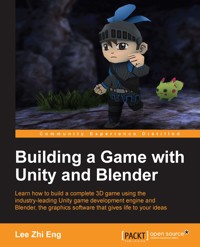
In the wake of the indie game development scene, game development tools are no longer luxury items costing up to millions of dollars but are now affordable by smaller teams or even individual developers. Among these cutting-edge applications, Blender and Unity stand out from the crowd as a powerful combination that allows small-to-no budget indie developers or hobbyists alike to develop games that they have always dreamt of creating.
Starting from the beginning, this book will cover designing the game concept, constructing the gameplay, creating the characters and environment, implementing game logic and basic artificial intelligence, and finally deploying the game for others to play. By sequentially working through the steps in each chapter, you will quickly master the skills required to develop your dream game from scratch.
Das E-Book können Sie in Legimi-Apps oder einer beliebigen App lesen, die das folgende Format unterstützen:
Seitenzahl: 218
Veröffentlichungsjahr: 2015
Ähnliche















Table of Contents
Building a Game with Unity and Blender
Building a Game with Unity and Blender
Copyright © 2015 Packt Publishing
All rights reserved. No part of this book may be reproduced, stored in a retrieval system, or transmitted in any form or by any means, without the prior written permission of the publisher, except in the case of brief quotations embedded in critical articles or reviews.
Every effort has been made in the preparation of this book to ensure the accuracy of the information presented. However, the information contained in this book is sold without warranty, either express or implied. Neither the author, nor Packt Publishing, and its dealers and distributors will be held liable for any damages caused or alleged to be caused directly or indirectly by this book.
Packt Publishing has endeavored to provide trademark information about all of the companies and products mentioned in this book by the appropriate use of capitals. However, Packt Publishing cannot guarantee the accuracy of this information.
First published: November 2015
Production reference: 1251115
Published by Packt Publishing Ltd.
Livery Place
35 Livery Street
Birmingham B3 2PB, UK.
ISBN 978-1-78528-214-0
www.packtpub.com
Credits
Author
Lee Zhi Eng
Reviewers
Matt Schoen
Tony V. Le
Gareth Wright
Acquisition Editor
Shaon Basu
Content Development Editor
Sumeet Sawant
Technical Editor
Edwin Moses
Copy Editors
Dipti Mankame
Jonathan Todd
Project Coordinator
Shweta H Birwatkar
Proofreader
Safis Editing
Indexer
Hemangini Bari
Graphics
Abhinash Sahu
Production Coordinator
Shantanu N. Zagade
Cover Work
Shantanu N. Zagade
About the Author
Lee Zhi Eng is a 3D artist-turned-programmer who is currently the cofounder-cum-chief technical executive at Reonyx Tech, a technology firm based in Malaysia.
Before he cofounded the company, he worked as an artist and programmer in several game studios before becoming a part-time lecturer for 2 years at a university to teach game development subjects related to Unity Engine and Unreal Engine. He has not only took part in various projects related to games, interactive apps, and virtual reality, but also participated in multiple projects that are more oriented toward software and system development, such as vehicle tracking systems, corporate management systems, web applications, and so on and so forth.
When he is not writing code, he enjoys traveling, photography, and exploring new technologies. You can find more information about him at www.zhieng.com.
About the Reviewers
Matt Schoen is an indie games developer and Unity guru. His primary focus is on systems and tools development with C#, but as a generalist, he's touched practically every feature of Unity. In his day-to-day work, he also uses Visual Studio, Maya, Blender, the Adobe Creative Suite, and a wide variety of creative and development software. He's worked with Unity since its early days and has been a part of the developer community for just as long. From presenting at and attending Boston Unity Group meetings and Unite conferences to participation in the Unify Wiki and Unity Forums, he has given and taken lots of help on a wide range of projects. He cofounded Defective Studios and has been proud to work on a wide range of internal projects and external contract work, including Archean Worldbuilder, CosmoKnots, and a number of collaborations. He is currently in the early stages of authorship on another PACKT title: Google Cardboard Projects with his co-author Jonathan Linowes.
Tony V. Le is an independent game and web developer who was born and raised in Chicago, IL where he attended Columbia College Chicago and graduated in spring 2015 with a Bachelor’s Degree in Game Design and a Minor in web developer. Currently now attending graduate school at DePaul University for his Master’s Degree in Computer Game Development, he had also started up his own company, tvledesign LLC, and is now working towards developing a professional career in both the game and web industry. With the ongoing passion to continue learning and developing new techniques, he not only takes on the role of being a student but he also loves to take on the role of being a mentor, teaching and inspiring others like himself to create and live for the passion they strive for.
Gareth Wright (known online by many as just Gruffy) has been an independent game developer since his graduation from the University of Plymouth with a bachelor of science honors degree in 2013. Using Unity 3D and the community-developed Blender, he has provided 3D art for the past three years to a number of clients and the community and for use in his own developments.
Due to enjoyment of the problem, as opposed to locking down one particular field, Gareth enjoys working in both desktop application and frontend web application development, but his main passion lies firmly with game development and using Unity3D or UE4 engine to give his modular environment developments life.
As a photographer, Gareth has provided reference photography for game companies seeking related reference shots due to his location near to the moors in Devon and also provides postprocessing imagery to keep his digital art skills fresh.
You can find him lecturing on software and game development at South Devon College, Paignton, to both FE and HE or at home in the office experimenting with some mechanic idea inspired by a game he recently played or online at Unity Answers looking for a challenging question or two.
Here's the list of his games:
Other companies which I worked for:
I would like to thank my family for the continued support at every turn in my life. My sister for her continued bravery, my brother for his continued devotion to progression, my mum and dad because they are simply the most amazing people anyone could ever hope to know.
Finally, thanks to technology and the technologists, without your knowledge and will to share it, I wouldn't be half as capable as I am today—just saying J.
www.PacktPub.com
Support files, eBooks, discount offers, and more
For support files and downloads related to your book, please visit www.PacktPub.com.
Did you know that Packt offers eBook versions of every book published, with PDF and ePub files available? You can upgrade to the eBook version at www.PacktPub.com and as a print book customer, you are entitled to a discount on the eBook copy. Get in touch with us at <[email protected]> for more details.
At www.PacktPub.com, you can also read a collection of free technical articles, sign up for a range of free newsletters and receive exclusive discounts and offers on Packt books and eBooks.
https://www2.packtpub.com/books/subscription/packtlib
Do you need instant solutions to your IT questions? PacktLib is Packt's online digital book library. Here, you can search, access, and read Packt's entire library of books.
Why subscribe?
Free access for Packt account holders
If you have an account with Packt at www.PacktPub.com, you can use this to access PacktLib today and view 9 entirely free books. Simply use your login credentials for immediate access.
Preface
In the wake of the indie game development scene, game development tools are no longer luxury items costing up to millions of dollars but are now affordable by smaller teams or even individual developers. Among these cutting-edge applications, Blender and Unity stand out from the crowd as a powerful combination that allows small to no budget indie developers or hobbyists alike to develop games that they have always dreamt of creating.
What this book covers
Chapter 1, Creating Your Game Concept, will teach you how to design your own game, such as writing the game's story, choosing a visual style, and designing characters and environment concepts.
Chapter 2, Creating Characters, will be a step-by-step tutorial on how to create your game character in 3D using Blender.
Chapter 3, Animating Your Characters, will help you learn how to bring your game characters to life by creating different animations for the characters in Blender.
Chapter 4, Creating the Environment, will help you learn how to construct an astonishing 3D environment for your game in Blender.
Chapter 5, Integrating Your Assets into the Game, is a step-by-step tutorial on how to import your 3D assets from Blender to Unity and set up prefabs for later use.
Chapter 6, Developing the Game Structure, will help you learn how to create the user interface and start writing C# scripts to create player movements and artificial intelligence.
Chapter 7, Creating Levels and Game Progression, will help you learn how to create in-game power-ups to boost your player's ability and create save points to save your game progression.
Chapter 8, Post-Production and Visual FX, will show you how to enhance your game's visual quality by learning how to apply camera effects to your game and create numerous types of particle effects.
Chapter 9, Deploying the Game, will help you learn how to deploy your game for multiple types of platform with Unity.
What you need for this book
You need the latest version of Blender and Unity, preferably on Windows operating system, but both programs will also work on Mac OS X.
Who this book is for
This book is primarily for beginners who have just started to learn how to create their own games from scratch using free tools available on the Internet. This book also targets those who have had experience in developing games but have used some other expensive tools, such as Autodesk Maya, 3D Studio Max, and so on.
Reader feedback
Feedback from our readers is always welcome. Let us know what you think about this book—what you liked or may have disliked. Reader feedback is important for us to develop titles that you really get the most out of.
To send us general feedback, simply send an e-mail to <[email protected]>, and mention the book title via the subject of your message.
If there is a topic that you have expertise in and you are interested in either writing or contributing to a book, see our author guide on www.packtpub.com/authors.
Customer support
Now that you are the proud owner of a Packt book, we have a number of things to help you to get the most from your purchase.
Downloading the color images of this book
We also provide you a PDF file that has color images of the screenshots/diagrams used in this book. The color images will help you better understand the changes in the output. You can download this file from: http://www.packtpub.com/sites/default/files/downloads/Building_a_Game_with_Unity_and_Blender_ColorImages.pdf.
Errata
Although we have taken every care to ensure the accuracy of our content, mistakes do happen. If you find a mistake in one of our books—maybe a mistake in the text or the code—we would be grateful if you could report this to us. By doing so, you can save other readers from frustration and help us improve subsequent versions of this book. If you find any errata, please report them by visiting http://www.packtpub.com/submit-errata, selecting your book, clicking on the Errata Submission Form link, and entering the details of your errata. Once your errata are verified, your submission will be accepted and the errata will be uploaded to our website or added to any list of existing errata under the Errata section of that title.
To view the previously submitted errata, go to https://www.packtpub.com/books/content/support and enter the name of the book in the search field. The required information will appear under the Errata section.
Piracy
Piracy of copyright material on the Internet is an ongoing problem across all media. At Packt, we take the protection of our copyright and licenses very seriously. If you come across any illegal copies of our works, in any form, on the Internet, please provide us with the location address or website name immediately so that we can pursue a remedy.
Please contact us at <[email protected]> with a link to the suspected pirated material.
We appreciate your help in protecting our authors, and our ability to bring you valuable content.
Questions
You can contact us at <[email protected]> if you are having a problem with any aspect of the book, and we will do our best to address it.
Chapter 1. Creating Your Game Concept
In this chapter, you will learn about the process of creating your game concept. It's usually called the preproduction stage where designers will plan out all of the game details ahead of time, that is, before entering the production stage where developers, such as programmers and artists, will start doing their works based on the game concept provided to them.
In this chapter, we will cover the following topics:
Job roles in game development
Before we dive into the process of creating a game, let's take an overview on some of the roles in game development. We are looking at the general level, where each of these roles can be further split down into more specialized roles:
There are many other job roles that we have not covered here, such as an AI designer, a level editor, a lighting artist, and so on. Specialized roles like these are normally only available in big studios, which have the resources to ensure that every aspect of the game they are creating is at its highest standard.
For a smaller game development team, an individual team member can handle multiple roles, and more than one person can share some roles in order to split the workloads.
Gameplay design
The process of gameplay design can be divided into five major stages.
Starting point
Different people have different approaches in designing a game. Some designers like to start with the characters' design or storyline, and only after that, they will decide what type of gameplay is suitable for it. On the other hand, some designers like to start with the gameplay instead. There is no absolute rule on how to start designing a game; it's entirely dependent on what inspires you in the first place: Did a good story suddenly pop up in your mind? Were you inspired by a game you loved to play during childhood? Or were you inspired through silly conversations with your best friends? Write down your initial ideas; who knows, it could become the next popular game one day.
For me, I like to start by choosing the game genre and designing the gameplay right before anything else. I find that it's quite important to design a gameplay early on so that it can be tested repeatedly and to check whether the gameplay is fun or not. Otherwise, all the time we spent on writing a good storyline might be wasted if only to find out the gameplay simply doesn't work the way we had imagined. You can try to experiment on different approaches and see which method suits you more.
One mistake made by most of the newbie game developers is neglecting the importance of a game design document (GDD). A GDD is usually a collaborative effort within a development team to organize ideas and help convey the designer's vision to the rest of the team. It also helps to make sure that everyone is working together at the same page, avoiding assumptions, and conflicting workflows.
Besides this, GDD is also very helpful for solo developers. It allows you to see the bigger picture of your game and easily spot any major flaws in the game design. Other than this, you can also look at the list of every aspect of the game and decide what needs to get done based on its priority.
Most of the time, a common office suite, such as Microsoft Office, OpenOffice, or LibreOffice, is sufficient for creating the GDD. If you're in a team, however, it's best to use an editor that has the capability of real-time collaboration between team members. I personally find Google Documents very useful for this purpose, especially during brainstorming sessions where every team member can contribute their ideas and let others to see them during discussion. Try to pick the most suited tool for you and your team.
Choosing a game genre
Picking a game genre early on is also very important. It gives you a sense of direction, and it lays down the foundation for you to further improve and innovate. There are many different types of game genres, such as first person shooter, role-playing, real-time strategy, adventure, action, and puzzle.
Alternatively, you may also invent your own genre if you are the type of person who likes to try out new ideas and always think out of the box. Although this may sound overly ambitious, but this is actually doable, as game genres are being invented all the time. However, following this path requires a ton of prototyping to prove that your idea is workable and fun as you're trying to create something that no one has even seen before.
If you have no idea which genre to pick at the moment, you might want to look at the statistics of the best-selling video game genres, and hopefully it will give you some inspiration:
It's important to decide on the genre early before you start working on the game. Basically, switching game genres during development means starting all over again from scratch.
Game mechanics
Gameplay is something that connects players' actions with the purpose of the game and its main challenges. Gameplay will define what the player can or cannot do in the game, as well as conditions that allow the player to progress through the game. Gameplay design involves a wide range of designing aspects, such as a level design, gameplay balancing, player behavior prediction, and choices planning. All of this can be incorporated into something called game mechanics.
Game mechanics are constructs of rules that make up the gameplay of a game. It determines what actions the player can take, how the actions interact with the game states, and how other game entities respond to the player's actions. Gameplay defines what a game is to the player, whereas game mechanics are the parts that define the gameplay itself. In other words, gameplay is nothing more than a set of game mechanics. Oftentimes, gamers are popularizing famous games for its game mechanics. For example, Gears of War was famous for its cover mechanic when it first released in 2006. Prince of Persia blew peoples' minds away when first showing two of its famous mechanics—the parkour mechanic as well as the time manipulation mechanic. Angry Birds would not have been downloaded by two billion times across the globe if it didn't feature the slingshot mechanic!
We can split a set of game mechanics into two main categories: core mechanics and sub-mechanics. Core mechanics are the most important mechanics in your game. You cannot simply change your game's core mechanics because it will break the nature and essence of your game. For example, take away the shooting mechanic from Counter Strike, and the game would simply become something else, but something other than Counter Strike. It will not make any sense at all to play Counter Strike without a shooting mechanic. Sub-mechanics, however, can be taken away without breaking the game. Again, we use Counter Strike as an example, but this time, we will take away just the jumping mechanic. Now the players can no longer jump, but that doesn't make Counter Strike a different game; it's still a first person shooter, you can still make the headshots. It's important to determine what are the core mechanics of your game early on, but not so important for sub-mechanics. You can add in sub-mechanics later on during the production stage because, as previously mentioned, it won't break the game. A strong and solid core mechanics will ensure the success of your game, so focus on it first before anything else. After this, you can try to experiment on different sub-mechanics to enhance the gaming experience.
In short, proper planning will ensure that the gameplay is balanced, unpredictable, and makes sense to the player. Even an experienced game designer can hardly design a perfect gameplay in one shot. It takes a ton of testing and iterations in order to get the gameplay to feel right and fun to play with. The formula is simple: test, test, and more tests!
Level design
A level is




