


Erhalten Sie Zugang zu diesem und mehr als 300000 Büchern ab EUR 5,99 monatlich.
- Herausgeber: ESMOD
- Kategorie: Lebensstil
- Serie: The fashion design process
- Sprache: Englisch
Fashion drawing on Illustrator and Photoshop;
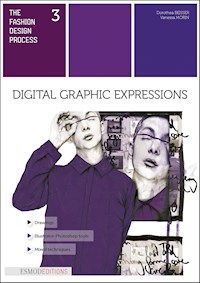
With exceptional fashion drawings made by students from ESMOD Munich, this book is proposed, first and foremost, as a way to awaken each creative person's curiosity when confronted with the different artistic techniques proposed by Illustrator and Photoshop to render fashion drawings. These various means of expression will allow each reader to affirm his personality and transmit his impulses and creative emotions. The analysis of proportions, the choice of manual and computer tools, the impact of color and original layouts are all areas for an illustrator to freely, skillfully associate his style and messages so it becomes extraordinary and unique. Starting with sketches based on careful observation, these methods will help motivate you to realize models and develop your creativity as an expert or amateur. In this book you will find numerous exercices and paths to bring your ideas to life!
ABOUT THE AUTHORS
Dorothea Beisser, born and raised in Windsbach, Germany, was drawn to craftsmanship and creative work at a young age. She earned a tailoring apprenticeship diploma in high school and set off to discover the world at 19. She then returned to Nuremberg to earn a two-year master craftsman certificate in fashion and in 1974 took off on a new adventure to Paris, the “Cité de la Mode”. After studying French, she attended the “Guerre Lavigne” fashion school (it became the ESMOD International Fashion School) to expand her design and patternmaking skills. In 1976, she went to Nice to work for the clothing label “Atmosphere” and returned to Paris in 1979 to work with Frederik Strobel at his design office (they met during her early years in Paris). She began working freelance in 1984 and opened her Paris workshop in 1988. Always ready for new challenges, she returned to Germany to teach at ESMOD International Fashion School’s new branch in Munich (opened in 1989) and Berlin (1994). Dorothea Beisser has achieved much during her career and is deeply thankful to her parents, her sister Eva and especially her sister Christiane, who has helped her in both words and deeds for the past 25 years.
Vanessa Morin describes her work as progressive, mystic and recognizable. This German-born designer (1985) lived and worked in Paris for a few years before she started designing under her own name. Before that she had a long career path – first exploring various artistic and creative fields before discovering a passion for fashion design.
She studied fashion design and pattern making at the ESMOD International Fashion School in Munich where she graduated with the “Prix Createur” in 2007. She also received several other young designer awards in Spain, Beijing, Berlin and Norway and shortly (to no one’s surprise) joined the high-end, avant-garde fashion house Damir Doma. In 2012, after five years working with Doma, she returned to Munich to launch the VANESSAMORIN label that she describes as “elaborated, progressive fashion for women with confidence, designed with a devotion to fine elements and precise details”.
In 2013 she began teaching fashion design to final-year students at the Munich affiliate of her alma mater, ESMOD International Fashion School, and soon became the school’s artistic director. This book on fashion illustration, created with Dorothea Beisser, is her way to focus on the beautiful work of ESMOD Munich students and inspire future fashion students worldwide.
Sie lesen das E-Book in den Legimi-Apps auf:
Seitenzahl: 63
Veröffentlichungsjahr: 2021
Das E-Book (TTS) können Sie hören im Abo „Legimi Premium” in Legimi-Apps auf:
Ähnliche
















The fashion design process
3
Dorothea BEISSERVanessa Morin
Digital Graphic Expressions
Drawings
Illustrator-Photoshop tools
Mixed techniques
136
128
TABLE OF CONTENTS
5 Introduction
9 HOW TO USE PHOTOSHOP
33 HOW TO USE ILLUSTRATOR
55 Step-BY-STEp
83 Be individual
117 KIDS
127 exerciSes
5
52
75
91
123
22
TABLE of contents
I hope that your career path will be one of constant change, guided by ceaseless searching because creation is a fantastic adventure. It enables you to express your personality and gives you a certain pride in your work in addition to success and achievement.
DOROTHEA BEISSER,Director of the INTERNATIONAL FASHION SCHOOL ESMOD MUNICH
„
A big thank you to the ESMOD MUNICH students for their active participation in this book that bears witness to their skills and creativity.
ESMOD publishings department
TABLE of contents
5
© Vanessa Morin
Introduction
TABLE of contents
6
TO CREATE SOMETHING EXCEPTIONAL YOUR MINDSET MUST BE RELENTLESSLY FOCUSED ON THE SMALLEST DETAIL.
GiORGIO ARMANI
„
If you look at an illustrator’s work, pay close attention to the expert use of colors, textures, movement & flow, sketching & line drawing techniques, collages & mix media techniques.
Most importantly, study how fashion illustrators express themselves through their artwork. A designer starts with an inspiration and brainstorms ideas in rough sketches in a sketchbook. These sketches are then transferred to croquis and rendered in a fashion sketch applying texture, color, pattern and details with the help of art materials.
Inevitably some styles overlap but each illustrator can be distinguished by their own personal drawing style much as we recognize a person’s handwriting·
Fashion Illustration is the art of com-municating fashion ideas in a visual form that originates with illustration, drawing and painting, also known as fashion sketching. It is used mainly by fashion designers to brainstorm their ideas onto paper or computer using digital software like Adobe Photoshop and Illustrator that help them to com-municate easily with their team. Fashion sketching plays a major role in designing to preview, visualize designer thoughts and make decisions before going on to make the actual clothing. Apart from fashion designers, fashion illustrators receive commissions for reproductions in fashion magazines as part of an editorial feature or for advertising and promoting fashion makers, fashion boutiques and department stores.
Fashion Illustration has been around for nearly 500 years, ever since clothes have been in existence, and there has been a need to translate an idea or image into a fashion illustration. Not only do fashion illustrations show a representation or design of a garment but they also serve as a form of art. Fashion illustration shows the presence of the hand and is considered a visual luxury.
TABLE of contents
7
Products: it’s quite common for makeup brands and various fashion-related pro-duct creators to need fashion illustrations for their products. Whether for apparel, packaging, advertising, or more, com-panies may go a bit old school and hire fashion illustrators to bring their products to life in the way only fashion illustrators can.
And that’s not all… Fashion illustration is any illustration whose focus is on fashion, accessories, and related media. Rather than telling a story about the illustration subject, fashion illustration tells stories about clothing, handbags, shoes, jewelry, and more. Almost anything that calls for illustrated work could contain fashion illustrations, and specializing in this type of design work offers a broad range of client possibilities.
WHAT DO FASHION ILLUSTRATORS DO?
In which areas can a fashion illustrator evolve and what posts can he or she occupy ?
Editorial Illustration:magazine and blog illustrations focused on fashion, accessories, or more. Illustrators may find well-known magazines like Vogue and Cosmopolitan or smaller media outlets need illustration work and fill up pages or spaces with their design work.
Fashion Design: brands, designers, and fashion media often want to showcase new designs, fashion trends, or other things that need an experienced illustrator to create beautiful drawings to showcase their concepts. Whether lookbook, illus-trating new runway looks, or focusing on various trends, fashion illustrators and the world of fashion itself often go hand-in-hand.
Books: from young adult novels to a variety of arts and crafts books, the world of publishing definitely relies on fashion illustrators to add a touch of design to their book covers or interiors. You’ll often find fashion illustrations on books and printed media aimed at women, girls, and related demographic groups.
TABLE of contents
8
chapter is dedicated to ex-plaining the most important tools and functions of the program. Photoshop offers various functions and options that can be used to change the colors, add filters, work in different layers, add trans-parencies, change the size of a picture, add text, cut or erase elements, select and change specific parts, crop, add forms, etc.
Adobe Photoshop is an image editing program with endless possibilities. It’s used by many professional photographers and designers. You can use Photoshop for almost any kind of image editing such as touching up photos, creating high-quality graphics and, es-pecially, for creating fashion illustrations. Before showing how to use Photoshop for fashion illustrations, the next
TABLE of contents
HOW TO USE PHOTOSHOP
© Elena Trukhina
TABLE of contents
10
Color creates, enhances, changes, reveals and establishes the mood of A painting.
Kiff Holland
„
The heartbeat of Photoshop is its tool bar on the left-hand side of the program interface. There you have access to all the important tools you can use to edit your pictures. A
pop-up menu, which shows additional functions, opens up by holding down the button of a specific tool.
Note: The exercises developed by the authors and students are illustrated by screen shots done on Illustrator and Photoshop CS6 software; the color palette images in French are taken from Illustrator and Photoshop CC2017.
Rectangular marquee tool(M) / Selection tool
Lasso tool(L)
Clone stamp tool(S)
Paint bucket tool(G)
Horizontal type tool(T)
Line tool(U)
Quick selection tool(W)
11
TABLE of contents
TABLE of contents
12
MOVE TOOL (V)
The move tool allows you to move a selection or entire layer by dragging it with your mouse or using your keyboard arrows. The
move tool is located at the top right of the Photoshop Toolbox. When the move tool is selected, click and drag it anywhere in the image.
MAGIC WAND TOOL (W)
The magic wand tool, known sim-ply as the magic wand, is one of the oldest se-lection tools in Photoshop. Unlike other selection tools that select pixels in an image based on shapes
or by detecting object edges, the magic wand se-lects pixels based on tone and color.
QUICK SELECTION TOOL (W)
You can use the quick selection tool to quickly “paint” a selection using an adjus-table round brush tip. As you drag, the selection expands outward
and automatically




