


17,99 €
Mehr erfahren.
- Herausgeber: John Wiley & Sons
- Kategorie: Geisteswissenschaft
- Sprache: Englisch
DJ like a pro—without skipping a beat
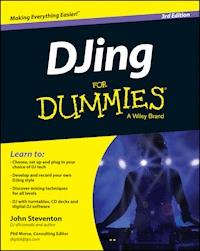
The bestselling guide to spinning and scratching is back! If you've ever spent hours in your bedroom with two turntables and an earful of tracks that sound off-beat or out of key, DJing For Dummies is the go-to guide for taking your skills to the next level. Inside, John Steventon, a successful club DJ, walks you through the basics of mixing, the techniques and tricks you need to create your own DJ style and how to make DJing work for you.
Covering both digital and old-school vinyl-based instruction, this guide covers all the latest DJ technology, equipment and software so you can get mixing and stay one step ahead of the crowd. Brimming with expert advice and easy-to-follow explanations, the information in DJing For Dummies gives you everything you need to build a foolproof set and play to a live crowd.
- Nail down the basics and build on existing skills
- Sort through the latest equipment and technology
- Have a go at crossfading, beatmatching and scratching
- Mix tracks seamlessly to sound like a pro
If you're new to the game or looking to step up your skills and graduate to club work, DJing For Dummies has you covered.
Sie lesen das E-Book in den Legimi-Apps auf:
Seitenzahl: 735
Veröffentlichungsjahr: 2014
Ähnliche




















DJingFor Dummies,® 3rdEdition
Published by: John Wiley & Sons, Ltd., The Atrium, Southern Gate, Chichester, www.wiley.com
This edition first published 2014
© 2014 John Wiley & Sons, Ltd, Chichester, West Sussex.
Registered office
John Wiley & Sons Ltd, The Atrium, Southern Gate, Chichester, West Sussex, PO19 8SQ, United Kingdom
For details of our global editorial offices, for customer services and for information about how to apply for permission to reuse the copyright material in this book please see our website at www.wiley.com.
All rights reserved. No part of this publication may be reproduced, stored in a retrieval system, or transmitted, in any form or by any means, electronic, mechanical, photocopying, recording or otherwise, except as permitted by the UK Copyright, Designs and Patents Act 1988, without the prior permission of the publisher.
Wiley publishes in a variety of print and electronic formats and by print-on-demand. Some material included with standard print versions of this book may not be included in e-books or in print-on-demand. If this book refers to media such as a CD or DVD that is not included in the version you purchased, you may download this material at www.dummies.com. For more information about Wiley products, visit www.wiley.com.
Designations used by companies to distinguish their products are often claimed as trademarks. All brand names and product names used in this book are trade names, service marks, trademarks or registered trademarks of their respective owners. The publisher is not associated with any product or vendor mentioned in this book.
LIMIT OF LIABILITY/DISCLAIMER OF WARRANTY:WHILE THE PUBLISHER AND AUTHOR HAVE USED THEIR BEST EFFORTS IN PREPARING THIS BOOK, THEY MAKE NO REPRESENTATIONS OR WARRANTIES WITH THE RESPECT TO THE ACCURACY OR COMPLETENESS OF THE CONTENTS OF THIS BOOK AND SPECIFICALLY DISCLAIM ANY IMPLIED WARRANTIES OF MERCHANTABILITY OR FITNESS FOR A PARTICULAR PURPOSE. IT IS SOLD ON THE UNDERSTANDING THAT THE PUBLISHER IS NOT ENGAGED IN RENDERING PROFESSIONAL SERVICES AND NEITHER THE PUBLISHER NOR THE AUTHOR SHALL BE LIABLE FOR DAMAGES ARISING HEREFROM. IF PROFESSIONAL ADVICE OR OTHER EXPERT ASSISTANCE IS REQUIRED, THE SERVICES OF A COMPETENT PROFESSIONAL SHOULD BE SOUGHT.
For general information on our other products and services, please contact our Customer Care Department within the U.S. at 877-762-2974, outside the U.S. at (001) 317-572-3993, or fax 317-572-4002. For technical support, please visit www.wiley.com/techsupport.
A catalogue record for this book is available from the British Library.
ISBN 978-1-118-93728-0 (paperback); ISBN 978-1-118-93726-6 (ebk); ISBN 978-1-118-93724-2 (ebk)
Printed in Great Britain by TJ International, Padstow, Cornwall
10 9 8 7 6 5 4 3 2 1
DJing For Dummies
Visit www.dummies.com/cheatsheet/DJing to view this book's cheat sheet.
Table of Contents
Introduction
About This Book
Foolish Assumptions
Icons Used in This Book
Beyond this Book
Where to Go from Here
Part I: Getting Started with DJing
Chapter 1: Catching DJ Fever
Discovering DJing Foundations
Equipping yourself
Making friends with your wallet
Knowing your music
Researching and discovering
Connecting your equipment
DJing Takes Patience and Practice
Working as a DJ
Chapter 2: Starting Up with the Bare Bones
Making a List, Checking It Twice
Considering Input Devices
Thinking about turntables
Deciding on CD decks
Musing on MP3s and PCs
One Box to control it all
Monitoring Your Music with Headphones
Powering Things Up with Amplifiers
Figuring Out the Furniture
Considering ergonomics and stability
Selecting store-bought stands
Killing vibration with bricks and air
Locating Your DJ Setup
Chapter 3: Shopping for Equipment
Taking Stock Before You Shop
Trying before you buy
Budgeting your money
Crossing over with digital DJing
Buying Brand New
Cruising the high street
Opting for online shopping
Buying Second Hand
Bidding on auction websites
Scanning newspapers
Dipping into second-hand and pawn shops
Making Sure That Your Kit Works
Checking cables
Testing turntables
Vetting CD decks
Monitoring mixers
Assessing headphones
Sounding out amplifiers and speakers
Chapter 4: Retro Chic or PC Geek? Buying Records, CDs and Digital Music Files
Researching and Buying Your Tunes
Buying digital music files
Purchasing CDs and records
Choosing what to buy
News and reviews
A tangled web
Weighing up Classic and Current
Protecting Your Records and CDs
Storing records
Cleaning CDs, records and needles
Repairing vinyl
Fixing warped records and CDs
Repairing scratched/cracked CDs
Backing up digital libraries
Part II: Stocking Up Your DJ Toolbox
Chapter 5: The Tech Revolution: Format Choices
The Contestants
Finding Your Music
Circling around turntables
Polishing up on CD options
Digital – all music, all night
Choosing Analogue or Digital Sound
Mechanics: My Way Is Best!
Vinyl is more aesthetically pleasing
Turning the tables on controllers
Turntables and records are heavy and cumbersome
Turntables don’t have built-in effects
You can’t see the music on CD
Bars don’t have turntables any more
Turntables are more expensive than CD decks
Chapter 6: Getting Decked Out with Turntables
Avoiding Cheap Turntables
Motoring in the right direction
Watching out for pitch control design
Identifying Key Turntable Features
Start/stop
On/off
Strobe light
Platters
33/45/78 rpm
Target light
Pitch control
Counterweight/height adjust
Anti-skate
Removable headshell/cartridge
45 rpm adaptor
Customising Your Sound with Advanced Turntable Features
Pitch range options
Pitch bend and joystick control
Tempo reset/quartz lock
Master tempo/key lock
Digital display of pitch
Adjustable brake for start/stop
Reverse play
Different shaped tonearms
Removable cabling
Digital outputs
Battle or club design
MIDI controls
Setting Up Turntables
Platter
Tonearm
Peripherals
Servicing Your Turntables
Chapter 7: Perfecting Your Decks: Slipmats and Needles
Sliding with Slipmats
Choosing an appropriate slipmat
Winning the friction war
Getting Groovy with Needles and Cartridges
Feeling the Force with Counterweight Settings
Nurturing Your Needles
Chapter 8: Spinning with CDs
Getting to know the DJ CD Deck
Laying out the design
Navigating the CD
Adjusting the Pitch
Smoothing Out Vibrations
Working with the Cue
Locating the cue
Storing the cue
Checking the cue
Starting the tune
Taking Advantage of Special Features
Digital music file playback
Master tempo
Hot cues
Loop
Sample banks
Reverse play
Beats-per-minute counters
Digital DJ software control
Having Fun Experimenting
Chapter 9: Bits and PCs: Digital DJing
Designing Your Digital DJ Setup
Processing computer hardware
Memory and processor considerations
Stability
Controlling the Digits
Laptop/computer only
Enhancing the basics by adding hardware
DVS using records and CDs
Connections and requirements
Adding Hardware Controllers
All-in-one hardware controllers
Putting CD decks and mixers in control
Your way is the best way . . . for you
Picking Out the Software
Software designed for DJs
Controlling Decisions
Livening up software choice
Exploring Alternatives
DJing with iPods, iPads and USB drives
Mixing on the move
Chapter 10: Stirring It Up with Mixers
Getting Familiar with Mixer Controls
Inputs
Outputs
Input VU monitoring
Cross-faders
Channel faders
EQs and kills
Gain controls
Headphone monitoring
Balance and pan controls
Hamster switch
Punch and transform controls
Built-in effects
Effects send and return
Built-in samplers
Built-in beat counters
Beat light indicators
MIDI and USB controls
Choosing the Right Mixer
The seamless mix DJ
The scratch DJ
The effects DJ
The rock/party/wedding DJ
Servicing Your Mixer
Chapter 11: Ear-splitting Advice about Not Splitting Your Ears: Headphones
Choosing a Good Set of Headphones
Single-sided coiled cords
Swivelling earpieces
User-replaceable parts
Cutting the cord
Sticking it to your ears
Remembering that the Volume Doesn’t Have to Go Up to 11
Using Earplugs
Chapter 12: Letting Your Neighbours Know That You’re a DJ: Amplifiers
Choosing Suitable Amplification
Settling on your home stereo
Purchasing powered speakers
Opting for separates
Allowing a power margin for error
Working with Monitors
Working with the speed of sound
Positioning your monitor
Noise Pollution: Keeping an Ear on Volume Levels
Protecting your ears
Neighbourhood watch
Realising that you only need one speaker
Chapter 13: Plugging In, Turning On: Setup and Connections
Getting Familiar with Connectors
RCA/phono connections
XLRs
Quarter-inch jack
Plugging Into the Mixer
Connecting turntables to a mixer
Connecting CD decks to a mixer
Connecting iPods and personal MP3 players to a mixer
Choosing your mixer inputs
Plugging in your headphones
Connecting effects units to a mixer
Connecting mixer outputs
Connecting a mixer to your home hi-fi
Connecting a mixer to powered speakers
Connecting a mixer to your PC/Mac
Troubleshooting Setup and Connections
Everything’s connected and switched on, a record (or CD) is playing, but I can’t hear anything from the speakers
I can hear the music from the amp now, but I can’t hear anything through the headphones
One of the turntables is distorting and the high frequencies sound fuzzy
Why do my needles keep jumping when cueing?
I hear a really strange humming noise coming from my turntables
Why is everything distorting badly when I play a CD?
Why is everything really quiet when using my turntables, even when everything is turned up to maximum?
Everything sounds nice through the mixer but distorts through the amp
Music is playing through the mixer, but I can’t get any music into the PC
I’m able to record what’s going in, but nothing is coming back out of the PC
Why doesn’t my recording device seem to record anything when connected directly to the mixer?
Part III: The Mix
Chapter 14: Grasping the Basics of Mixing
Knowing What Beatmatching’s All About
Discovering How to Beatmatch
Choosing skills over thrills
Setting up your equipment
Locating the first bass beat
Starting your tunes in time
Adjusting for errors
Knowing which record to adjust
Using the Pitch Control
Understanding bpm
Calculating bpm
Matching the pitch setting
All hands (back) on decks
Playing too slowly or too fast
Taking your eyes off the pitch control
Introducing Your Headphones
Switching over to headphone control
Cueing in your headphones
Centring your head with a stereo image
Practising with your headphones
Using new tunes
Quick Beatmatching
Chapter 15: Picking Up on the Beat: Song Structure
Why DJs Need Structure
Multiplying beats, bars and phrases
The sheep can dance
Counting on where you are
Hearing the cymbal as a symbol
Everything changes
Actively listening to your tunes
Studying Song Structure
Repeating the formula
Accepting that every tune’s different
Developing your basic instincts
Listening to a Sample Structure
Chapter 16: Mixing Like the Pros
Perfecting Placement
Intros over outros
Melodic outro
Melodic intro
Mixing with Breakdowns
Controlling the Sound of the Mix
Sliding the cross-fader into play
Unleashing channel faders
Letting you in on a big, curvy secret
Balancing it out with EQs
Using Mixing Tricks and Gimmicks
Spinbacks and dead stops
Power off
A cappella
Cutting in
Remixing with multiple decks
Effecting the transition
Mixing Different Styles of Music
The wedding/party/rock/pop mix
The R&B mix
Drum and bass, and breakbeat
Beatmatching tunes with vastly different tempos
Chapter 17: Scratching Lyrical
Setting Up Equipment the Right Way
Weighing up needles
Fixing the hole in the middle
Wearing out your records
Giving slipmats the slip
Touching up mixers
Making the mixer a hamster
Preparing for the Big Push
Marking samples
Scratching on CD, MP3 and Computer
Marking bits and bytes
Mastering the Technique
Getting hands-on with vinyl
Changing sample sounds
Starting from Scratch and Back Again
Scratching without the cross-fader
Introducing cross-fader fever
Combining scratches
Juggling the Beats
Offsetting
Practice, dedication and patience
Part IV: Getting Noticed and Playing Live
Chapter 18: Building a Foolproof Set
Choosing Tunes to Mix Together
Beatmatching – the next generation
Mixing with care
Changing gear
Getting in tune with harmonic mixing
Keying tunes
Knowing how much to pitch
Developing a Style
Easing up on the energy
Changing the key
Increasing the tempo
Avoiding stagnation
Respecting the crowd
Demonstrating your style
Chapter 19: Creating a Great Demo
Preparing to Record the Demo
Programming your set
Picking and arranging the tunes
Bridging the gaps
Practising your set
Practice makes more than perfect
Setting up to record
Correcting recording levels
Looking After Sound Processing
Keeping an even volume
Setting your EQs
Testing, testing
Adjusting the amplifier
Performing the Demo
Staying focused
Becoming a perfectionist
Listening with an open mind
Making a Demo CD on Computer
Editing your mix
Burning a CD
Creating a track-split CD
Sending Off the Mix
Chapter 20: Getting Busy With It: Working as a DJ
Marketing Yourself
Flooding the world with your demo
Playing for free
Internet broadcasting
Joining an Agency
Researching an agency
Meeting the criteria to join
Keeping agencies in your musical loop
Cutting your losses
Networking Your Way to Success
Selling yourself
Making friends
Going undercover
Marketing Yourself on the Internet
Chapter 21: Facing the Music: Playing Live
Investigating the Venue
Scoping out a club
Gearing up to party
Preparing to Perform
Selecting the set
Organising your box
Knowing What to Expect at the Club
Dealing with nerves
Getting used to your tools
Working in a loud environment
Playing Your Music
Reading a crowd
Handling requests
Taking over from someone else
Finishing the night
Part V: The Part of Tens
Chapter 22: Ten Resources for Expanding Your Skills and Fan Base
Staying Current with Media
Music
The scene
Your skills
Visiting DJ Advice Websites
Getting Answers through DJ Forums
Reading Other Books
Getting Hands-on Advice
Uploading Podcasts or Hosted Mixes
Listening to Other People’s Mixes
Participating in Competitions
Hosting Your Own Night
Immerse Yourself in What You Love
Chapter 23: Ten Answers to DJ Questions You’re Too Afraid to Ask
Do I Need to Talk?
What Should I Wear?
How Do I Go to the Toilet?
Can I Invite My Friends into the DJ Booth?
How Do I Remove the Beat or Vocals?
How Do I Choose My DJ Name?
Do I Get Free Drinks? (And How Do I Get Drinks from the Bar?)
Who Does the Lighting for the Night?
Should I Reset the Pitch to Zero After Beatmatching?
What Do I Do if the Record or CD Skips or the Software Crashes?
Chapter 24: Ten Great Influences on Me
Renaissance: Disc 1
Tonsillitis
La Luna: ‘To the Beat of the Drum’
Ibiza 1996, Radio 1 Weekend
The Tunnel Club, Glasgow
Jamiroquai: ‘Space Cowboy’
Digital DJing
Alice DeeJay: ‘Better Off Alone’
Delerium: ‘Silence’
Sasha and Digweed, Miami 2002
Chapter 25: Ten DJing Mistakes to Avoid
Forgetting Slipmats/Headphones/Laptop
Taking the Needle off the Wrong Record
Banishing Mixer Setting Problems
Getting Drunk while Playing
Surfing while Mixing
Leaning Over the Decks
Avoiding Wardrobe Malfunctions
Spending Too Long Talking to Someone
Leaving Your Last Tune Behind
Getting Paid Before You Leave
Chapter 26: Ten Items to Take with You When DJing
All the Right Records or Bits
Making It Personal with Headphones and Slipmats
You’re a Star! Taking a Digital Recorder/Blank CD
Spreading the Music with Demos
Always Being Prepared: Pen and Paper
Packing Your Tools and Saving the Day
Keeping Fuelled with Food and Drink
Keeping Moving with Car Keys
Have Wallet, Will Travel
Just Chilling: Chill Mix for the Ride Home
About the Author
Cheat Sheet
More Dummies Products
Guide
Table of Contents
Begin Reading
Pages
1
2
3
4
5
6
7
8
9
10
11
12
13
14
15
16
17
18
19
20
21
22
23
24
25
26
27
29
30
31
32
33
34
35
36
37
38
39
40
41
42
43
44
45
46
47
48
49
50
51
52
53
54
55
56
57
58
59
60
61
62
63
64
65
66
67
68
69
70
71
72
73
75
76
77
78
79
80
81
82
83
84
85
86
87
88
89
90
91
92
93
94
95
96
97
98
99
100
101
102
103
104
105
106
107
109
110
111
112
113
114
115
116
117
118
119
120
121
122
123
124
125
127
128
129
130
131
132
133
134
135
136
137
138
139
140
141
142
143
144
145
146
147
148
149
150
151
152
153
154
155
156
157
158
159
160
161
162
163
164
165
166
167
168
169
170
171
172
173
174
175
176
177
178
179
180
181
182
183
184
185
186
187
188
189
190
191
192
193
194
195
196
197
198
199
200
201
202
203
204
205
206
207
208
209
210
211
212
213
214
215
216
217
218
219
220
221
222
223
224
225
226
227
228
229
230
231
232
233
234
235
236
237
238
239
240
241
242
243
244
245
246
247
248
249
250
251
252
253
254
255
256
257
258
259
260
261
262
263
264
265
266
267
268
269
270
271
272
273
274
275
276
277
278
279
280
281
282
283
287
285
286
287
288
289
290
291
292
293
294
295
296
297
298
299
300
301
302
303
305
306
307
308
309
310
311
312
313
314
315
316
317
318
319
320
321
322
323
324
325
326
327
328
329
330
331
332
333
334
335
336
337
338
339
340
341
342
343
344
345
346
347
348
349
350
351
352
353
354
355
356
357
358
359
360
361
362
363
364
365
366
367
368
369
370
371
372
373
374
375
376
377
378
379
381
382
383
384
385
386
387
388
389
390
391
392
393
394
411
412
413
414
Introduction
People come to DJing from different places and for different reasons, but you can split them up into those who love the music, those who want to make money and those who think that DJing is cool and want to be famous. You may fall into one or all three of these categories, but the most important one is loving the music.
If you’re a good DJ and get lucky you may become rich and famous, but when starting off if you don’t love the music you may become bored and impatient with the time and practice you need to invest in your skills, and quit. Even if you do manage to get good at DJing, if you don’t love playing and listening to the music night after night, working in clubs will start to feel too much like work. DJing isn’t work; it’s getting paid to do something you love.
When I started DJing I already loved the music, but the first time I experienced the true skill of a DJ working a crowd (Sasha, Ibiza, 1996) I fell in love with DJing and knew I wanted to be one. The mechanics of it didn’t occur to me until I first stood in front of two turntables and a mixer; all I wanted to do was play other people’s music and have control over a crowd.
About This Book
This book is based on my website www.recess.co.uk, which, since 1996, has given new DJs all over the world the start they needed to become great DJs.
Because beatmatching is a complicated and important skill for DJs who want to play electronic dance music (house, trance, progressive, drum and bass, breakbeat and so on), it has its own chapter (Chapter 14), and I mention it frequently. However, the book also contains the mixing skills and musical structure knowledge that enable you to mix rock, indie and pop music, or to DJ at weddings or other parties, so no one’s left out.
I use a very simple technique for starting off as a DJ, which begins with the basics of starting tunes and matching beats and then covers the skill of creating transitions between tunes, important for any kind of DJ to master, whether you’re a rock, wedding, pop or dance DJ. You can find many other ways to develop your skills, but because these other approaches skip the basics and involve a lot of trial and error and confusion, I’ve had much more success coaching DJs with my method than with any other.
You can find the equipment sections and information about how to use the variety of function options available to you in Parts I and II, and these are relevant to all DJs. Part III covers mixing skills like beatmatching, scratching, musical structure and mix transitions. Please don’t assume that because different skills are associated with certain genres, party DJs should rip out the beatmatching and scratching information, or club DJs should skip anything that mentions party DJing. Knowledge is skill, and the more skilful you are as a DJ, the better you become and the more work you get.
Foolish Assumptions
Sometimes, I make the foolish assumption that you will get my sense of humour. Don’t worry; I know I’m not funny, so I don’t try too often. I won’t distract you from the subject at hand, but every now and then something takes over and I try to be funny and entertaining. I apologise for that now, but after all, an entertaining, humorous approach is what the For Dummies series of books is famous for.
Apart from that, this book assumes that you want to be a DJ, you want to put in the time it takes to get good at it, you love the music and you won’t get fed up when it takes longer than ten minutes to become the next Deadmau5, Zane Lowe, DJ Qbert or award-winning wedding DJ. I also assume that you don’t have vast experience of music theory.
Icons Used in This Book
Every now and then, a little For Dummies symbol pops up in the margin of the book. It’s there to let you know when something’s extra useful, essential for you to remember, may be dangerous to your equipment or technique, or if what follows is technical gobbledegook.
This one’s easy: it highlights something you should burn into your memory to help you progress and keep you on the right path on your journey to becoming a great DJ.
Tips are little bits of info that you may not need, but they can help speed up your development, make you sound better and generally make your life easier as a DJ.
When you’re starting out as a DJ, you may need to navigate your way through a number of tricky situations. A few of them end with broken records/needles and CDs, a crashed computer or a damaged reputation as a DJ. Heed the advice when you see this icon, and proceed with caution.
They’re unavoidable; words put together by someone else in a small room that mean absolutely nothing. Where possible, I try to translate technical DJing terms into plain English for you.
Beyond this Book
The information contained in this book doesn’t end when you get to the end. Find out more about DJing by checking out the bonus content available to you at www.dummies.com. You can locate the book’s e-cheat sheet at www.dummies.com/cheatsheet/djing, where you’ll find handy hints and tips. Be sure to visit the book’s extras page at www.dummies.com/extras/djing for further DJing-related information and articles.
You don’t need to download anything to understand what I write, but hearing or seeing something instead of reading about it can sometimes help clear up any questions. After all, DJing is about what you hear and feel; it’s not something that’s easily written down.
Where to Go from Here
Go to the kitchen, make yourself a sandwich, pour a nice cold glass of water or hot cup of coffee, put on some music you love, and jump into Chapter 1 or whichever chapter takes your fancy! If you want to know about beatmatching, go to Chapter 14; if you want to know how to connect your equipment, go to Chapter 13.
When you feel inspired, put down the book and try out some of the techniques you’ve read about. If you want to spend 20 minutes roughly mixing between tunes just so you can hear the music, but don’t want to concentrate on your skills, do it! Your love of the music and DJing is just as important as the mechanics of how you do it, if not more so.
You can also jump online and check out the video and audio clips that support this book at www.recess.co.uk.
Part I
Getting Started with DJing
For Dummies can help you get started with lots of subjects. Visit www.dummies.com to learn more and do more with For Dummies.
In this part …
Solve the equipment minefield using your knowledge of the hardware.Find out which music you want to play before you start – you need to feel passionate about whatever you choose.Explore your shopping options – weigh up the personal touch versus the convenience of shopping online.Chapter 1
Catching DJ Fever
In This Chapter
Having what it takes to be a DJ
Mixing mechanics and creativity
Reaching the journey’s end – the dance floor
The journey you take as a DJ – from the very first tune you play when you enter the DJ world to the last tune of your first set in front of a club filled with people – is an exciting, creative and fulfilling one, but you need a lot of patience and practice to get there.
The affordability of DJ software and smartphone apps means new waves of people are introduced to DJing daily – inspiring them to become DJs. Hundreds of DJs the world over are on a quest to entertain people by playing great music. Everyone needs an advantage when they compete with hundreds of like-minded people. Your advantage is knowledge. I can help you with that.
Discovering DJing Foundations
DJing is first and foremost about music. The clothes, the cars, the money and the fame are all very nice, and nothing to complain about, but playing the right music and how a crowd reacts is what makes and moulds a DJ. As the DJ, you’re in control of everybody’s night. As such, you need to be professional, skilful and knowledgeable about what the crowd wants to hear, and ready to take charge of how much of a good time they’re having.
What kind of DJ you become lies in how you choose, use and respect your DJ tools and skills. Become a student of DJing as well as someone who loves music and performing to a crowd, and your foundations will be rock solid.
Equipping yourself
When you first begin your DJing journey, you can equip yourself with two things: knowledge and hardware.
You can split knowledge into two: what you’re about to learn, and what you already know. You can pick up and develop mixing skills like beatmatching, scratching, creating beautiful transitions and choosing pieces of music that play well together in time.
When it comes to playing music to a crowd, picking the right music to play – regardless of which genre you’ve chosen – is the most important part. Learning how to read a crowd comes with time and experience.
A sense of rhythm, a musical ear for which tunes play well over each other and the ability to spot what makes a tune great are all things that you’ll have developed from the day you were born. Out of those three things, a sense of rhythm can be the best secret weapon you bring when first finding out how to DJ. I’ve played the drums since I was ten, which has given me a very strong sense of rhythm and a sixth sense for beat and song structure.
Don’t worry if you don’t know your beats from your bars or your bass drums from your snare drums; I explain all in Chapters 14 and 15. You need to dedicate some considerable time to developing a feel for the music and training your brain to get into the groove, but with time and concentration, you won’t be left behind. The same goes for developing a musical ear and recognising which tunes have the potential to be great. With experience, dedication, determination and, yes, more time, you can develop all the musical knowledge you need to become a great DJ.
The hardware you use as a DJ can define you just as much as the music you play. The basic equipment components you need are:
Input devices to play the music: You can choose from CD players, MP3 players, a computer with DJing software, or turntables that play records.A mixer: This box of tricks lets you change the music from one tune to the other. Different mixers offer varying control over how you can change the sound as you mix from tune to tune.A pair of headphones: Headphones are essential for listening to the next tune while one is already playing.Amplification: You have to be heard, and depending on the music you play, you have to be LOUD!Records/CDs/MP3s: What’s a DJ without something to play?Providing that your wallet’s big enough, making the choice between CD and vinyl is no longer a quandary. The functions on a turntable are equally matched by those on a CD player, and digital DJing (see Chapter 9) means you can use your turntables to play music files through computer software, so you’re not limited by the availability of music that’s released (or not released) on vinyl or CD. So the decision comes down to aesthetics, money and what kind of person you are. You may love the retro feel of vinyl and enjoy hunting for records in shops, or you may like the modern look of CD players or the versatility of computer DJing with a controller and prefer the availability of MP3s and CDs – it’s your choice.
Making friends with your wallet
DJing costs money. Whether you shop online or go to the high street, the first thing to do is look at your finances. If you’ve been saving money for long enough, you may have a healthy budget to spend on your equipment. Just remember, the expense doesn’t stop there. New tunes are released every day, and you’ll be bursting to play the newest, greatest tunes. You may start to think of the price of other items in terms of how many tunes you could get instead. I remember saying once: ‘Fifty pounds for a shirt? That’s ten records!’
You don’t get the personal touch, but shopping online can be cheaper for equipment and music. If you can’t afford new DJ equipment right now, use free or demo software on a computer to develop your skills and then spend money on DJ equipment or controllers for the software when you can. Flip through to Chapters 3 and 9 for more information.
Knowing your music
Throughout the years I’ve been helping people to become DJs, one of the most surprising questions I’ve been asked is: ‘I want to be a DJ. Can you tell me which music I should spin?’ This seems like a ridiculous question to me. Picking the genre (or genres) of your music is really important, because you need to love and feel passionate about playing this music for the rest of your DJ career. (Head to Chapters 4 and 5 for more on genre and music formats.)
After you’ve found your musical elixir, start to listen to as much of it as you can. Buy records and CDs, listen to the radio, search the Internet for information on this genre and discover as much as you can. This groundwork is helpful when choosing tunes you want to play and when looking for artists’ remixes, and is an aid to developing your mixing style. Doing a tiny bit of research before you leap into DJing goes a long way towards helping you understand the facets and building blocks of the music you love. Become a student of trance, a scholar of jungle, a raconteur of rock and a professor of pop – just make sure that you start treating your music as a tool, and be sure to use that tool like a real craftsman would.
Researching and discovering
You know the music you want to play, you’ve decided on the format that’s right for you, you’ve been saving up for a while; now you need to wade through the vast range of equipment that’s available and be sure that you’re buying the best DJ setup for the job at hand.
With technology advancing faster than I can write this book, you can easily get lost in the features that are available to you on CD decks, turntables, mixers and in software releases. Take as much time as you can to decide what you want to buy. Go online and do some research and ask others in DJ forums for their thoughts on the equipment you’re thinking about buying. Make sure that you’re buying something that does what you want it to do, and that any extra features aren’t bumping up the price for something you’ll never use.
Here’s a brief guide to help you know what to look for when buying equipment:
Turntables designed for DJ use need to have a strong motor, a pitch control to adjust the speed the record plays at and a good needle. They also need to have a sturdy enough construction to handle the vibrations and abuse that DJing dishes out. A home hi-fi turntable won’t do, I’m afraid. Check out Chapter 6 for more.Mixers ideally have three-band EQs (equalisers) for each input channel, a cross-fader, headphone cue controls and a good display to show you the level (volume) at which the music is sent out of the mixer, so you don’t blow any speakers accidentally. Chapter 10 goes into more detail on this and other functions on the mixer.CD decks need to be sturdy enough that they won’t skip every time the bass drum booms over the speakers. Jog wheels, easy-to-navigate time and track displays, and a pitch bend along with the pitch control are all important core features of a CD turntable. Chapter 8 is dedicated to everything CD related.You can use computers with DJ software in various ways, from using mouse clicks and keyboard strokes to using dedicated hardware controllers – or you can simply use your existing turntables/CD decks and a mixer to control the music on the computer. I explain all of these choices in Chapter 9.Headphones need to be comfortable, to sound clear when played at high volume, and to cut out a lot of external noise from the dance floor so that you don’t have to play them too loudly. Your ears are very important, so try not to have your headphones at maximum all the time. Chapter 11 is the place to go for guidance on headphones and protecting your ears.Volume and sound control are the watchwords for amplification. You don’t need a huge amplifier and bass bins for your bedroom, but similarly a home hi-fi isn’t going to be much use in a town hall. Chapter 12 helps you find the right balance.Connecting your equipment
After you have all the pieces of your DJ setup, your final task is to put together the jigsaw. Knowing how to connect your equipment isn’t just important, it’s vital. If you don’t know what connects to what, and what the ins and outs of your setup are, you can’t troubleshoot when things go wrong. And things do go wrong, at the worst of times.
Eventually, you’ll be showing off your DJ skills and someone may ask you to play at a party with your equipment – equipment that you connected up a year ago, with the help of your 4-year-old brother. Think of the soldier who can assemble a gun from parts to functional in minutes; that’s how comfortable you need to be when connecting the parts of your DJ setup – except you only need to kill ’em on the dance floor. (Chapter 13 tells you all you need to know about connections.)
DJing Takes Patience and Practice
No matter what kind of DJ you are – rock, dance, party, indie, drum and bass or any of the hundreds of other genres out there – it’s all about picking the right tunes to play for the people in front of you, and the transition as you mix between them.
It’s all about style
Style is the true creative avenue, because it’s all down to the music. The order you play your tunes in, changing keys, mixing harmonically, switching genre, increasing the tempo and creating a roller-coaster ride of power and energy are the reasons why one DJ is better than another.
Picking the right tunes comes with knowledge, experience and the ability to read how the people are reacting on the dance floor (check out Chapters 20 and 21 for more on this), but you can discover, develop and refine the mechanics of how to get from tune to tune through practice and dedication.
Beatmatching (adjusting the speed that two tunes play at so that their bass drum beats constantly play at the same time) is the skill that’s regarded as the core foundation of the house/trance DJ. Given enough time, patience and practice, anyone can learn the basics I describe in Chapter 14.
Many genres of music aren’t so tied into the skill of beatmatching, because the speeds of the various tunes mixed together vary so much it’s almost impossible to do. But this doesn’t mean there’s no skill in rock, pop or party DJing – the skill is in choosing which music you play rather than the transition between tunes, and you still need to avoid a cacophony of noise as you mix between tunes.
After the core skills of creating the right kinds of transitions, what sets a good DJ apart from an okay DJ is creativity. You need another set of building blocks to help develop this creativity. How you stack up these blocks plays a big part in determining how skilled a DJ you become:
Good sound control is the first building block of your skill and creativity. You need a good ear to gauge whether one tune is too loud during a mix, or if you have too much bass playing to the dance floor. This skill is something that develops, and you can hone it through experience, but a DJ with a good ear for sound quality is already halfway there. Chapter 16 covers sound control to create a great-sounding mix, and Chapters 19 and 21 have information about controlling the overall sound of your mix when playing live or when making demo mixes.Knowledge of the structure of a tune is the second essential building block in your quest to become a creative DJ. Knowing how many bars and phrases make up larger sections of tunes is important for creating exciting mixes. In time, DJs develop a sixth sense about how a tune has been made and what happens in it, so they don’t have to rely on pieces of paper and notes to aid them with their mixes. Chapter 15 takes you through this structure step by step.Although scratching is considered more of a stand-alone skill, you can harness this technique to add a burst of excitement and unpredictability to the mix. This is the third building block to creative DJing. Instead of letting a CD or record play at normal speed, you stop it and manipulate a short section (called a sample) backwards and forwards to create a unique sound.The ability to scratch also helps with the mechanics of using your equipment when DJing. People are taught to be scared of touching their records, or that they don’t have the gentle touch needed to work with vinyl or a CD controller properly. Scratching soon sorts all that out, leaving no room for excuses. Your dexterity working with the tunes increases tenfold by the time you’ve developed even the most basic of the scratch moves described in Chapter 17.
Working as a DJ
The hardest bit about performance is actually getting the chance to perform. Hundreds of people fight over every job in the entertainment industry, and you need to come out on top if you want to succeed.
You need to set yourself apart from the competition and make sure that you have the skills to sell yourself. Convince club owners and promoters that you’re going to be an asset to their clubs, and then deliver on the night. Here’s what you need to do:
Demo mixes are your window to the world. They’re the first way to let people know what you’re like as a DJ. Whether it’s for your friends, your boss or someone in the industry, a demo is an exhibition of your DJ skills. Only release your best work, and don’t make excuses if it’s not good enough. Chapter 19 has the information you need about demos.Market yourself well. Use all the avenues I describe in Chapter 20 to get even the most basic start in a club or pub or at a party night.After you’ve secured work, your development from beginner to DJ is only halfway through. You’ve spent time creating a good mix in the bedroom, but now, no matter whether you’re playing at a superclub or the Jones’s wedding in a town hall, you need to pull off a successful night.
Your technique may be a little weak, but if you’re playing the right tunes, that can be forgiven. (That’s not an excuse to skip the basics, though!) The idea is to create a set that tries to elicit emotional and physical reactions from the crowd – in other words, so that they dance all night and smile all night.
Consider the following (all of which I cover in Chapters 20 and 21):
Like with anything new, preparation is the key to a successful night. Leave yourself with no surprises, do as much investigation as possible, research the unknown, settle any money matters and make sure that you and the management (or wedding party) are on the same musical playing field, so that all you have to worry about on the night is entertaining the crowd.Reading the crowd is the most important skill you can develop, and you may take weeks, months, even years to master the technique properly. The ‘tells’ that you pick up from the body language of the people on the dance floor rival those that any skilled poker player sees. You look at the dance floor and instantly react to how people are dancing and what their expressions are, and then compensate for a down-turn in their enjoyment or build upon it to make it a night to remember.Because you’re the main focal point of the night, you also have to be a people person. You’re the representative of the club, and so need to act accordingly. One wrong word to the wrong person, one wrong tune played at the wrong time, or even something as simple as appearing as if you’re not enjoying yourself can rub off on the dance floor, and your job as an entertainer will be on thin ice.Above all, always remember: from the bedroom to a bar, from a town hall wedding to the main set at a huge nightclub in Ibiza or playing a warm-up DJ set before a huge rock band takes the stage – you’re here because you want to be a DJ. You love the music, you want to put in the time, you want to entertain people and you want to be recognised for it.
Chapter 2
Starting Up with the Bare Bones
In This Chapter
Discovering a DJ’s basic equipment
Choosing your format
Getting to know the vital controls and functions
Putting an end to feedback and vibrations
Using the right furniture
You have lots of options when it comes to choosing and buying your first set of DJ equipment. The amount of money you have to spend is one factor. Any decision about using vinyl, CDs or a digital DJ setup to mix with obviously has a huge impact on what you buy. The music and mixing style you want to adopt will also play a big part in your first DJ setup.
Consider this chapter as a shopping list of what equipment you need to be a DJ. Later chapters help guide you towards the best equipment to use and the most suitable equipment for your budget.
Making a List, Checking It Twice
As with any craft, you need to ensure that you get the right set of tools for the job. Any DJ setup consists of the following basic elements, each of which I describe later in this chapter:
Input devices: Turntables, CD decks, MP3 players and computers with DJ software are the common DJ input devices. In the case of turntables and CDs, you usually need two of them.Mixer: You use this to change the music that plays through the speakers from one input device to the other.Headphones: These plug into the mixer so you can hear the next tune you want to play without anyone else hearing it through the speakers.Amplifier: Without an amplifier (and speakers), the people on the dance floor won’t hear any of the great music you’ve chosen to play.Something to put it all on: You can sit on the floor, cross-legged, with everything laid out on the carpet, but it’s probably easier to build, buy or borrow some furniture.Add to that a few metres of cabling, some understanding neighbours, a bunch of CDs, MP3s or records, and maybe a DJ controller if you’re using DJ software, and your DJ journey can begin.
Considering Input Devices
As a DJ, you can choose from a wide range of input devices. The most basic DJ skill involves mixing from one tune to another without a pause in the music, and this often means you need two input devices:
Turntables: These play records, usually vinyl. If you’re only using turntables to DJ with, you’ll need two.CD decks: These come either as individual players or two CD players built into one box. Some only play CDs, others also play MP3 files burnt to CD. (See the later section ‘Musing on MP3s and PCs’ and Chapters 4 and 8 for more.)DJ software on a computer: The on-screen display usually has at least two windows with a player in each for controlling music stored on a hard drive.Handheld players and gadgets: iPad and smartphone apps have now largely replaced early attempts at dedicated ‘all-in-one’ DJ gadgets. Such apps let you DJ using your handheld device’s onboard music library, or even play music streamed from Spotify and similar services.Whatever else comes along in the future: Who knows, you may soon be able to think of music and it’ll play out of your fingers …Although what to use is technically your choice, the genre of music you want to play may mean that your decision has been made for you. Check out Chapter 5 for more on format decisions.
If you have loads of CDs and loads of records and want to mix between these two formats, it may seem like a good idea to have only one CD deck and one turntable, and mix between them. However, this may lead to a lot of confusion and force your hand in many mix situations. You’ll have to mix from vinyl to CD, to vinyl to CD, and so on. You’ll never be able to mix one CD to another, or one record to another. If you think you’ll primarily be a vinyl DJ, you can gamble and buy one CD deck to go with your two turntables in the hope that you’ll never want to mix from CD to CD, but that’s still a risk. If you’re planning on just using CDs, you may want to have a turntable that you can incorporate into your DJ setup or use to transfer your vinyl tunes onto CD.
Thinking about turntables
Turntables are the elder statesmen of the DJ industry. They’ve been around in one form or another since the dawn of recorded music, and have played records in clubs and been a vital part of dance music since its conception.
A record is a circular piece of hard but flexible vinyl with a single spiral groove cut into each side, which starts on the outer edge and eventually ends up near the centre. This groove contains millions of tiny bumps and variations that hold the music information.
The needle (also called a stylus, with a diamond tip) sits inside the groove and turns the bumps on a record back into music. You place the record on a rotating disc known as a platter, which makes the needle gradually travel from any particular starting point in the groove towards the centre of the record. The bumps and variations in the groove cause the needle to vibrate, and these vibrations are converted to an electrical signal, which (in a DJ setup) is sent to a mixer that converts this signal into music.
You must use the correct kind of turntable. The one that comes with your parents’ hi-fi is unlikely to be suitable for DJing (unless, of course, your dad is Fatboy Slim). Record players on home hi-fis are meant for playing records in one direction, at a normal speed, and aren’t built to deal with knocks and vibrations like a DJ turntable must.
The bare minimum requirements for a DJ’s turntable are:
A variable pitch control to adjust the speed of the record (typically through a range of 8 to 12 per cent faster or slower than normal). Advanced turntables give the option of up to 100 per cent pitch change, but if this is your first turntable, that isn’t a vital choice right now.A removable headshell to use different kinds of DJ-suitable needles and cartridges (see Chapter 7 for more information).A deckplatter with a smooth surface so it will turn under the slipmat (a circular piece of felt that sits between the record and the deckplatter; see Chapter 7 for more).Enough motor power to keep the turntable spinning under the slipmat when you hold the record still with your hand.Because of their build quality and strength, the Technics 1200 and 1210 series of turntables became the industry standard in the DJ booth, although the top-range Vestax, Numark, Reloop and Gemini turntables have made a considerable dent in Technics’ former monopoly. However, even second-hand Technics and Vestax decks are expensive pieces of kit, so fortunately for the DJ on a budget, other manufacturers’ DJ turntables, such as the Gemini TT02 shown in Figure 2-1, emulate this classic design.
The advantages of this familiar design are the layout of the controls and the position and size of the pitch control. The long pitch control running down the right-hand side of the turntable enables the DJ to be a lot more precise when setting the playing speed for the record. Some of the really cheap turntables on the market have very small pitch sliders or knobs, making it harder to change the pitch by small degrees when necessary.
Although the manufacturers have added features, rounded corners and improved upon designs, the basic design in Figure 2-1 is one you come across most often when choosing a DJ turntable – all around the world. (Chapter 6 has a lot more detail about turntables and their various features, including different styles of turntable motor, and how the torque (power) of the motor can help or hinder your mixing capabilities.)
Figure 2-1: The Gemini TT02 turntable.
Deciding on CD decks
Once upon a time you could only play a CD at normal speed, and you had to place your CD players on cotton wool to prevent vibrations making the CD skip. As for starting a CD at the right time from the right place? ‘Hit and hope’ was a common mantra when CDs first came out.
Fortunately for everyone, the design and technology of CD decks for DJ use has improved immensely over the years.
As with turntables (see the preceding section), when choosing your CD decks try to avoid standard domestic CD players that you use with a hi-fi or portable personal CD players. Even if you’re a rock, indie or party DJ who isn’t planning to beatmatch (where you need to change the speed of the music using a pitch control – see Chapter 14 for more on beatmatching), DJ CD decks are a lot easier to control and can take a lot more abuse and vibrations than a typical home CD player can.
CD decks designed for DJs should include the following vital functions:
Pitch control (the same as with turntables, having a range of at least 8 per cent faster or slower than normal).A set of controls that lets you easily find the song or part of the song you want to play. These controls are either buttons that skip through the CD, or a jog wheel, which turns clockwise or anticlockwise to skip through the CD with more precision.A time display that you don’t have to squint at to read (especially in the dark!).Basic optional controls that I strongly suggest include:
Pitch bend (to temporarily speed up or slow down the CD without using the pitch control)An anti-skip function built into the CD player (which prevents the CD from skipping from all the bass vibrations in a loud environment)Ability to play CD-RW discs (rewritable CDs that you can write to and erase a number of times) and MP3 discs (see the next section)The pitch bend feature isn’t necessarily vital on beginners’ CD decks, but without it you’ll face a lot of difficulty if you’re beatmatching. And without anti-skip, you have to be careful not to bump your decks or set the bass in the music too high, because the CD will most likely skip. There’s sometimes a familiar ‘retro cool’ sound when a record jumps, but when a CD skips you want to hit the decks with a hammer!
Even though most home CD players can play CD-R (recordable once only) and CD-RW discs, basic DJ CD decks may not have that feature. With the Internet giving access to a lot of rare music, you want your CD decks to play burnt CDs without skipping.
Chapter 8 has detailed descriptions of CD deck functions and how to use them.
Musing on MP3s and PCs
MP3s are computer music files that have been compressed (reduced in size) but still retain most of the original sound quality. This makes them easy to download and send over the Internet, and they take up very little storage space on computer hard discs and personal MP3 players such as iPods or on smartphones.
To give you an idea of how this compression helps, my iPhone is only 60 gigabytes in size, and if I filled it, it would contain enough music to play a different tune for six weeks! I’d need over 800 CDs to hold the same amount of music.
Because MP3s start off as computer files, you have a few different ways to utilise them as a DJ:
Create traditional CDs.




