


54,99 €
Mehr erfahren.
- Herausgeber: John Wiley & Sons
- Kategorie: Fachliteratur
- Sprache: Englisch
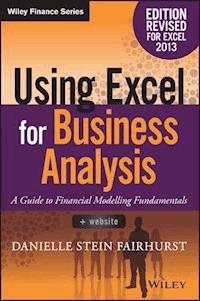
Utilise Excel 2013 capabilities to build effective financial models Using Excel for Business Analysis, Revised Edition provides practical guidance for anyone looking to build financial models. Whether for business proposals, opportunity evaluation, financial reports, or any other business finance application, this book shows you how to design, create, and test your model, then present your results effectively using Excel 2013. The book opens with a general guide to financial modelling, with each subsequent chapter building skill upon skill until you have a real, working model of your own. Financial tools, features, and functions are covered in detail from a practical perspective, and put in context with application to real-world examples. Each chapter focuses on a different aspect of Excel modelling, including step-by-step instructions that walk you through each feature, and the companion website provides live model worksheets that give you the real hands-on practice you need to start doing your job faster, more efficiently, and with fewer errors. Financial modelling is an invaluable business tool, and Excel 2013 is capable of supporting the most common and useful models most businesses need. This book shows you how to dig deeper into Excel's functionality to craft effective financial models and provide important information that informs good decision-making. * Learn financial modelling techniques and best practice * Master the formulas and functions that bring your model to life * Apply stress testing and sensitivity analysis with advanced conditionals * Present your results effectively, whether graphically, orally, or written A deceptively powerful application, Excel supports many hundreds of tools, features, and functions; Using Excel for Business Analysis eliminates the irrelevant to focus on those that are most useful to business finance users, with detailed guidance toward utilisation and best practice.
Sie lesen das E-Book in den Legimi-Apps auf:
Seitenzahl: 541
Veröffentlichungsjahr: 2015
Ähnliche















The Wiley Finance series contains books written specifically for finance and investment professionals as well as sophisticated individual investors and their financial advisors. Book topics range from portfolio management to e-commerce, risk management, financial engineering, valuation and financial instrument analysis, as well as much more. For a list of available titles, visit our Web site at www.WileyFinance.com.
Founded in 1807, John Wiley & Sons is the oldest independent publishing company in the United States. With offices in North America, Europe, Australia, and Asia, Wiley is globally committed to developing and marketing print and electronic products and services for our customers' professional and personal knowledge and understanding.
Using Excel for Business Analysis
A Guide to Financial Modelling Fundamentals
Revised Edition
DANIELLE STEIN FAIRHURST
Cover image: ©Leontura/iStockphoto.com and ©solarseven/iStockphoto.com Cover design: Wiley
Copyright © 2015 by John Wiley & Sons Singapore Pte. Ltd.
Published by John Wiley & Sons Singapore Pte. Ltd.
1 Fusionopolis Walk, #07-01, Solaris South Tower, Singapore 138628
All rights reserved.
No part of this publication may be reproduced, stored in a retrieval system, or transmitted in any form or by any means, electronic, mechanical, photocopying, recording, scanning, or otherwise, except as expressly permitted by law, without either the prior written permission of the Publisher, or authorization through payment of the appropriate photocopy fee to the Copyright Clearance Center. Requests for permission should be addressed to the Publisher, John Wiley & Sons Singapore Pte. Ltd., 1 Fusionopolis Walk, #07-01, Solaris South Tower, Singapore 138628, tel: 65-6643-8000, fax: 65-6643-8008, e-mail: [email protected].
Limit of Liability/Disclaimer of Warranty: While the publisher and author have used their best efforts in preparing this book, they make no representations or warranties with respect to the accuracy or completeness of the contents of this book and specifically disclaim any implied warranties of merchantability or fitness for a particular purpose. No warranty may be created or extended by sales representatives or written sales materials. The advice and strategies contained herein may not be suitable for your situation. You should consult with a professional where appropriate. Neither the publisher nor the author shall be liable for any damages arising herefrom.
Other Wiley Editorial OfficesJohn Wiley & Sons, 111 River Street, Hoboken, NJ 07030, USA John Wiley & Sons, The Atrium, Southern Gate, Chichester, West Sussex, P019 8SQ, United Kingdom John Wiley& Sons (Canada) Ltd., 5353 Dundas Street West, Suite 400, Toronto, Ontario, M9B 6HB, Canada John Wiley& Sons Australia Ltd., 42 McDougall Street, Milton, Queensland 4064, Australia Wiley-VCH, Boschstrasse 12, D-69469 Weinheim, Germany
ISBN 978-1-119-06246-2 (Paperback) ISBN 978-1-119-06245-5 (ePDF) ISBN 978-1-119-06244-8 (ePub) ISBN 978-1-119-07001-6 (o-Book)
Contents
Preface
BOOK OVERVIEW
ACKNOWLEDGMENTS
CHAPTER 1 What Is Financial Modelling?
WHAT’S THE DIFFERENCE BETWEEN A SPREADSHEET AND A FINANCIAL MODEL?
TYPES AND PURPOSES OF FINANCIAL MODELS
TOOL SELECTION
WHAT SKILLS DO YOU NEED TO BE A GOOD FINANCIAL MODELLER?
THE IDEAL FINANCIAL MODELLER
SUMMARY
NOTES
CHAPTER 2 Building a Model
MODEL DESIGN
THE GOLDEN RULES FOR MODEL DESIGN
DESIGN ISSUES
THE WORKBOOK ANATOMY OF A MODEL
PROJECT PLANNING YOUR MODEL
MODEL LAYOUT FLOW CHARTING
STEPS TO BUILDING A MODEL
INFORMATION REQUESTS
VERSION-CONTROL DOCUMENTATION
SUMMARY
CHAPTER 3 Best Practice Principles of Modelling
DOCUMENT YOUR ASSUMPTIONS
LINKING, NOT HARD CODING
ENTER DATA ONLY ONCE
AVOID BAD HABITS
USE CONSISTENT FORMULAS
FORMAT AND LABEL CLEARLY
METHODS AND TOOLS OF ASSUMPTIONS DOCUMENTATION
LINKED DYNAMIC TEXT ASSUMPTIONS DOCUMENTATION
WHAT MAKES A GOOD MODEL?
SUMMARY
NOTE
CHAPTER 4 Financial Modelling Techniques
THE PROBLEM WITH EXCEL
ERROR AVOIDANCE STRATEGIES
HOW LONG SHOULD A FORMULA BE?
LINKING TO EXTERNAL FILES
BUILDING ERROR CHECKS
SUMMARY
NOTES
CHAPTER 5 Using Excel in Financial Modelling
FORMULAS AND FUNCTIONS IN EXCEL
EXCEL VERSIONS
HANDY EXCEL SHORTCUTS
BASIC EXCEL FUNCTIONS
LOGICAL FUNCTIONS
NESTING: COMBINING SIMPLE FUNCTIONS TO CREATE COMPLEX FORMULAS
CELL REFERENCING BEST PRACTICES
NAMED RANGES
SUMMARY
CHAPTER 6 Functions for Financial Modelling
AGGREGATION FUNCTIONS
LOOKUP FORMULAS
NESTING INDEX AND MATCH
OFFSET FUNCTION
REGRESSION ANALYSIS
CHOOSE FUNCTION
WORKING WITH DATES
FINANCIAL PROJECT EVALUATION FUNCTIONS
LOAN CALCULATIONS
SUMMARY
CHAPTER 7 Tools for Model Display
BASIC FORMATTING
CUSTOM FORMATTING
CONDITIONAL FORMATTING
SPARKLINES
BULLETPROOFING YOUR MODEL
CUSTOMISING THE DISPLAY SETTINGS
FORM CONTROLS
SUMMARY
CHAPTER 8 Tools for Financial Modelling
HIDING SECTIONS OF A MODEL
GROUPING
ARRAY FORMULAS
GOAL SEEKING
STRUCTURED REFERENCE TABLES
PIVOTTABLES
MACROS
SUMMARY
CHAPTER 9 Common Uses of Tools in Financial Modelling
ESCALATION METHODS FOR MODELLING
UNDERSTANDING NOMINAL AND EFFECTIVE (REAL) RATES
CALCULATING CUMULATIVE TOTALS
HOW TO CALCULATE A PAYBACK PERIOD
WEIGHTED AVERAGE COST OF CAPITAL (WACC)
BUILDING A TIERING TABLE
MODELLING DEPRECIATION METHODS
BREAK-EVEN ANALYSIS
SUMMARY
CHAPTER 10 Model Review
REBUILDING AN INHERITED MODEL
IMPROVING MODEL PERFORMANCE
AUDITING A FINANCIAL MODEL
SUMMARY
APPENDIX 10.1: QA LOG
CHAPTER 11 Stress-Testing, Scenarios, and Sensitivity Analysis in Financial Modelling
WHAT ARE THE DIFFERENCES BETWEEN SCENARIO, SENSITIVITY, AND WHAT-IF ANALYSES?
OVERVIEW OF SCENARIO ANALYSIS TOOLS AND METHODS
ADVANCED CONDITIONAL FORMATTING
COMPARING SCENARIO METHODS
SUMMARY
CHAPTER 12 Presenting Model Output
PREPARING AN ORAL PRESENTATION FOR MODEL RESULTS
PREPARING A GRAPHIC OR WRITTEN PRESENTATION FOR MODEL RESULTS
CHART TYPES
WORKING WITH CHARTS
HANDY CHARTING HINTS
DYNAMIC NAMED RANGES
CHARTING WITH TWO DIFFERENT AXES AND CHART TYPES
BUBBLE CHARTS
CREATING A DYNAMIC CHART
WATERFALL CHARTS
SUMMARY
About the Author
About the Website
Index
EULA
List of Tables
Chapter 3
Table 3.1
Chapter 4
Table 4.1
Chapter 5
Table 5.1
Table 5.2
Chapter 6
Table 6.1
Chapter 9
Table 9.1
Chapter 12
Table 12.1
List of Illustrations
Chapter 2
Figure 2.1
Model Layout Option 1
Figure 2.2
Model Layout Option 2
Figure 2.3
Model Categorisation Option 1
Figure 2.4
Model Categorisation Option 2
Figure 2.5
Model Structure
Figure 2.6
Using the Styles Menu to Format Input Cells
Figure 2.7
Commonly Used Formatting for Inconsistent Formulas
Figure 2.8
Sample Flow Chart of Model Calculations
Figure 2.9
Sample File Structure
Chapter 3
Figure 3.1
Assumptions Documentation Using In-Cell Comment
Figure 3.2
Assumptions Documentation Using Data Validation Input Messages
Figure 3.3
Data Validation Input Message Dialog Box
Figure 3.4
Example of Manual Footnoting in Excel
Figure 3.5
Hard-Coded Assumptions Documentation
Figure 3.6
Linking Text Using Ampersand
Figure 3.7
Linked Dynamic Assumptions Documentation
Figure 3.8
Format Cells Dialog Box
Figure 3.9
Practical Commentary Exercise
Figure 3.10
Practical Commentary Exercise (Completed)
Chapter 4
Figure 4.1
Common Excel Error in Modelling
Figure 4.2
Clicking Elsewhere Instead of Using the Enter Key Can Cause Errors
Figure 4.3
Showing Formula Source Cells
Figure 4.4
Methodology Documentation
Figure 4.5
Sense-Checking Methodology Using the Sum Total
Figure 4.6
Very Long Formula Broken in Several Lines
Figure 4.7
Formula Linking to a Closed External File
Figure 4.8
Revenue Calculated Two Different Ways
Figure 4.9
Break Links Dialog Box
Figure 4.10
Summary Report
Figure 4.11
Error-Check Example
Figure 4.12
Error Check Alert Formula
Figure 4.13
Formula Creating a Circular Reference
Figure 4.14
Circular Reference Notification in the Status Bar
Figure 4.15
Finding the Circular Reference Auditing Tool in the Ribbon
Figure 4.16
The Trace Precedents Auditing Tool in the Ribbon in Excel for Mac 2011
Figure 4.17
Circular Reference in Interest Calculations
Figure 4.18
Enabling Iterative Calculations
Figure 4.19
Enabling Iterative Calculations in Excel for Mac 2011
Chapter 5
Figure 5.1
Function Wizard
Figure 5.2
Formula Builder in Excel for Mac 2011
Figure 5.3
Compounding Growth Rate Calculation Using a Helper Row
Figure 5.4
Compounding Growth Rate Calculation without a Helper Row
Figure 5.5
Shortcut Keys Shown after Pressing the ALT Key
Figure 5.6
Using the SUM Function
Figure 5.7
Using the MAX Function
Figure 5.8
Using the MIN Function
Figure 5.9
Using the AVERAGE Function
Figure 5.10
Combining Functions to Calculate the Deviation
Figure 5.11
Using an IF Statement for Decision Analysis
Figure 5.12
Volume Pricing Table
Figure 5.13
Highlight and Copy IF Statement
Figure 5.14
Completed Nested IF Function
Figure 5.15
Relative Cell Referencing
Figure 5.16
Absolute Cell Referencing
Lesen Sie weiter in der vollständigen Ausgabe!
Lesen Sie weiter in der vollständigen Ausgabe!
Lesen Sie weiter in der vollständigen Ausgabe!
Lesen Sie weiter in der vollständigen Ausgabe!
Lesen Sie weiter in der vollständigen Ausgabe!
Lesen Sie weiter in der vollständigen Ausgabe!
Lesen Sie weiter in der vollständigen Ausgabe!
Lesen Sie weiter in der vollständigen Ausgabe!
Lesen Sie weiter in der vollständigen Ausgabe!
Lesen Sie weiter in der vollständigen Ausgabe!
Lesen Sie weiter in der vollständigen Ausgabe!
Lesen Sie weiter in der vollständigen Ausgabe!
Lesen Sie weiter in der vollständigen Ausgabe!
Lesen Sie weiter in der vollständigen Ausgabe!
Lesen Sie weiter in der vollständigen Ausgabe!
Lesen Sie weiter in der vollständigen Ausgabe!
Lesen Sie weiter in der vollständigen Ausgabe!




